Attendance and Time
Attendance answers whether someone was at work.
Attendance answers whether someone was at work. Shifts say what their day should look like, policies say how lateness and overtime are treated, records hold what actually happened, and regularisations are how a wrong record gets corrected.
Time tracking is a separate question — not whether someone was present, but what they spent the day on.
Shifts
Working patterns: start and end times, break length, the resulting working hours, and the grace period before a late arrival counts as late.
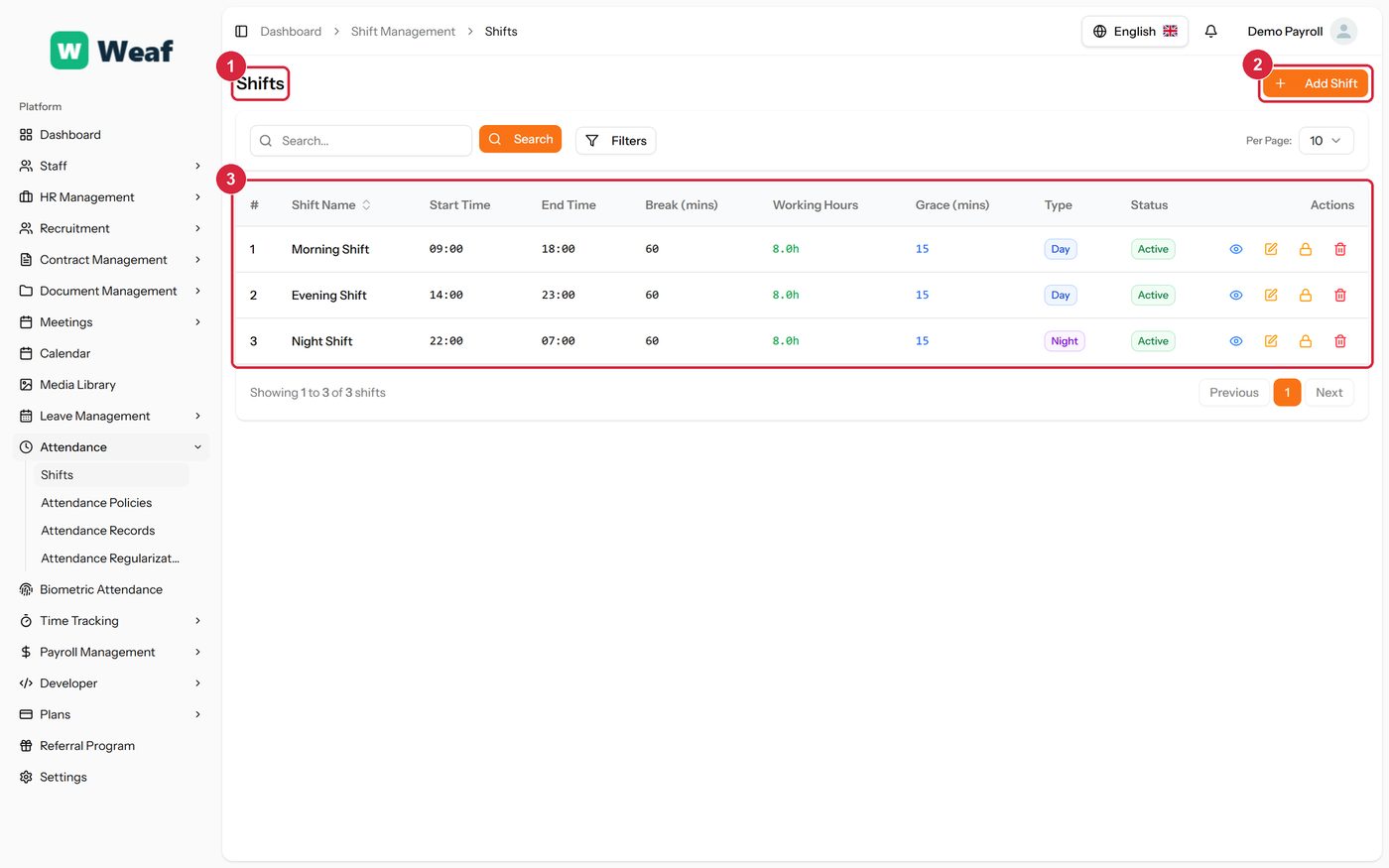
- 1 page title
- 2 primary action
- 3 records table
- Choose Add Shift at the top right. The form opens in a panel.
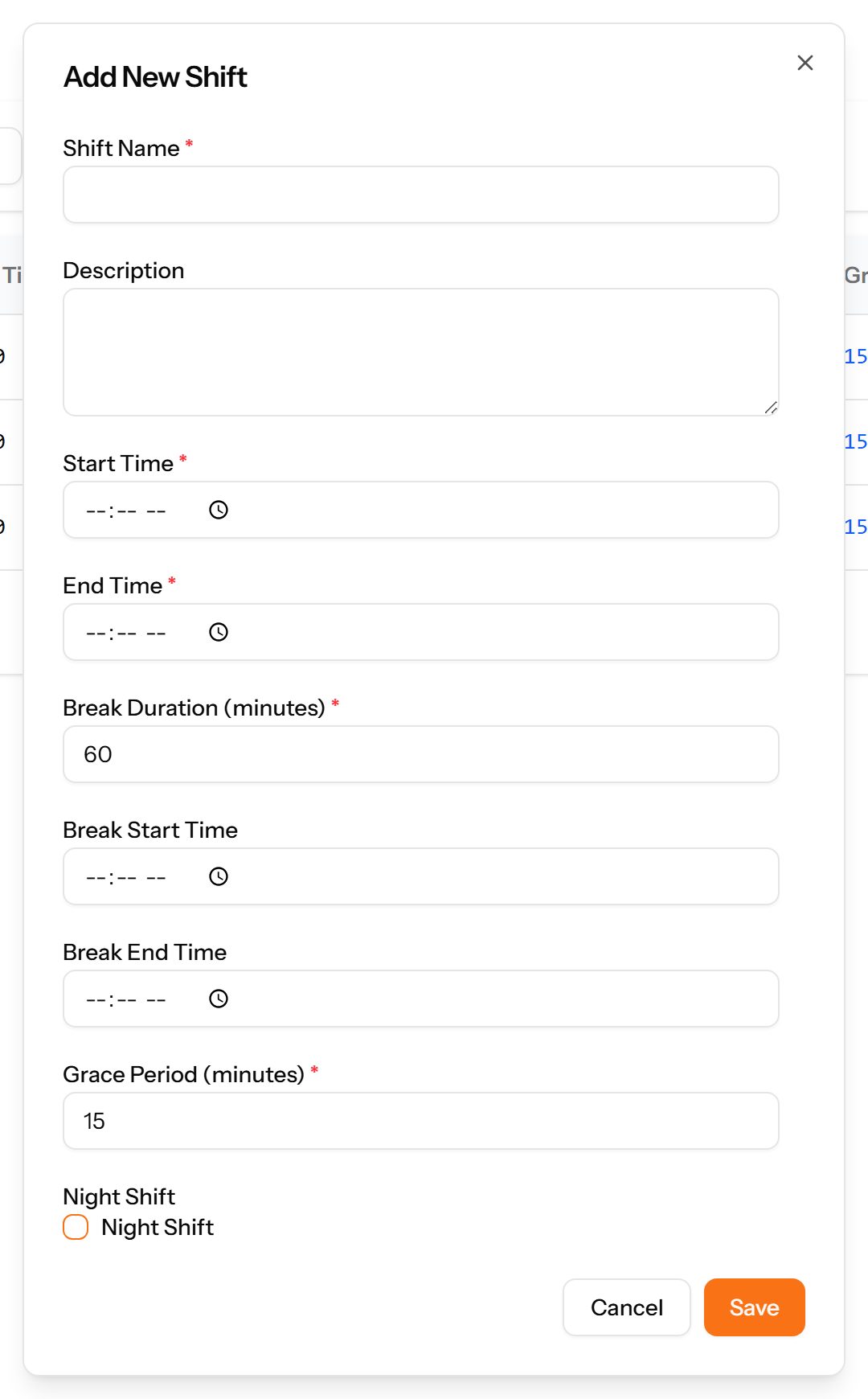
- Complete the required fields: Shift Name, Start Time, End Time, Break Duration (minutes), Grace Period (minutes).
- Fill in anything else that applies: Description, Break Start Time, Break End Time, Night Shift.
- Choose Save. The new record appears in the list.
Attendance Policies
How lateness, early departure and overtime are treated. Set once, applied to everyone the policy covers.
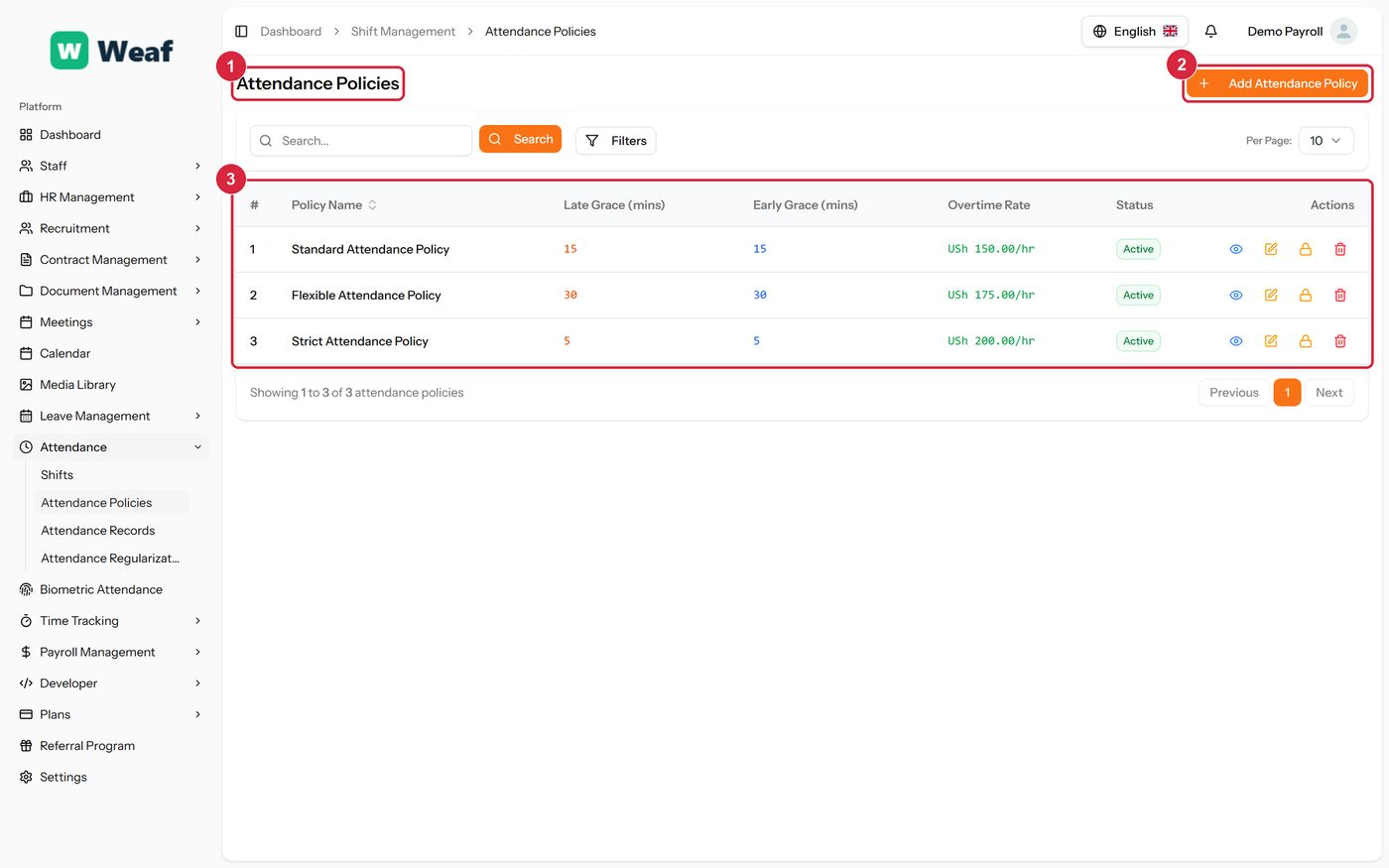
- 1 page title
- 2 primary action
- 3 records table
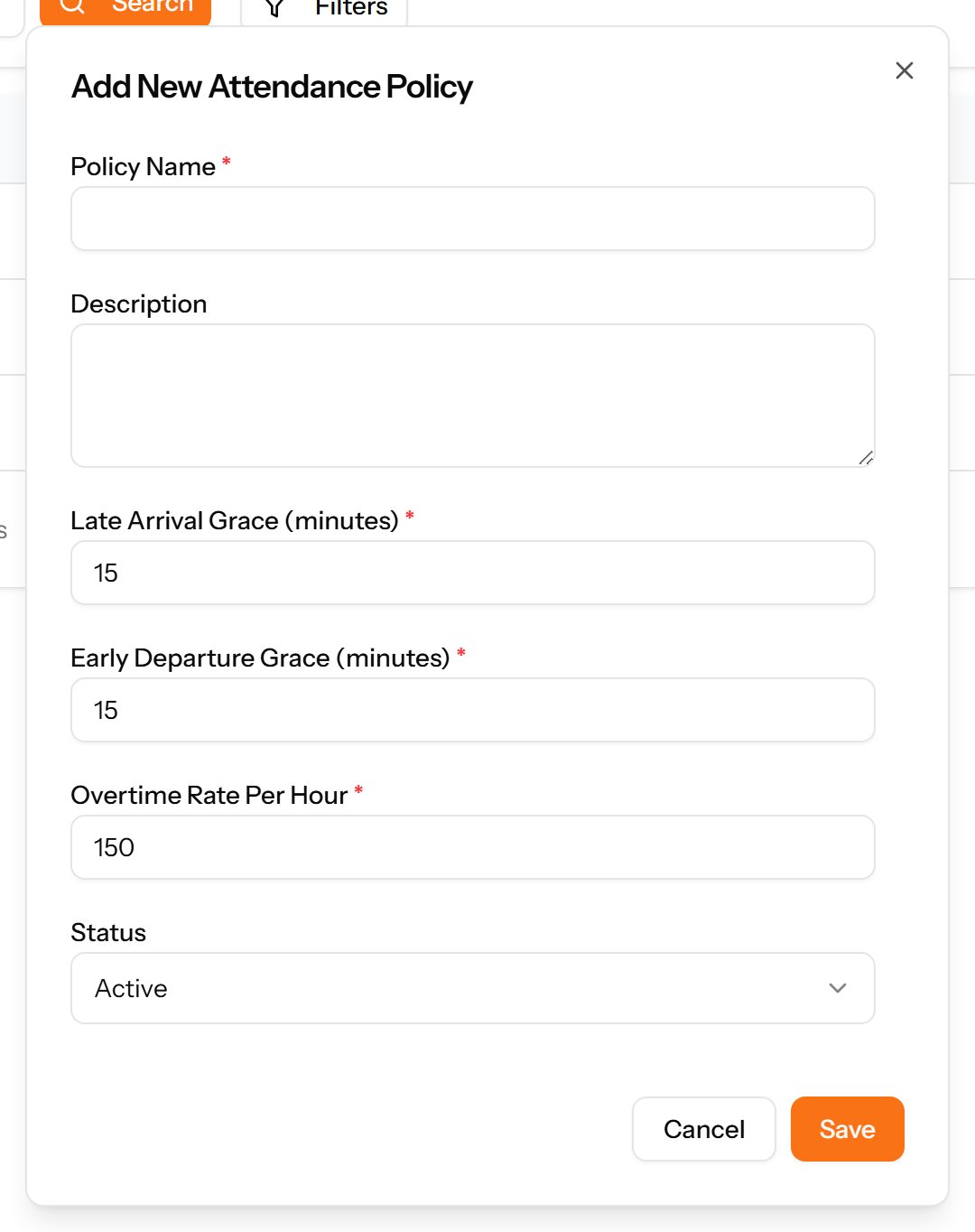
- Choose Add Attendance Policy at the top right. The form opens in a panel.
- Complete the required fields: Policy Name, Late Arrival Grace (minutes), Early Departure Grace (minutes), Overtime Rate Per Hour.
- Fill in anything else that applies: Description.
- Choose Save. The new record appears in the list.
Attendance Records
Daily attendance per employee: the shift they were on, when they clocked in and out and the hours that produced.
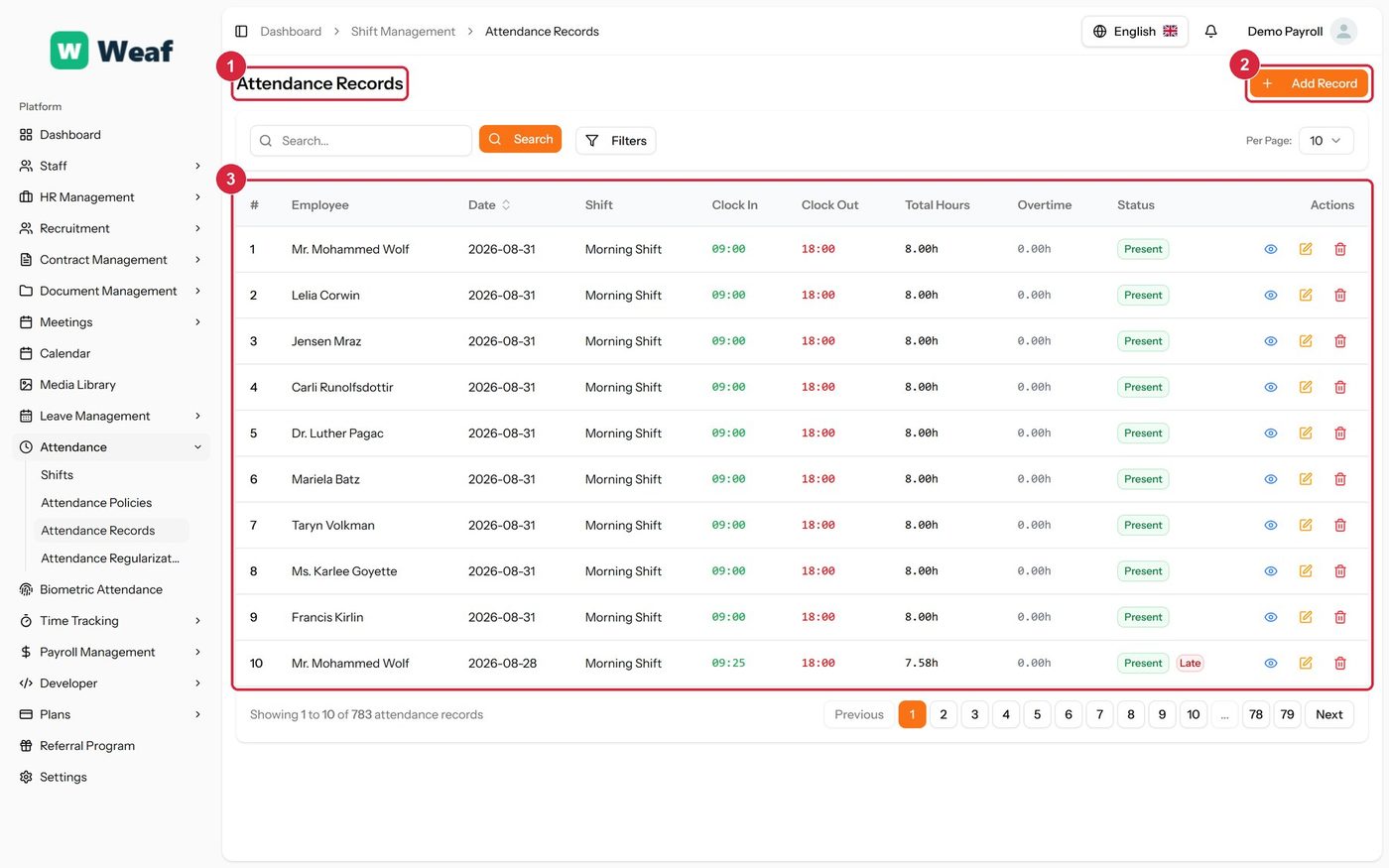
- 1 page title
- 2 primary action
- 3 records table
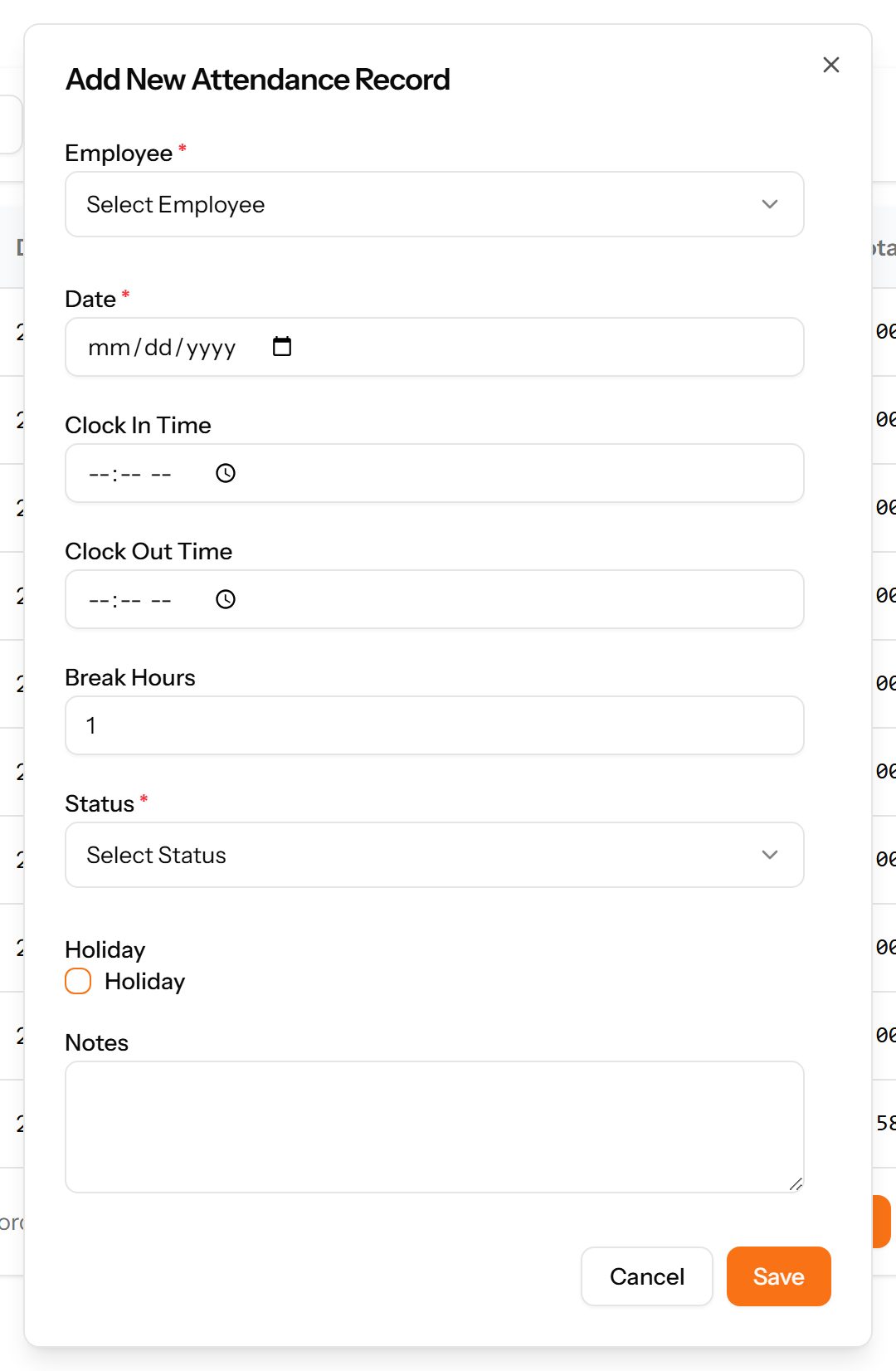
- Choose Add Record at the top right. The form opens in a panel.
- Complete the required fields: Date.
- Fill in anything else that applies: Clock In Time, Clock Out Time, Break Hours, Holiday, Notes.
- Make the selections the form asks for: Employee, Status.
- Choose Save. The new record appears in the list.
Attendance Regularizations
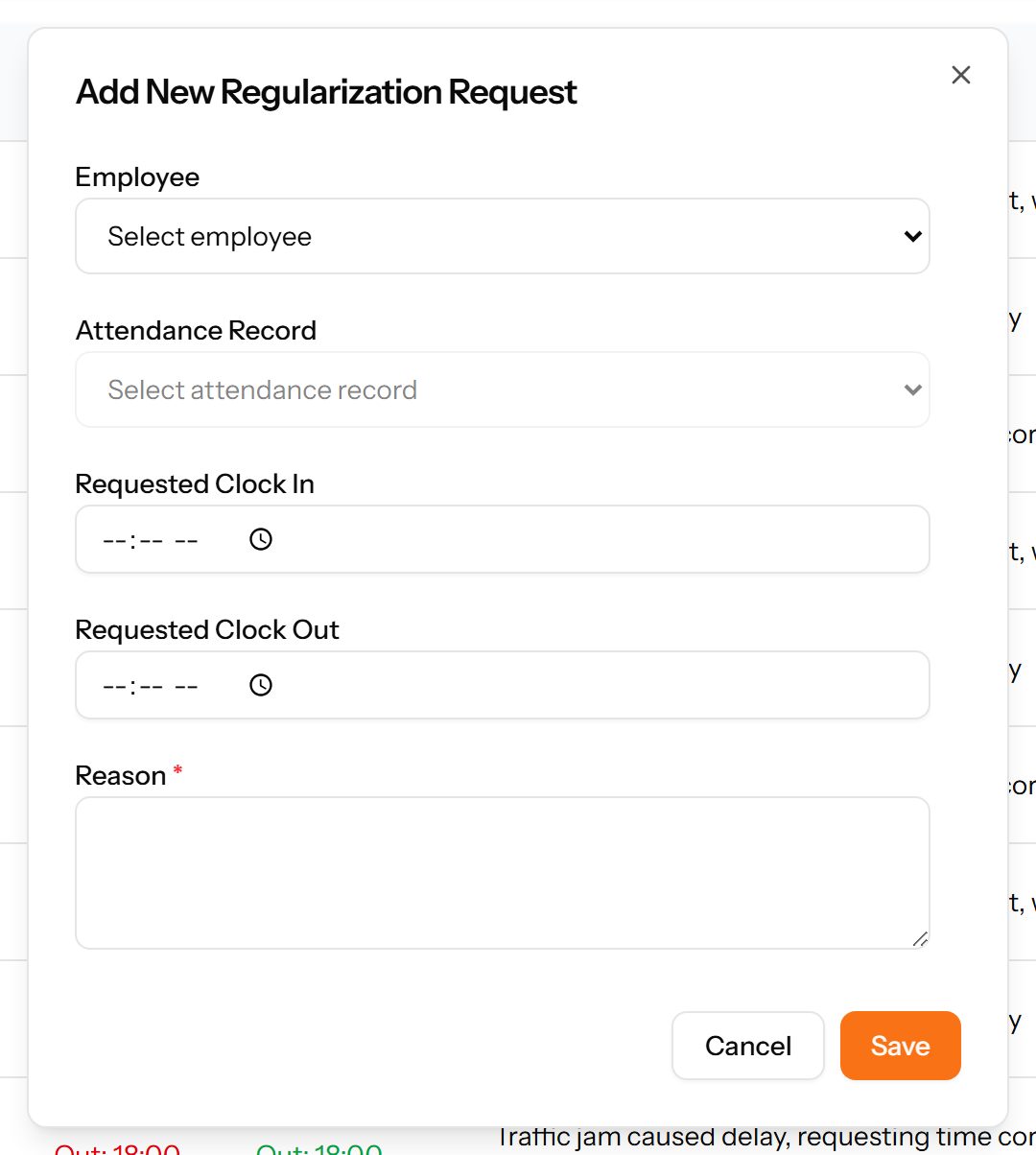
Corrections to attendance. When a clock-in is missing or wrong, the employee requests a change, the original and requested times are shown side by side, and a manager decides — so records are corrected with an audit trail rather than quietly edited.
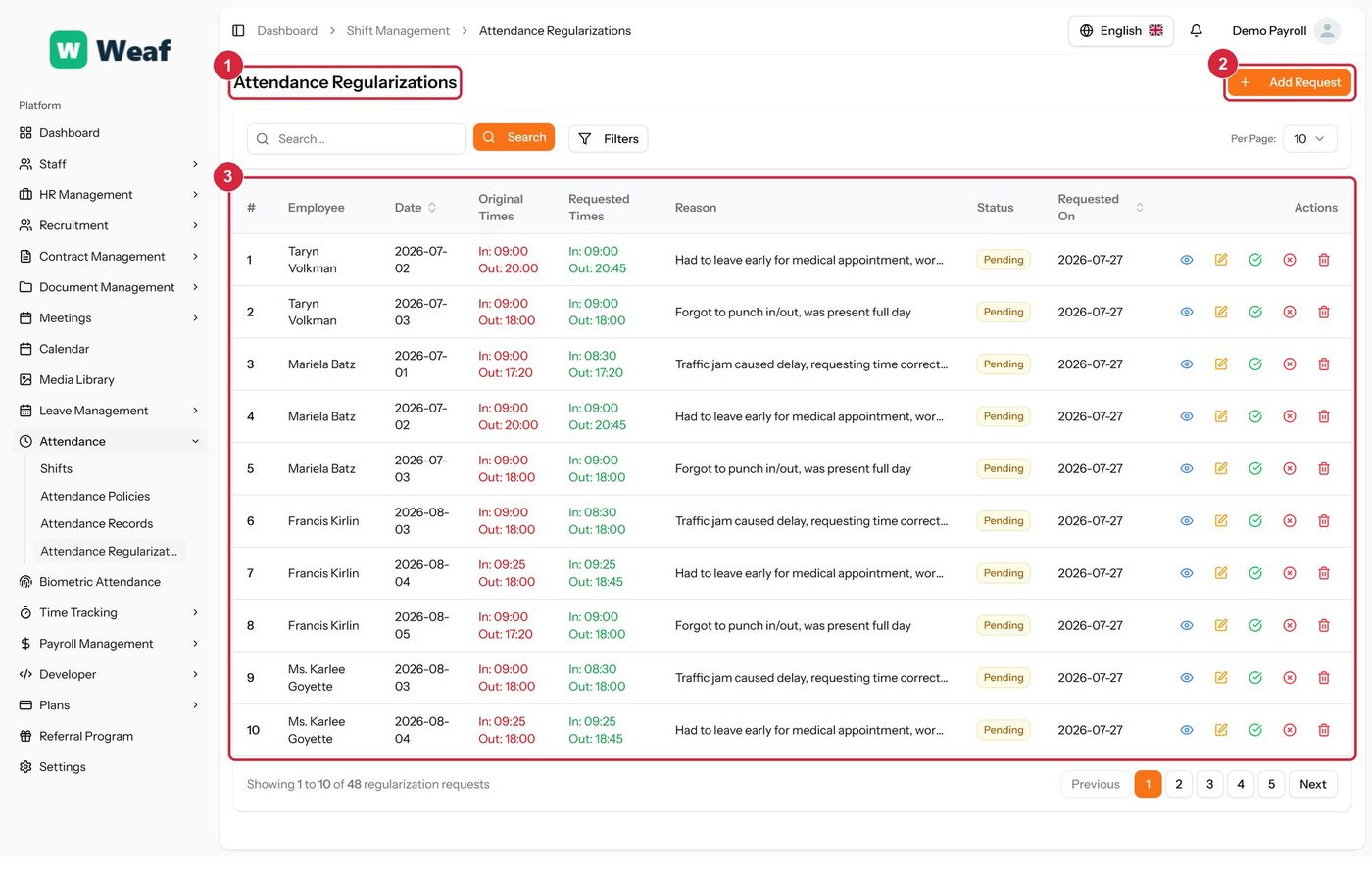
- 1 page title
- 2 primary action
- 3 records table
- Choose Add Request at the top right. The form opens in a panel.
- Complete the required fields: Reason.
- Fill in anything else that applies: Employee, Attendance Record, Requested Clock In, Requested Clock Out.
- Choose Save. The new record appears in the list.
| Note: Correcting attendance through a regularisation keeps the original reading alongside the correction. Editing the record directly would lose that. |
|---|
Biometric Attendance
Attendance collected from fingerprint or face devices, and the configuration that connects those devices to the system.
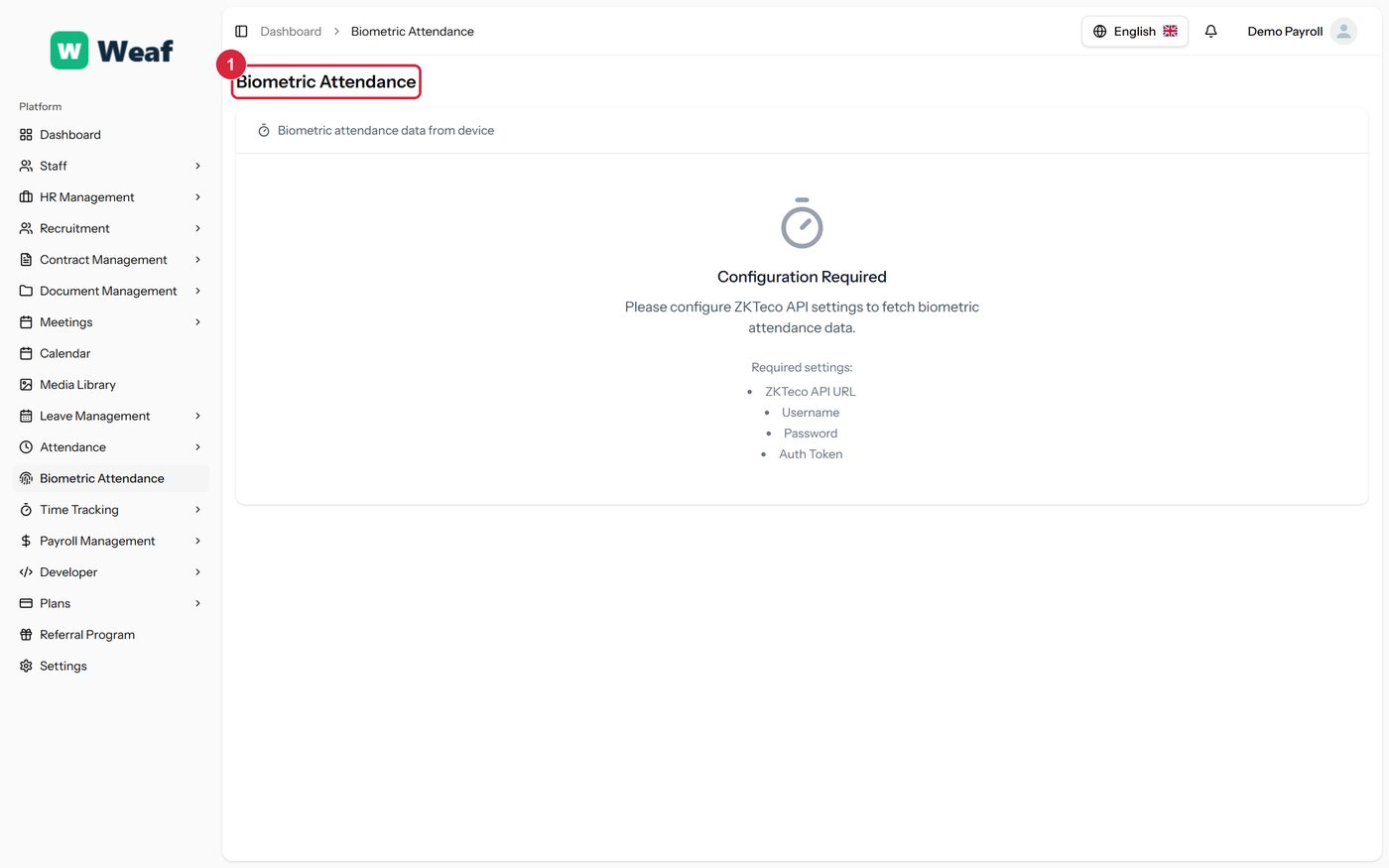
1 page title
Time Entries
Hours booked against projects, as distinct from attendance. Attendance answers “were they at work?”; time entries answer “what were they working on?”
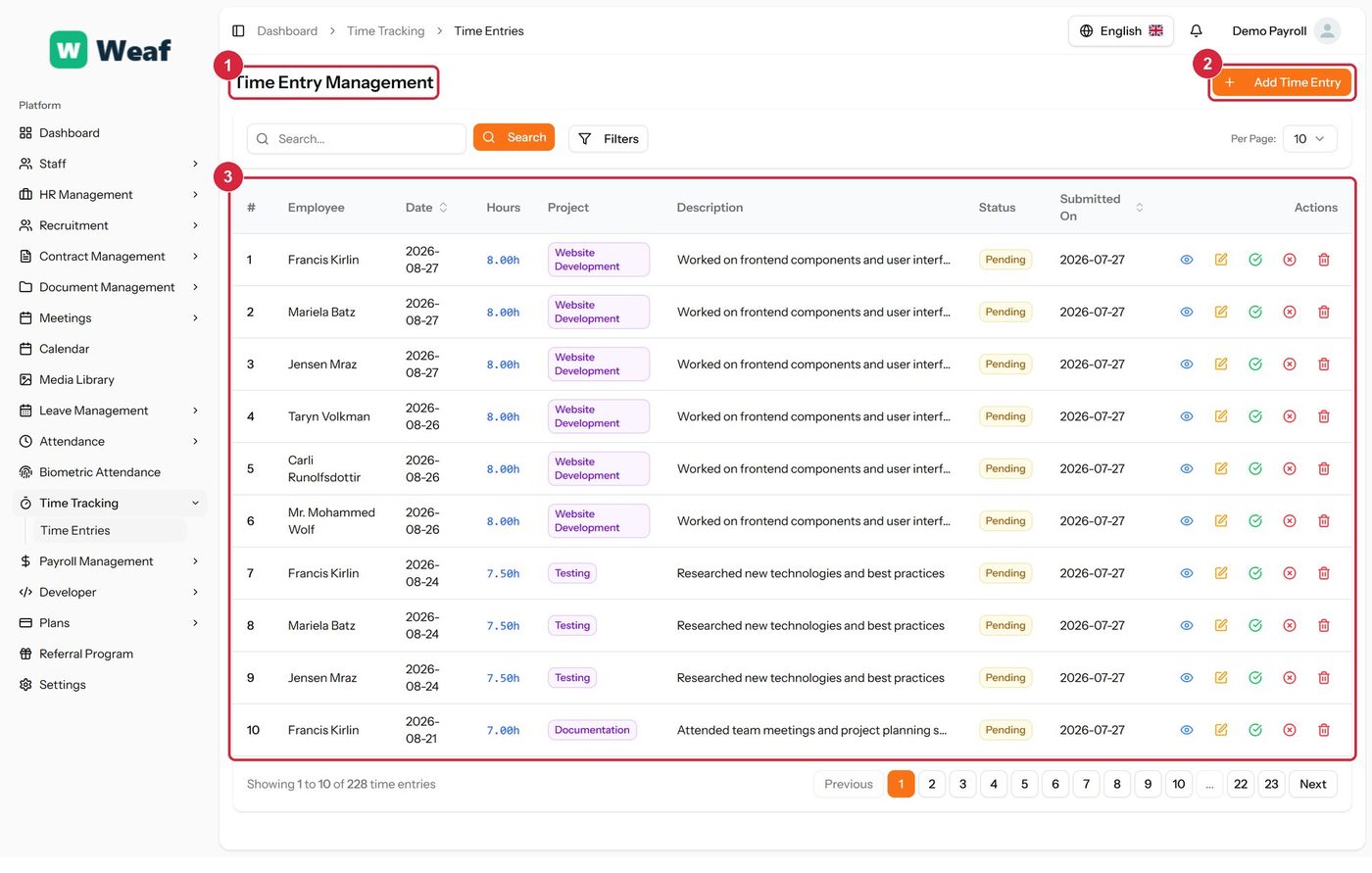
- 1 page title
- 2 primary action
- 3 records table
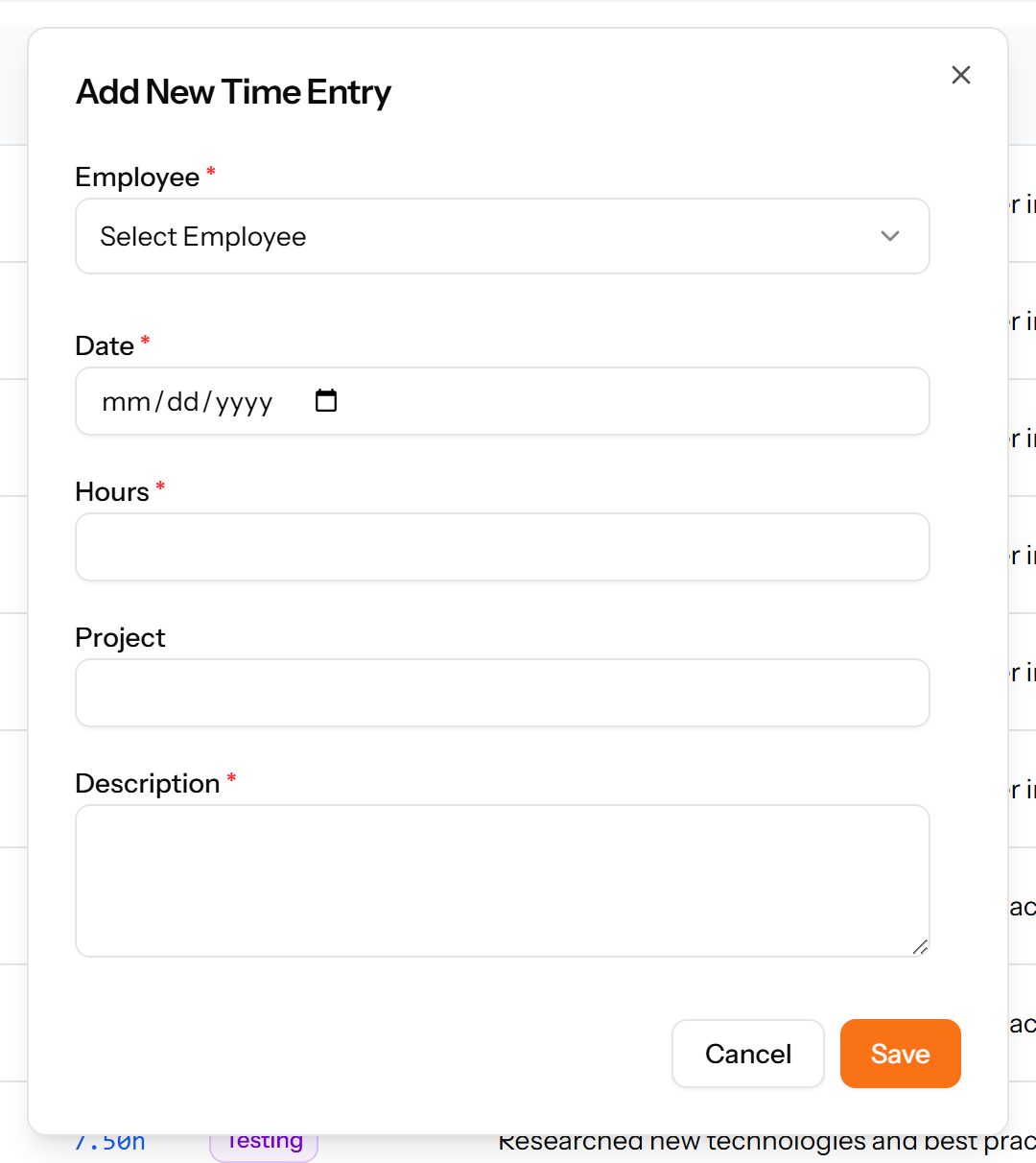
- Choose Add Time Entry at the top right. The form opens in a panel.
- Complete the required fields: Date, Hours, Description.
- Fill in anything else that applies: Project.
- Make the selections the form asks for: Employee.
- Choose Save. The new record appears in the list.