Weaf HR

Documents

This module holds company documents and, importantly, proof that people have read them.

This module holds company documents and, importantly, proof that people have read them.

Pages in this chapter
  • Document Categories
  • HR Documents
  • Acknowledgments
  • Document Templates

Document Categories

A reference list. Entries created here become the options offered when you create an HR document. Setting these up once, before the records that use them, saves correcting the same choice repeatedly later.
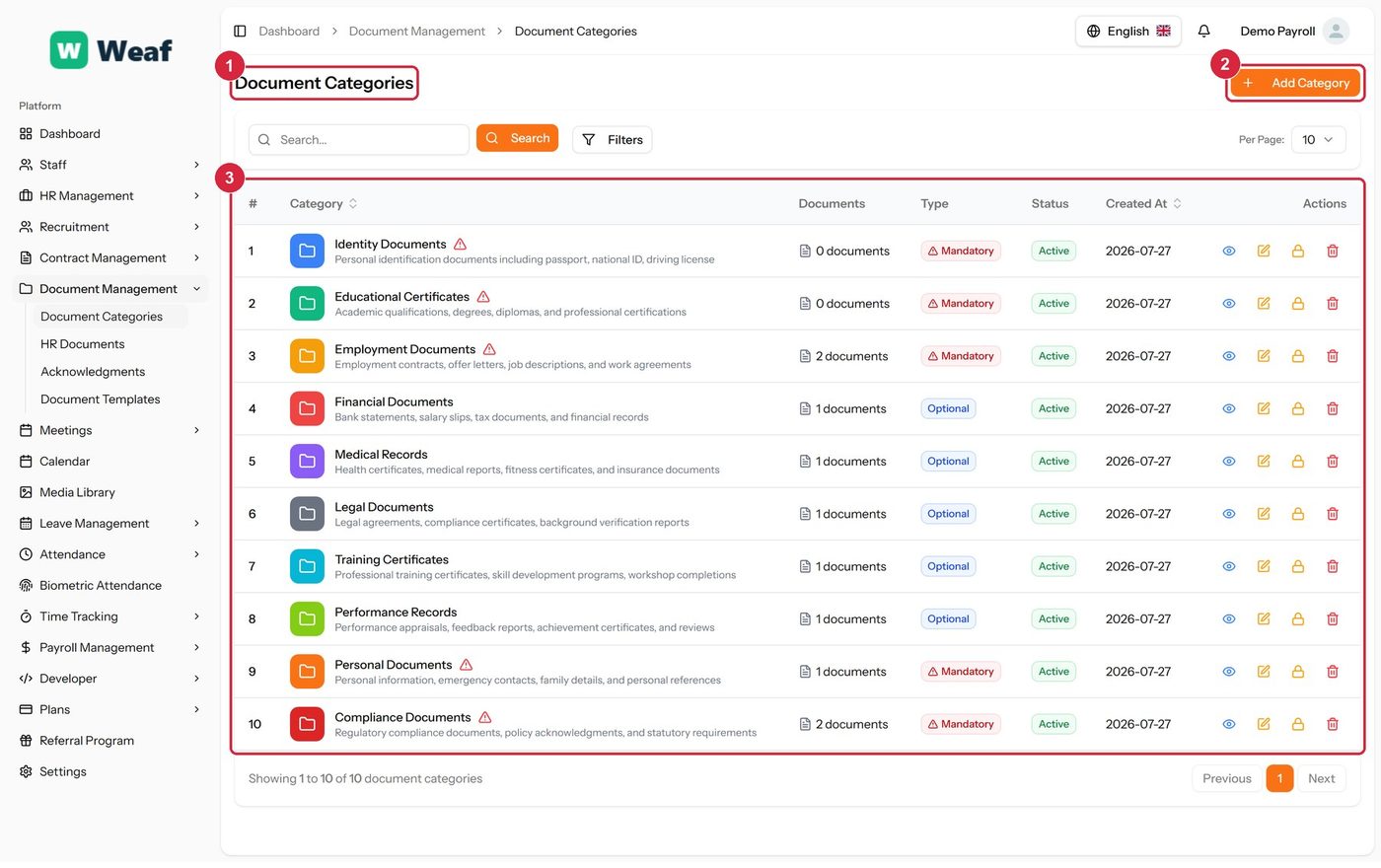
The Document Categories page
  • 1 page title
  • 2 primary action
  • 3 records table
Columns
  • #
  • Category
  • Documents
  • Type
  • Status
  • Created At
  • Actions
Actions on this page
  • Add Category
  1. Choose Add Category at the top right. The form opens in a panel.
  2. Complete the required fields: Category Name, Color.
  3. Fill in anything else that applies: Description, Mandatory Category.
  4. Make the selections the form asks for: Icon, Status.
  5. Choose Save. The new record appears in the list.
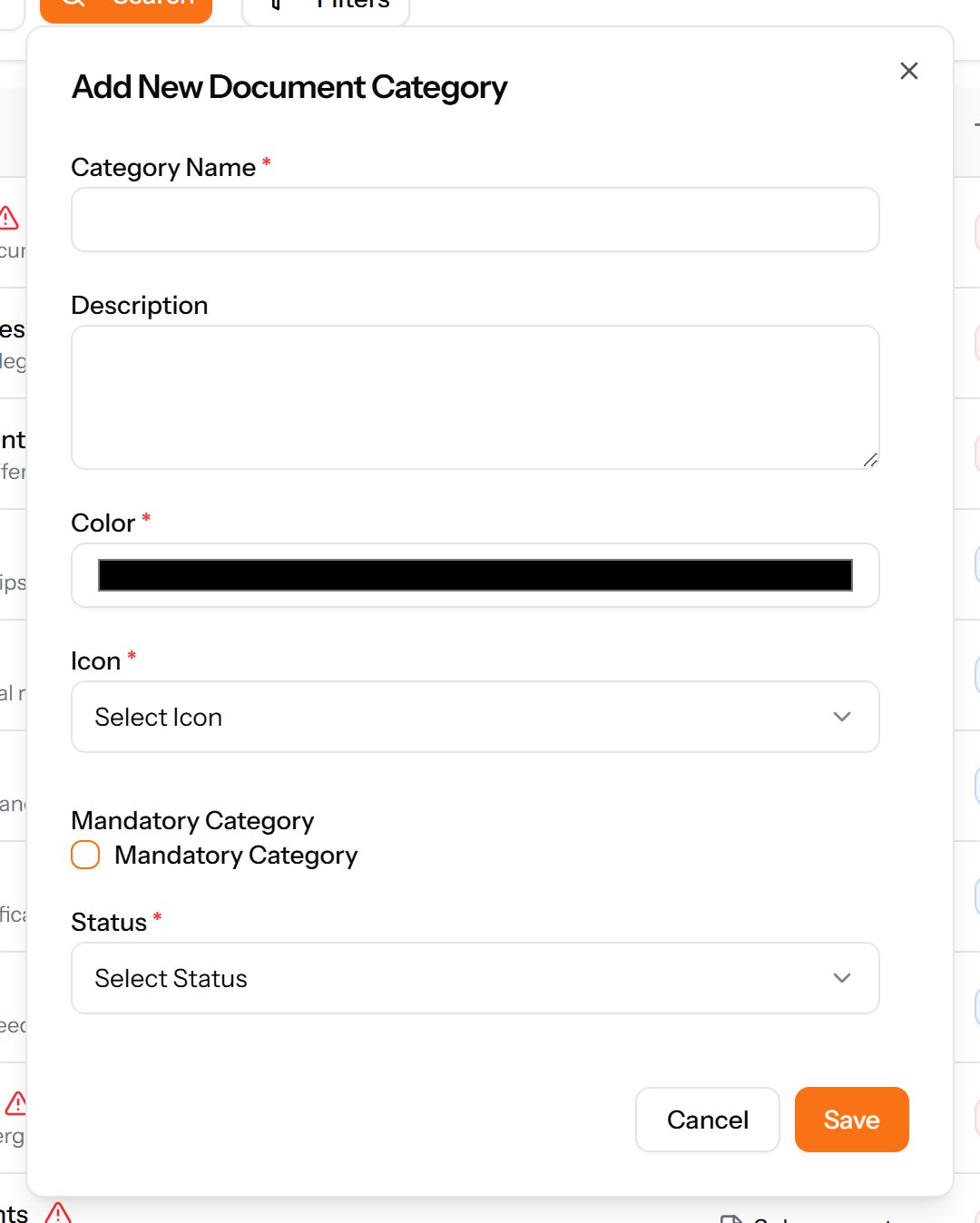
The Add Category form

HR Documents

The company's own documents — policies, handbooks, forms — with their size, status, download count and expiry.
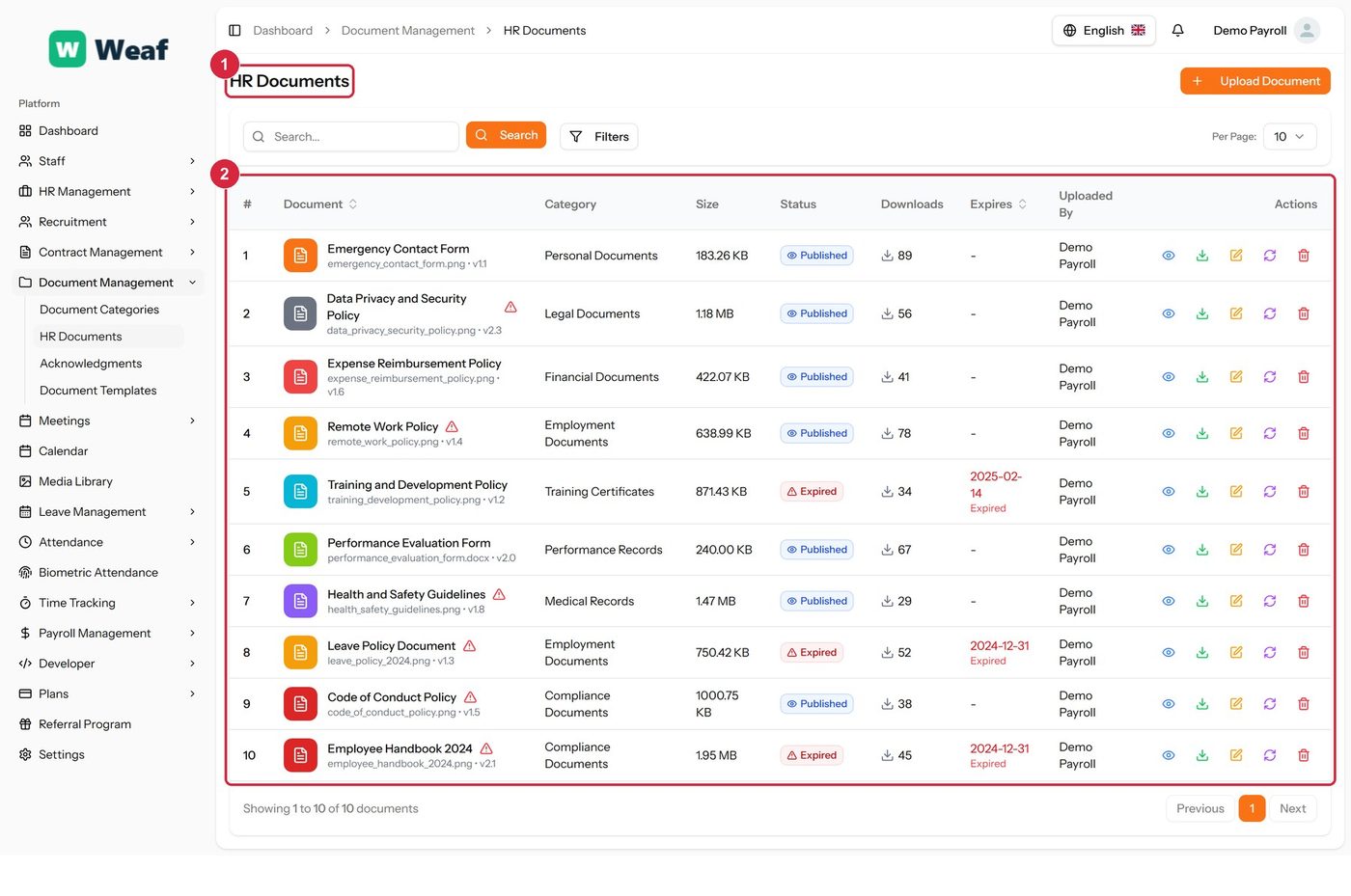
The HR Documents page
  • 1 page title
  • 2 records table
Columns
  • #
  • Document
  • Category
  • Size
  • Status
  • Downloads
  • Expires
  • Uploaded By
  • Actions
Actions on this page
  • Upload Document

Acknowledgments

Who has confirmed they have read which document, and by when they were required to. This is the page that turns a published policy into evidence that it was received.
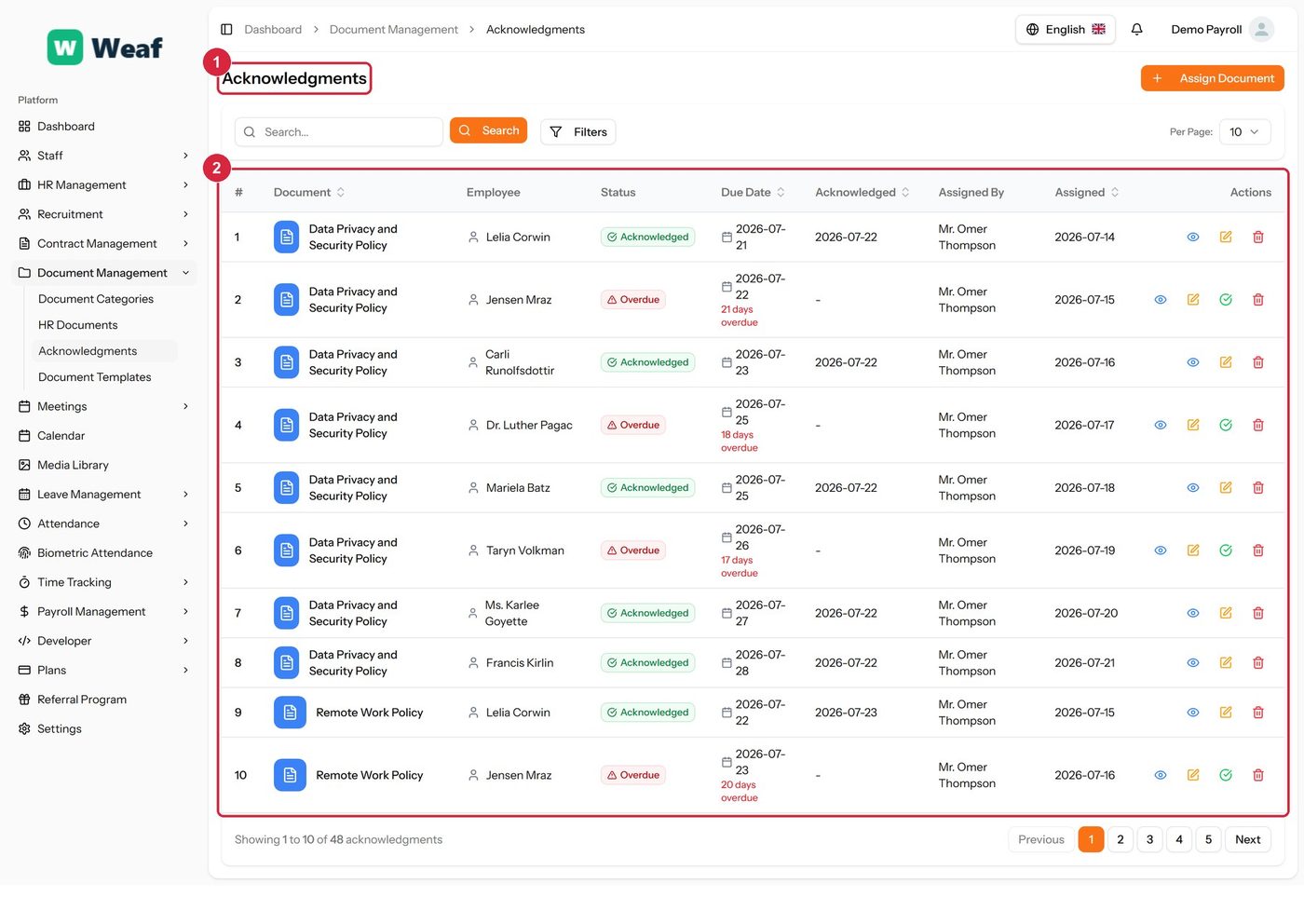
The Acknowledgments page
  • 1 page title
  • 2 records table
Columns
  • #
  • Document
  • Employee
  • Status
  • Due Date
  • Acknowledged
  • Assigned By
  • Assigned
  • Actions
Actions on this page
  • Assign Document

Document Templates

Reusable document wording with placeholders, used to generate letters and forms.
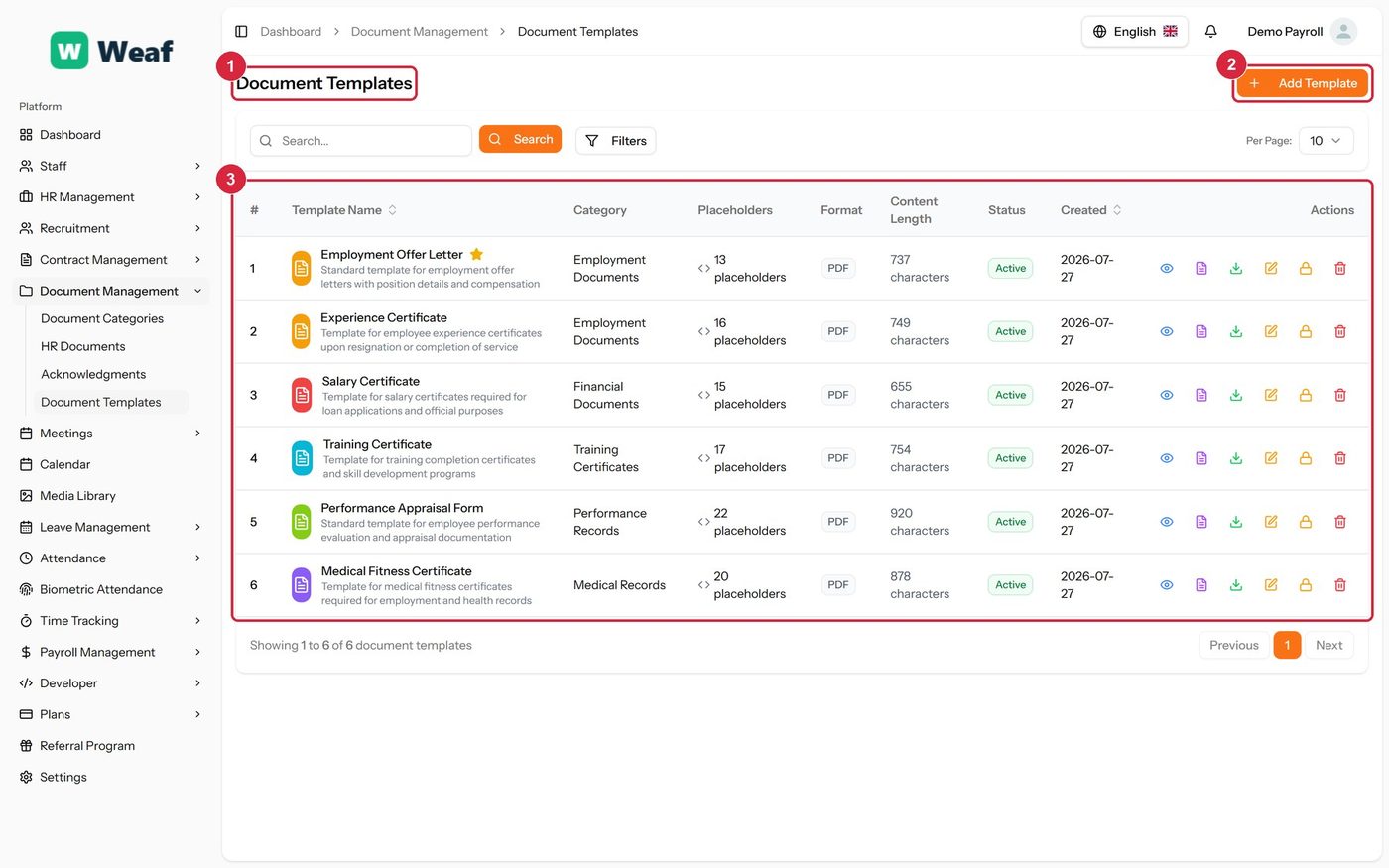
The Document Templates page
  • 1 page title
  • 2 primary action
  • 3 records table
Columns
  • #
  • Template Name
  • Category
  • Placeholders
  • Format
  • Content Length
  • Status
  • Created
  • Actions
Actions on this page
  • Add Template
  1. Choose Add Template at the top right. The form opens in a panel.
  2. Complete the required fields: Template Name, Template Content.
  3. Fill in anything else that applies: Description, Placeholders, Default Values, Set as Default for Category.
  4. Make the selections the form asks for: Category, File Format, Status.
  5. Choose Save. The new record appears in the list.
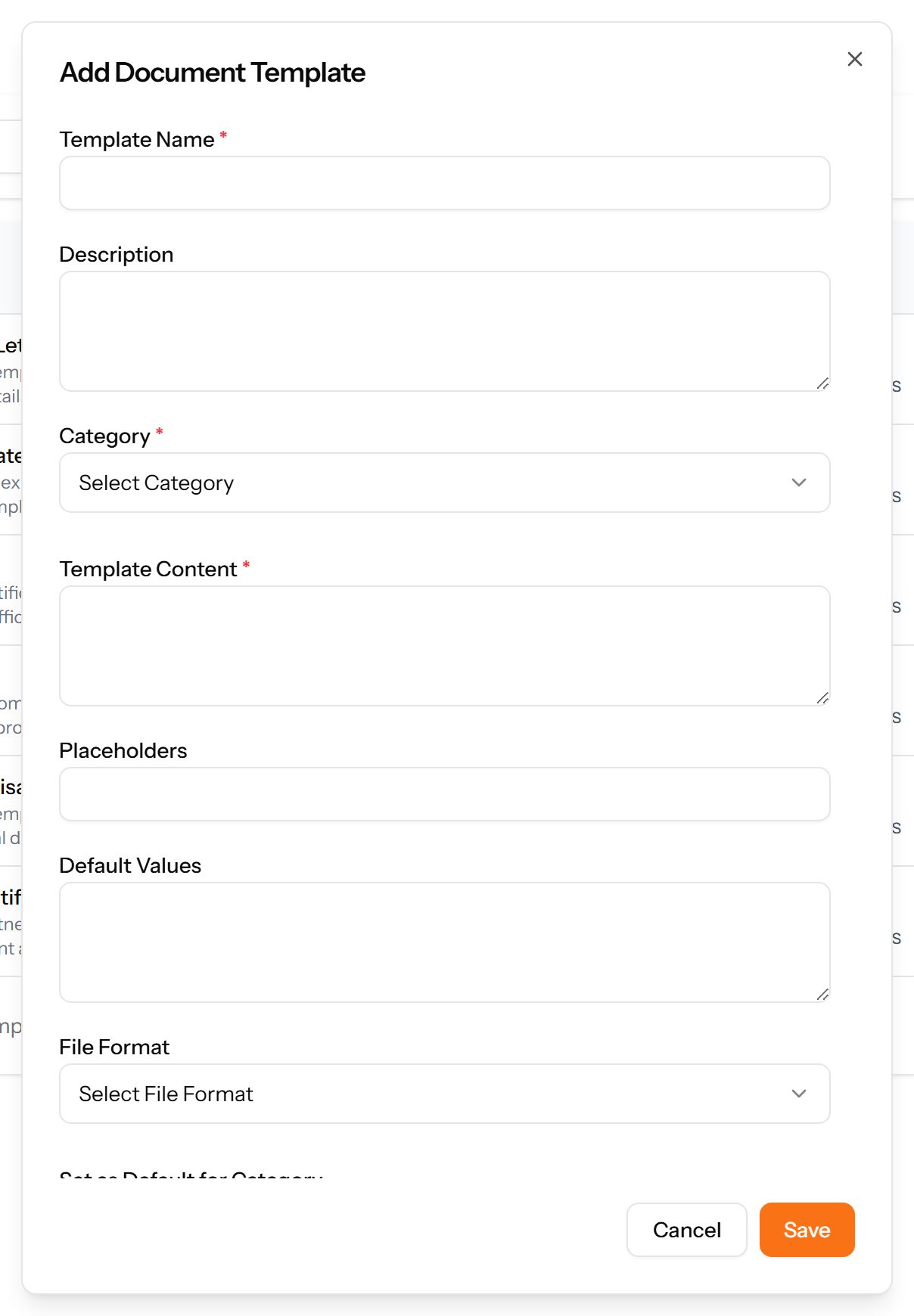
The Add Template form

Common questions about documents

How do I add a document category in Weaf HR?

A reference list. Entries created here become the options offered when you create an HR document. Setting these up once, before the records that use them, saves correcting the same choice repeatedly later.

  1. Choose Add Category at the top right. The form opens in a panel.
  2. Complete the required fields: Category Name, Color.
  3. Fill in anything else that applies: Description, Mandatory Category.
  4. Make the selections the form asks for: Icon, Status.
  5. Choose Save. The new record appears in the list.
How do I add a document template in Weaf HR?

Reusable document wording with placeholders, used to generate letters and forms.

  1. Choose Add Template at the top right. The form opens in a panel.
  2. Complete the required fields: Template Name, Template Content.
  3. Fill in anything else that applies: Description, Placeholders, Default Values, Set as Default for Category.
  4. Make the selections the form asks for: Category, File Format, Status.
  5. Choose Save. The new record appears in the list.

See all questions →