Payroll
Payroll is built from the bottom up: components describe the parts of a pay packet, each employee is given a salary structure made of those components, and a payroll run applies the whole thing to a period and produces payslips.
Payroll is built from the bottom up: components describe the parts of a pay packet, each employee is given a salary structure made of those components, and a payroll run applies the whole thing to a period and produces payslips.
An employee with no salary structure is skipped by a payroll run. If someone is missing from a run, that is the first thing to check.
Salary Components
The building blocks of pay: basic pay, allowances, deductions and contributions. Each is either an earning or a deduction and is calculated as a fixed amount or a percentage.
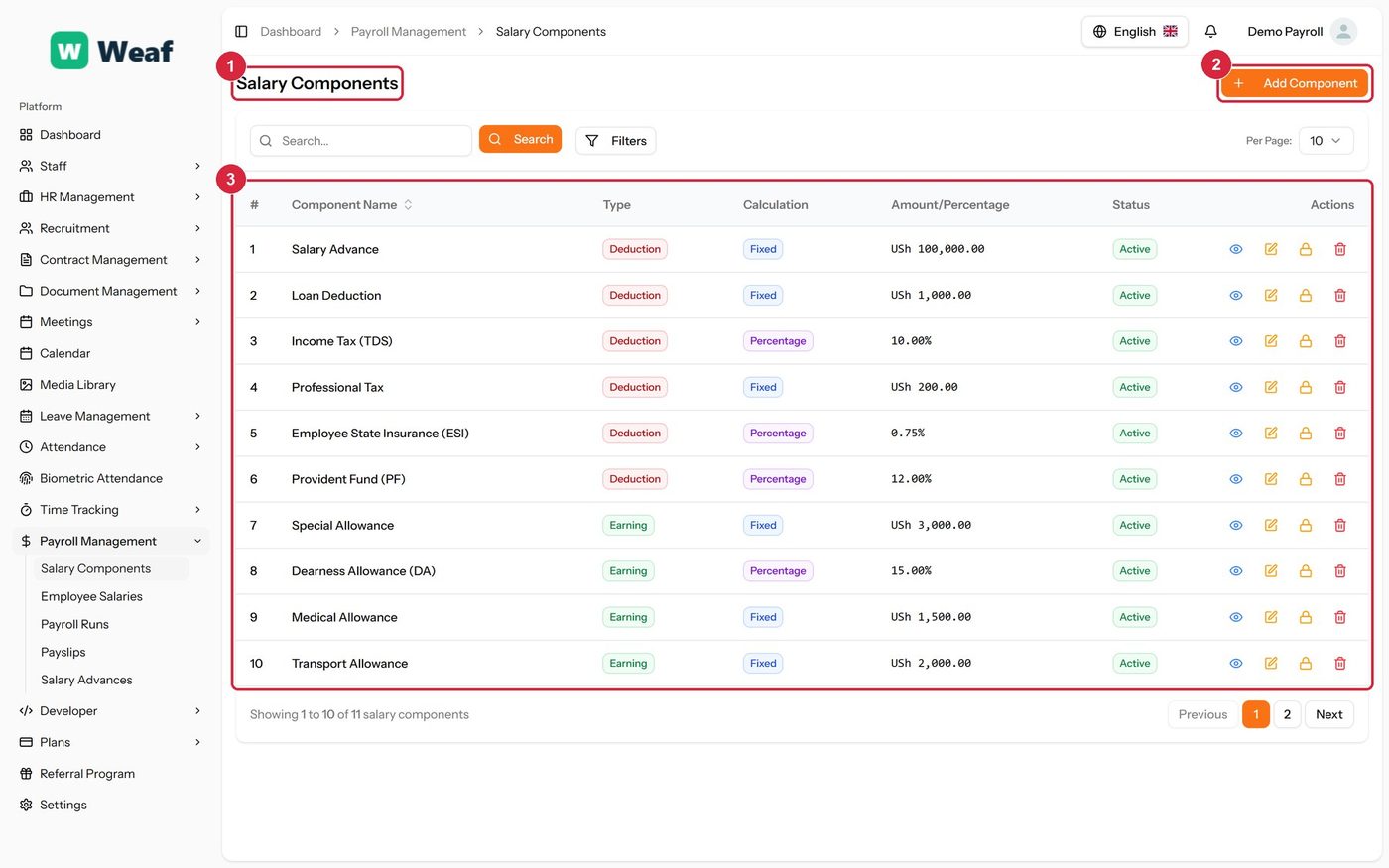
- 1 page title
- 2 primary action
- 3 records table
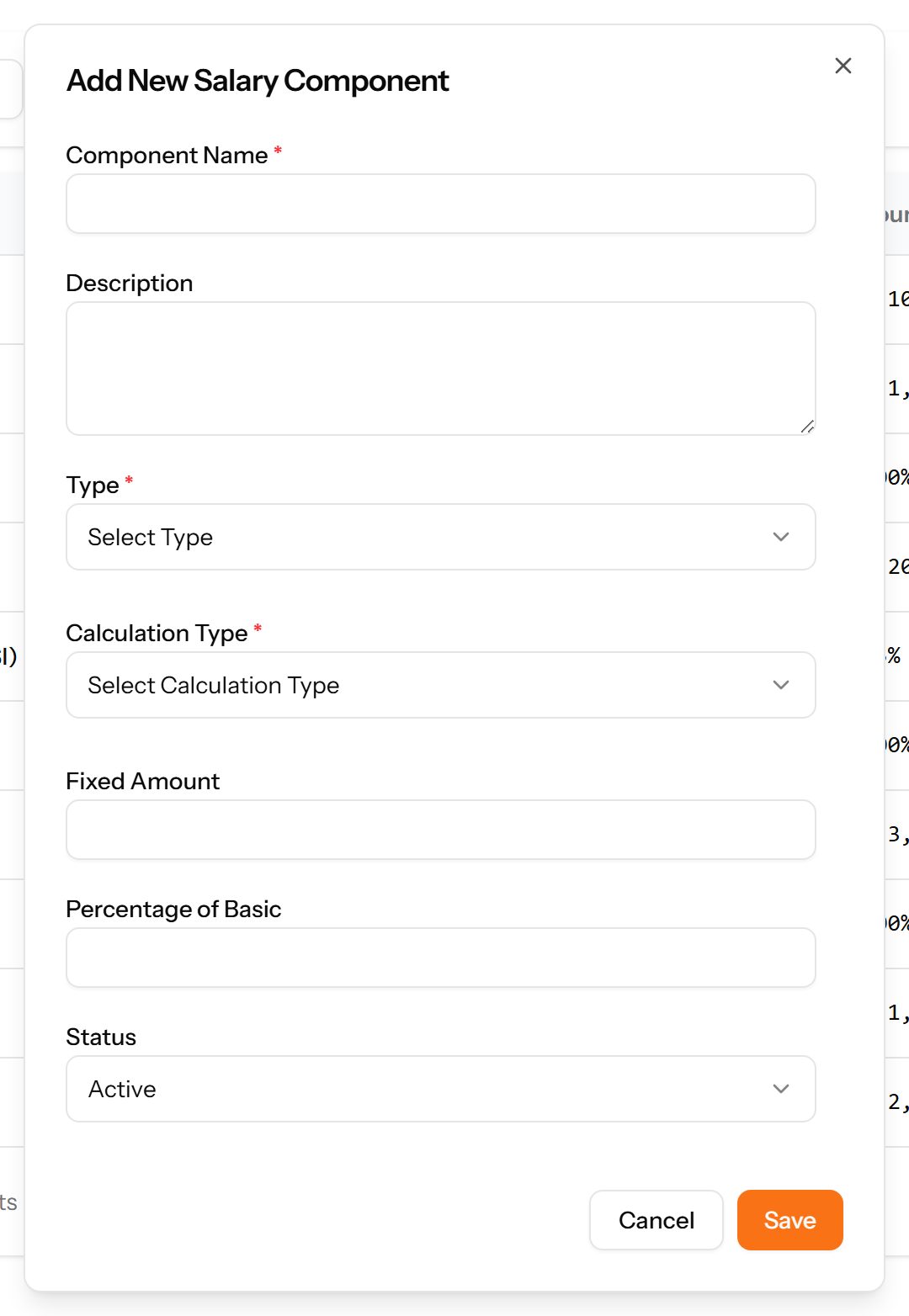
- Choose Add Component at the top right. The form opens in a panel.
- Complete the required fields: Component Name.
- Fill in anything else that applies: Description, Fixed Amount, Percentage of Basic.
- Make the selections the form asks for: Type, Calculation Type.
- Choose Save. The new record appears in the list.
Employee Salaries
What each employee is actually paid — their basic salary and the components attached to it. Payroll cannot be run for an employee with no salary structure.
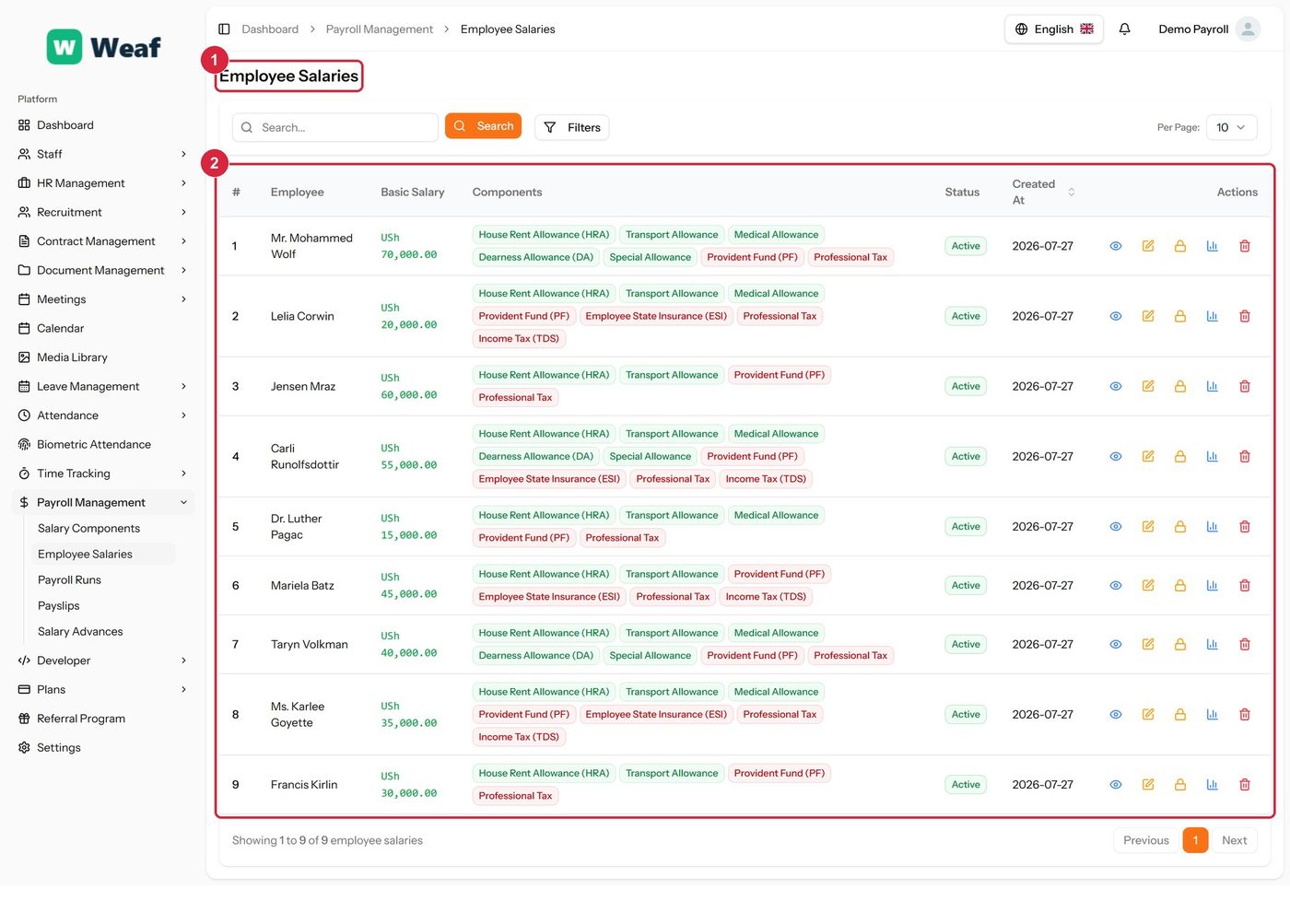
- 1 page title
- 2 records table
| Note: A salary structure is attached from the employee’s own record rather than created on this page. This page is where you check who has one. |
|---|
Payroll Runs
A payroll for a period. The run gathers the employees to be paid, calculates gross and net pay from their salary structures, and produces the payslips.
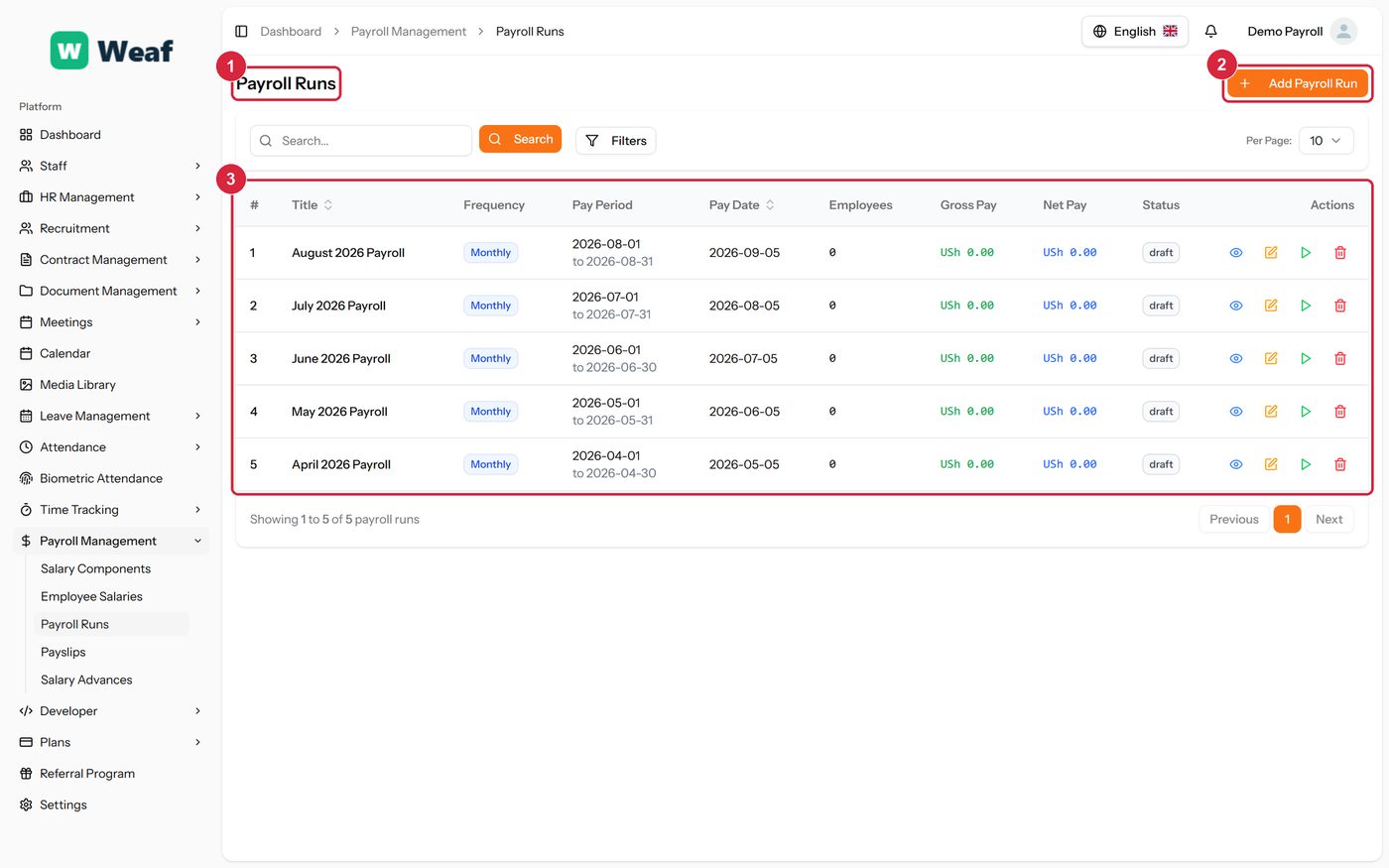
- 1 page title
- 2 primary action
- 3 records table
- Confirm that every employee to be paid has a salary structure on Employee Salaries. An employee without one is skipped.
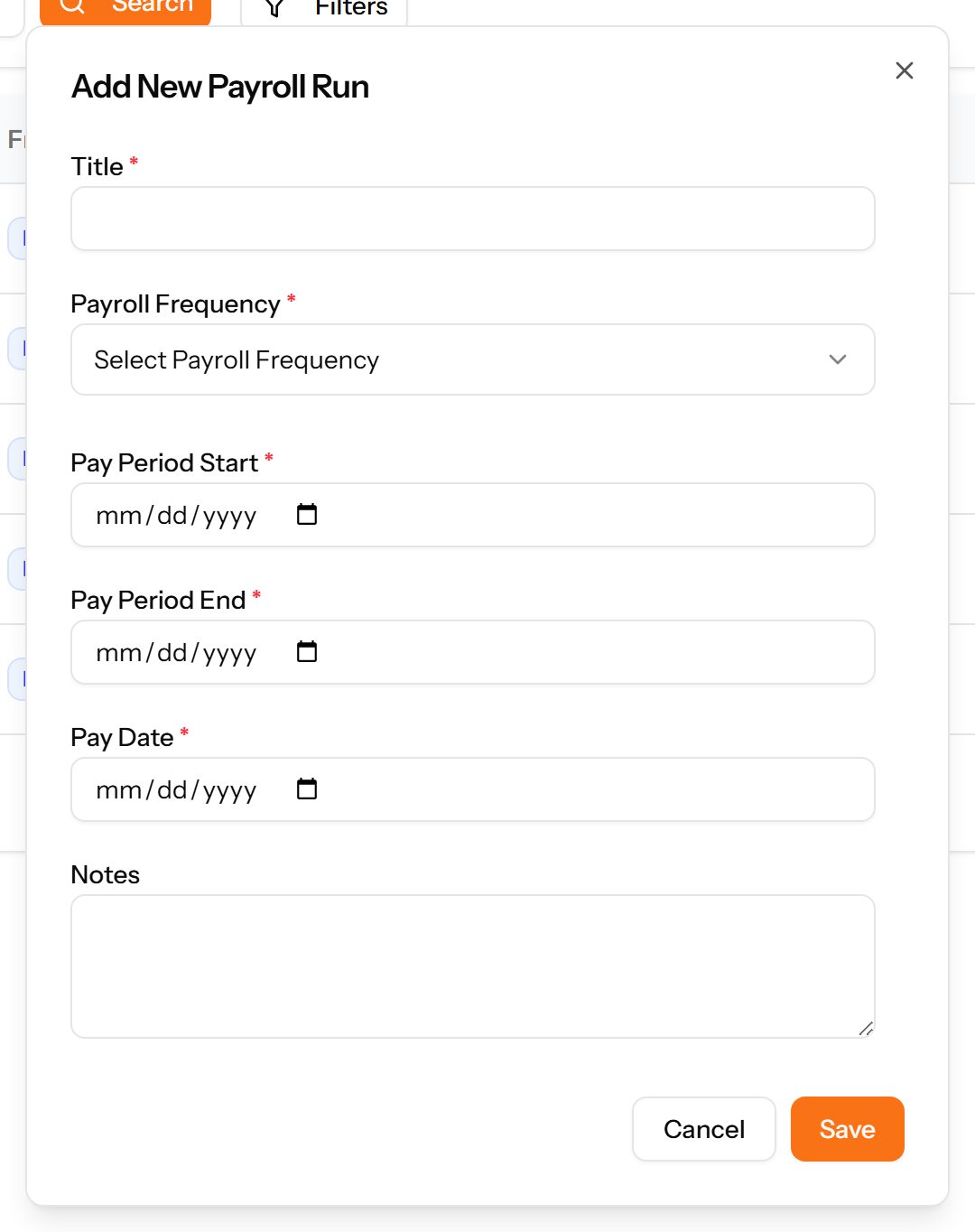
- Choose Add Payroll Run.
- Give the run a title, set the frequency, and set the pay period and pay date.
- Save. The run is created and gathers the employees it covers.
- Review the gross and net totals shown on the list before doing anything further with the run.
Payslips
The individual statements produced by a payroll run, each with its number, period, pay date and net pay.
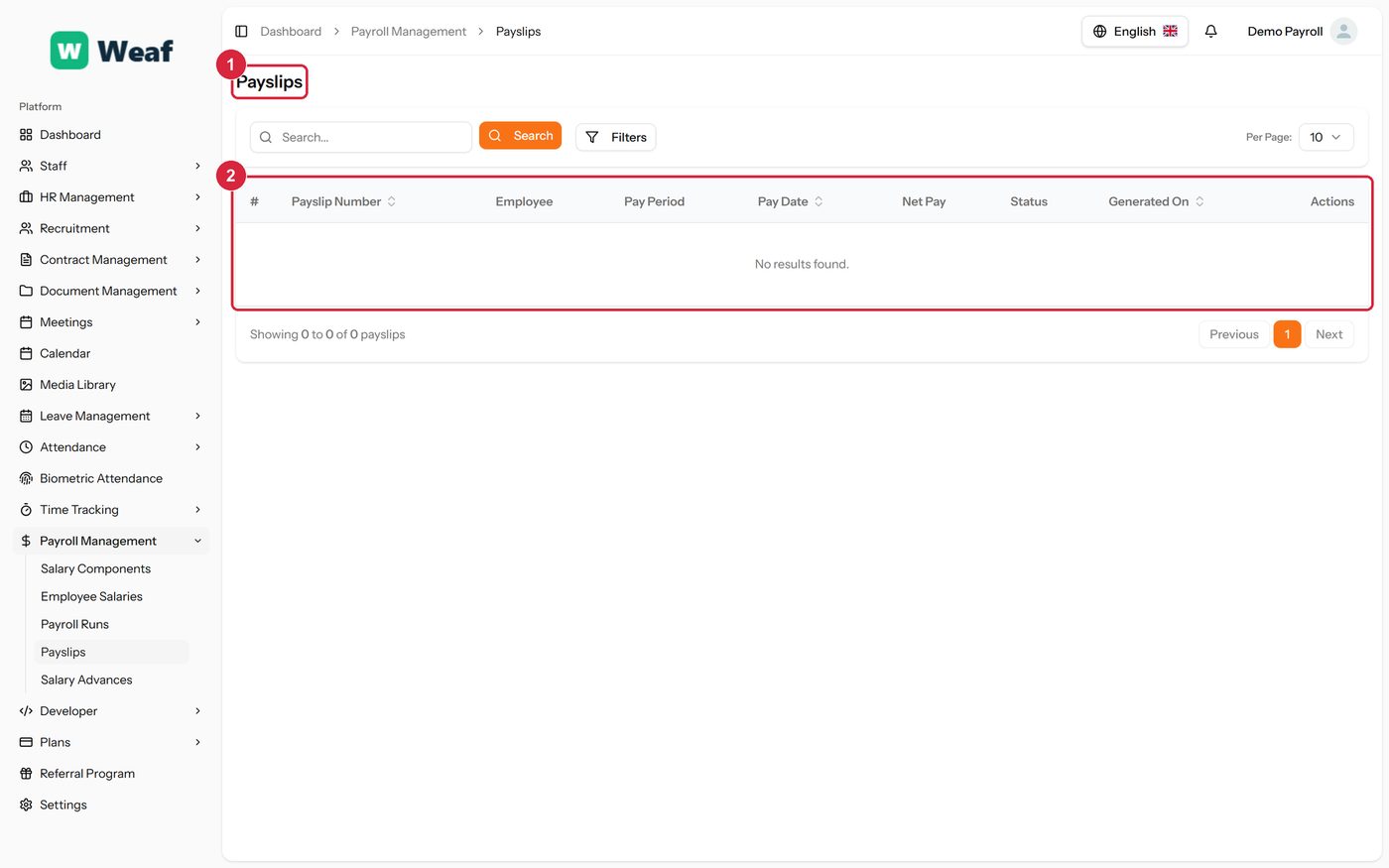
- 1 page title
- 2 records table
| Note: Payslips are produced by a payroll run; there is no way to add one here. If a payslip is missing, look at the run that should have produced it, and at whether that employee has a salary structure. |
|---|
Salary Advances
Money advanced against future pay, tracked through repayment: the amount, what has been repaid, what is outstanding and over how many instalments.
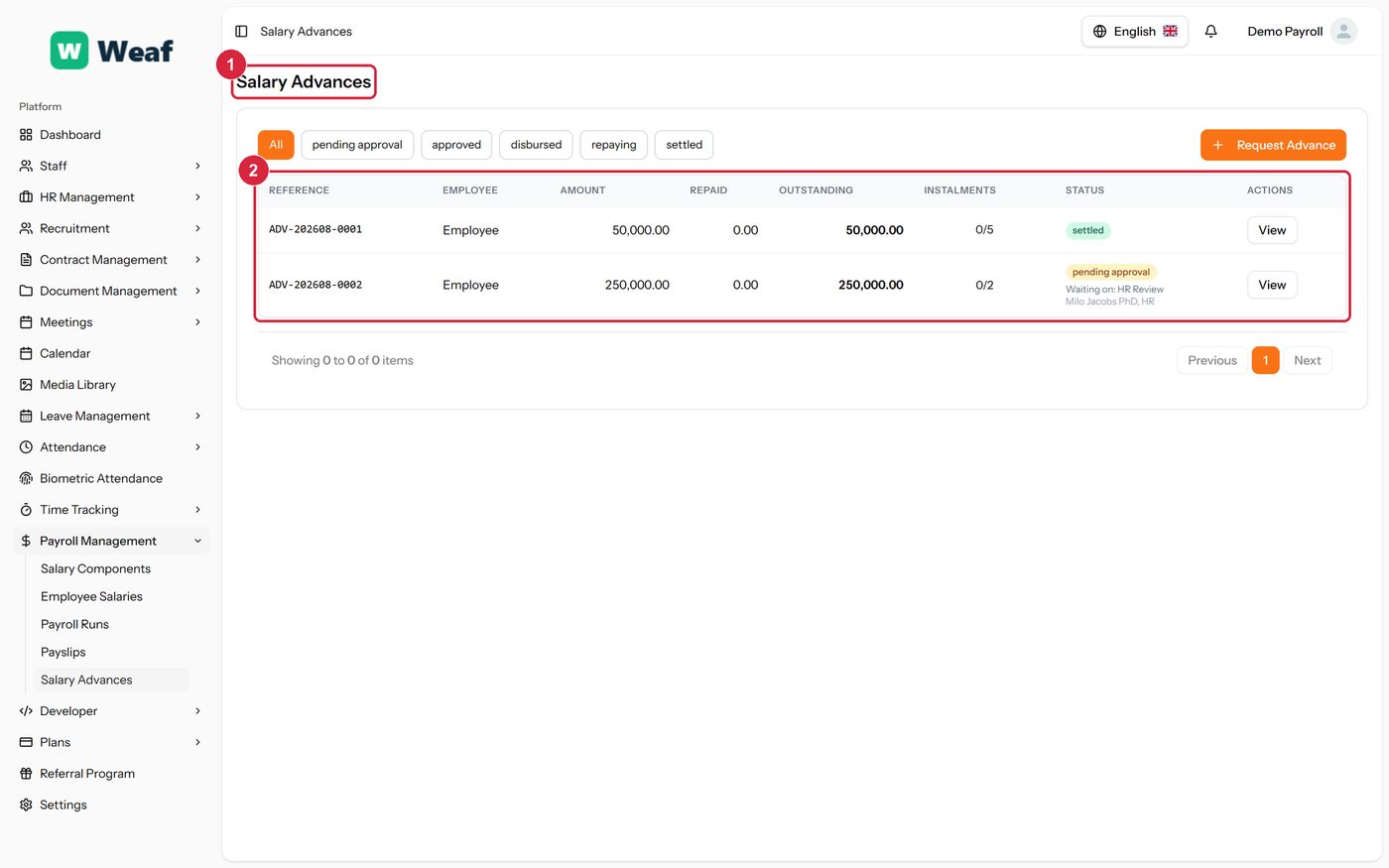
- 1 page title
- 2 records table