Weaf HR

Training

A programme is a course; a session is one delivery of it; an employee training is one person's place on it.

A programme is a course; a session is one delivery of it; an employee training is one person's place on it. Separating the three means a course is described once however often it runs.

Pages in this chapter
  • Training Types
  • Training Programs
  • Training Sessions
  • Employee Trainings

Training Types

A reference list. Entries created here become the options offered when you create a training programme. Setting these up once, before the records that use them, saves correcting the same choice repeatedly later.
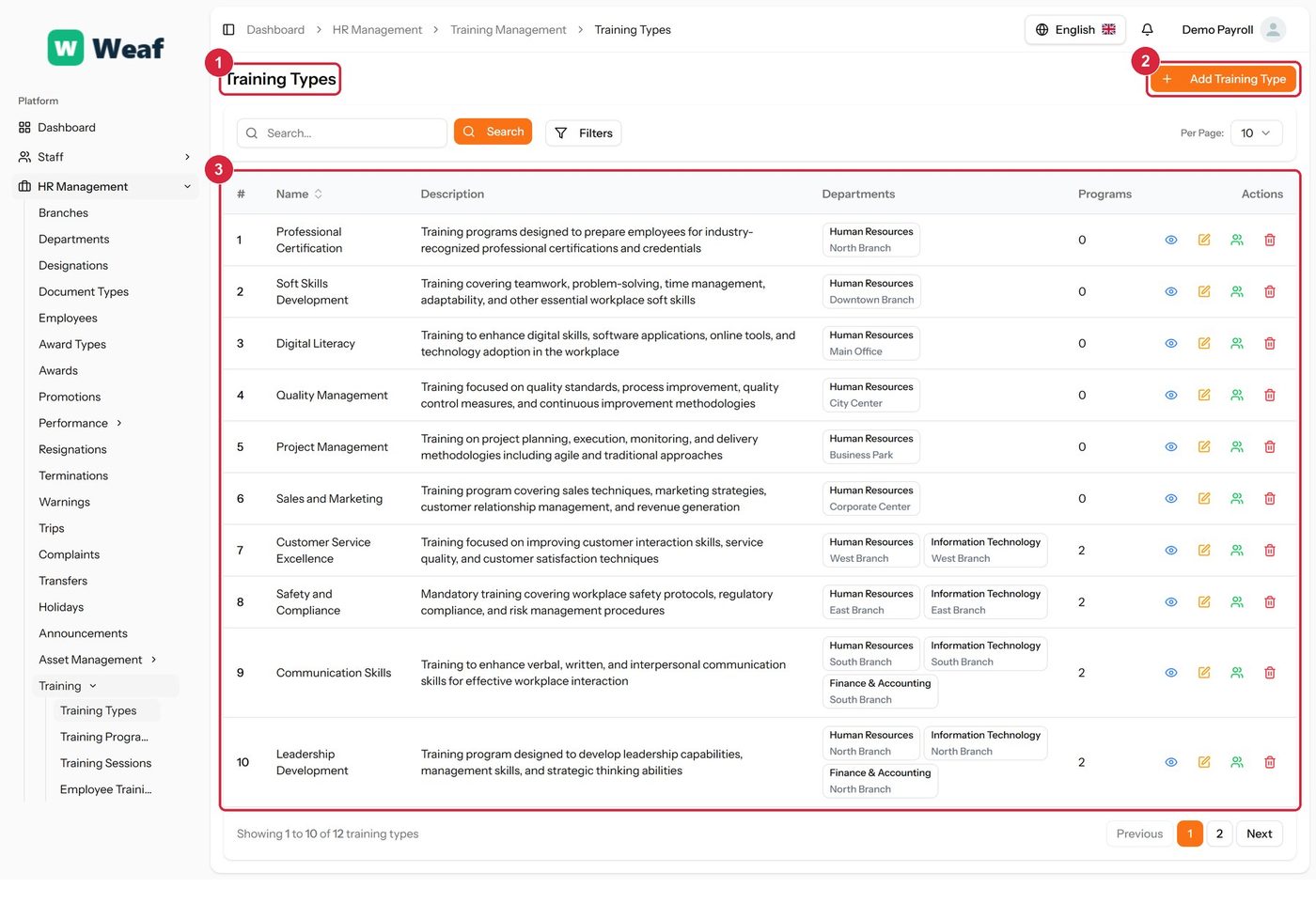
The Training Types page
  • 1 page title
  • 2 primary action
  • 3 records table
Columns
  • #
  • Name
  • Description
  • Departments
  • Programs
  • Actions
Actions on this page
  • Add Training Type
  1. Choose Add Training Type at the top right. The form opens in a panel.
  2. Complete the required fields: Name.
  3. Fill in anything else that applies: Description.
  4. Make the selections the form asks for: Branch.
  5. Choose Save. The new record appears in the list.
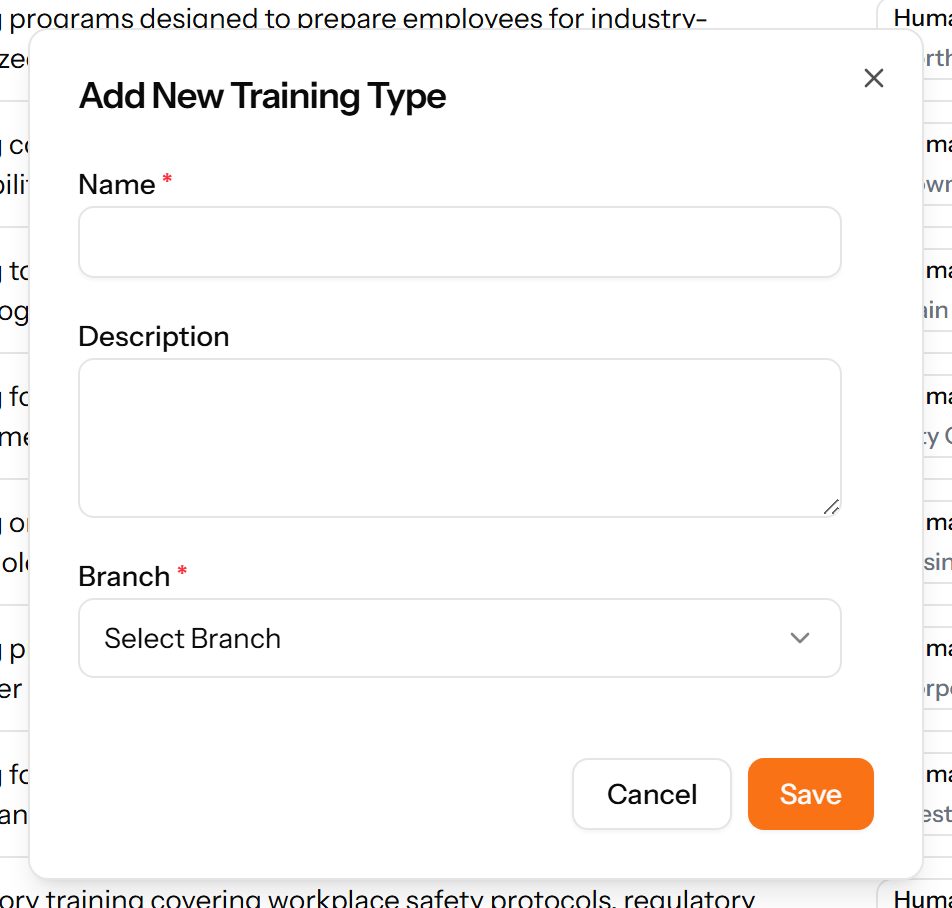
The Add Training Type form

Training Programs

A course that can be delivered more than once, with its duration, cost and capacity.
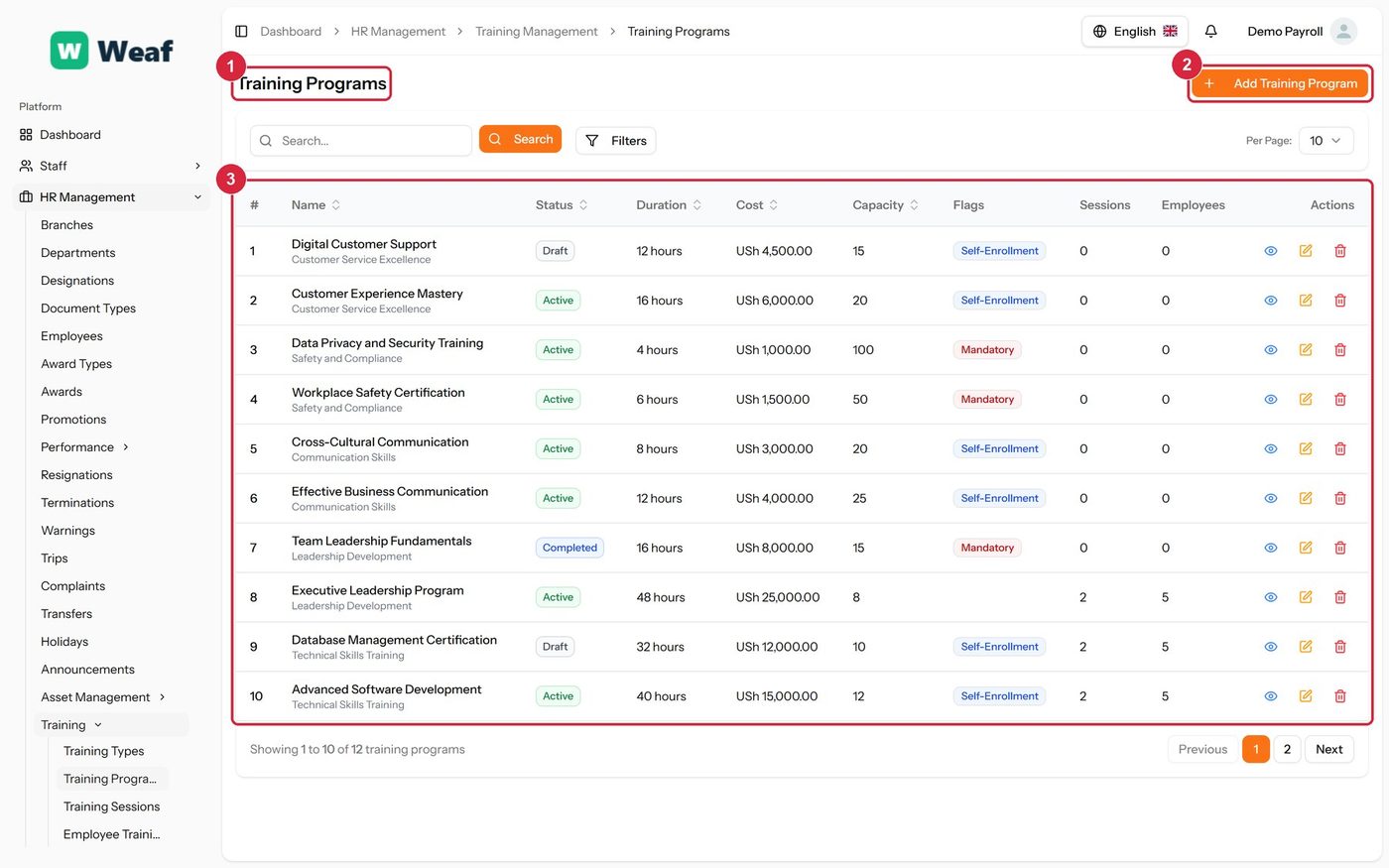
The Training Programs page
  • 1 page title
  • 2 primary action
  • 3 records table
Columns
  • #
  • Name
  • Status
  • Duration
  • Cost
  • Capacity
  • Flags
  • Sessions
  • Employees
  • Actions
Actions on this page
  • Add Training Program
  1. Choose Add Training Program at the top right. The form opens in a panel.
  2. Complete the required fields: Name.
  3. Fill in anything else that applies: Description, Duration (hours), Cost, Capacity, Select materials file..., Prerequisites, Mandatory Training, Allow Self-Enrollment.
  4. Make the selections the form asks for: Training Type, Status.
  5. Choose Save. The new record appears in the list.
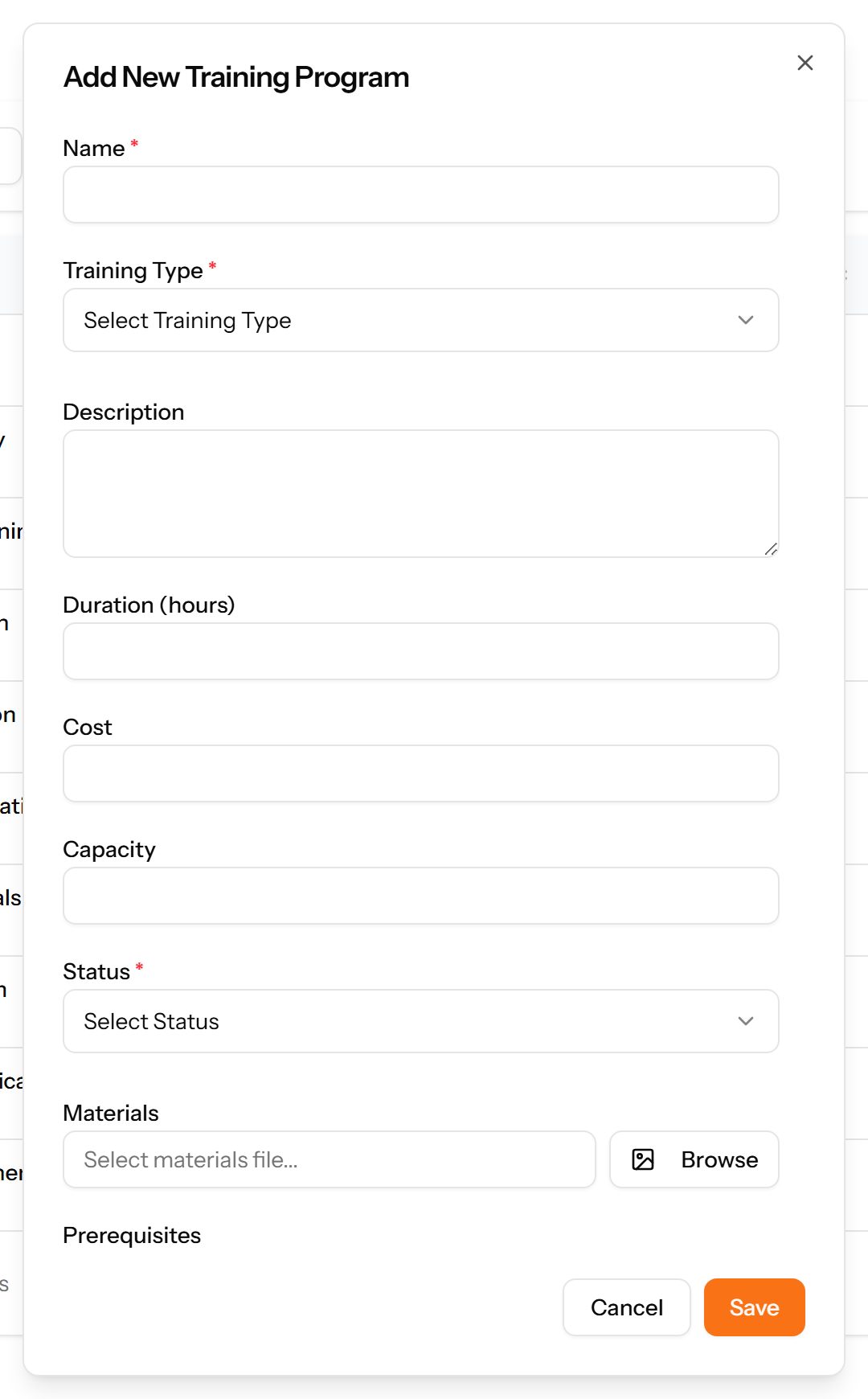
The Add Training Program form

Training Sessions

A specific delivery of a programme: when, where, by whom, and who attended.
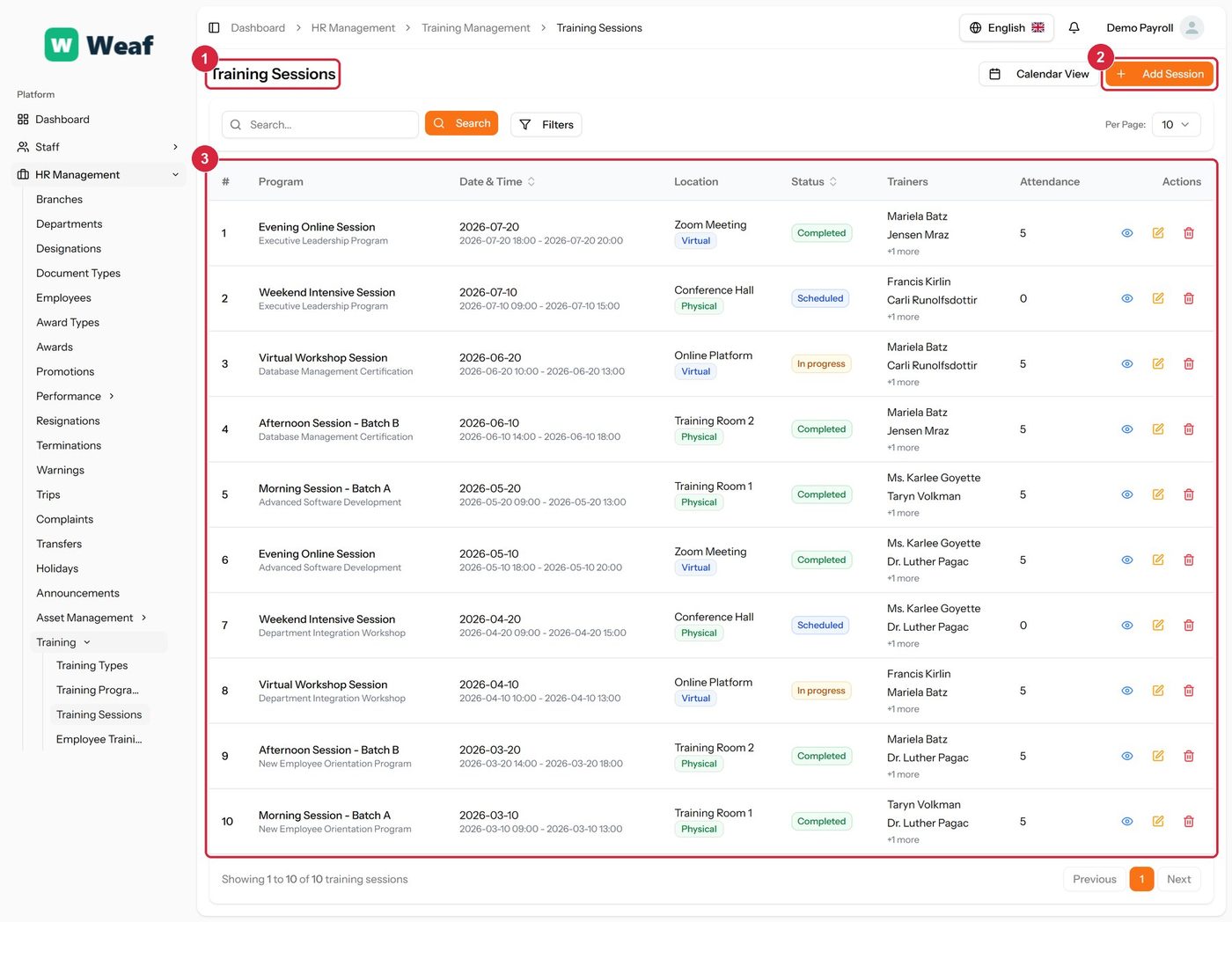
The Training Sessions page
  • 1 page title
  • 2 primary action
  • 3 records table
Columns
  • #
  • Program
  • Date & Time
  • Location
  • Status
  • Trainers
  • Attendance
  • Actions
Actions on this page
  • Calendar View
  • Add Session
  1. Choose Add Session at the top right. The form opens in a panel.
  2. Complete the required fields: Start Date, End Date.
  3. Fill in anything else that applies: Session Name, Location, Meeting Link, Notes, Select Trainers, Recurring Session, Number of Occurrences.
  4. Make the selections the form asks for: Training Program, Location Type, Status, Recurrence Pattern.
  5. Choose Save. The new record appears in the list.
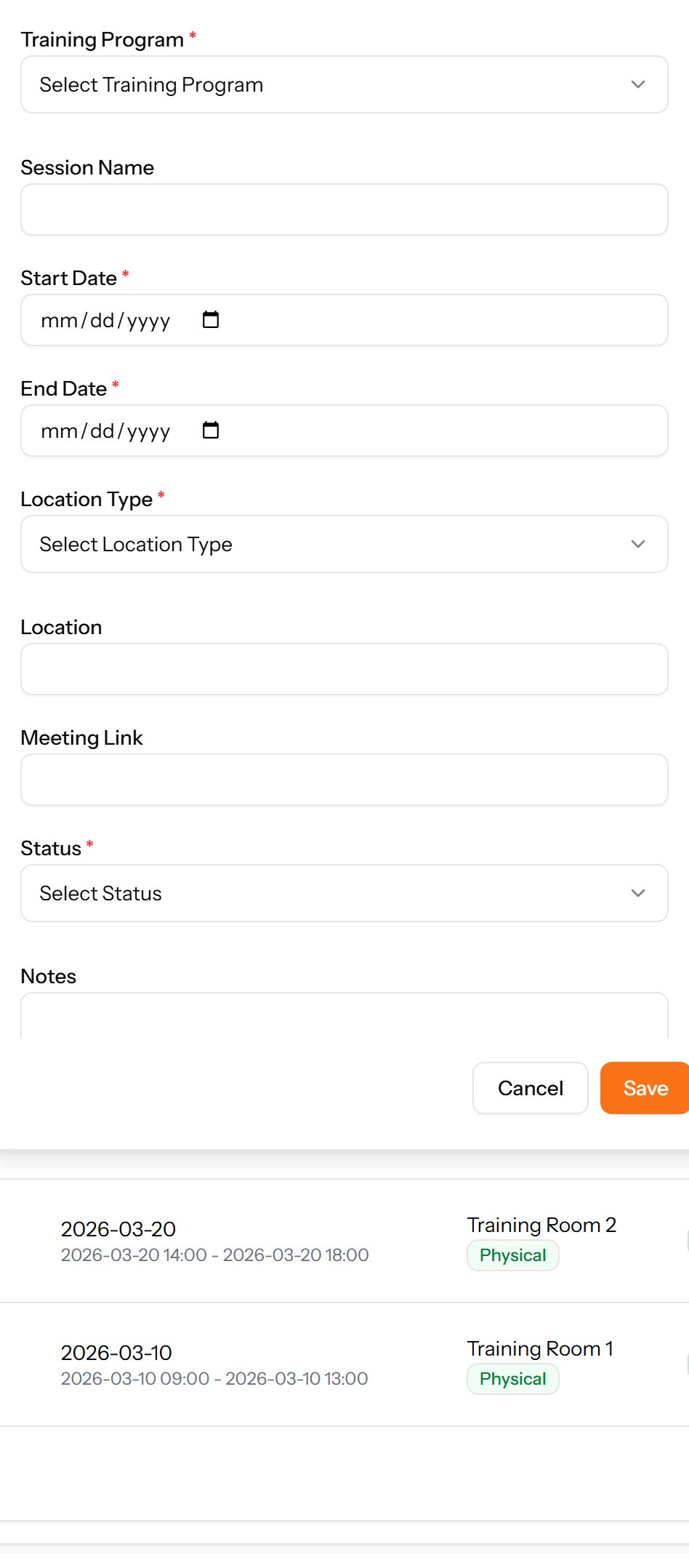
The Add Session form

Employee Trainings

Which employee is assigned to which programme, and how far they have got with it.
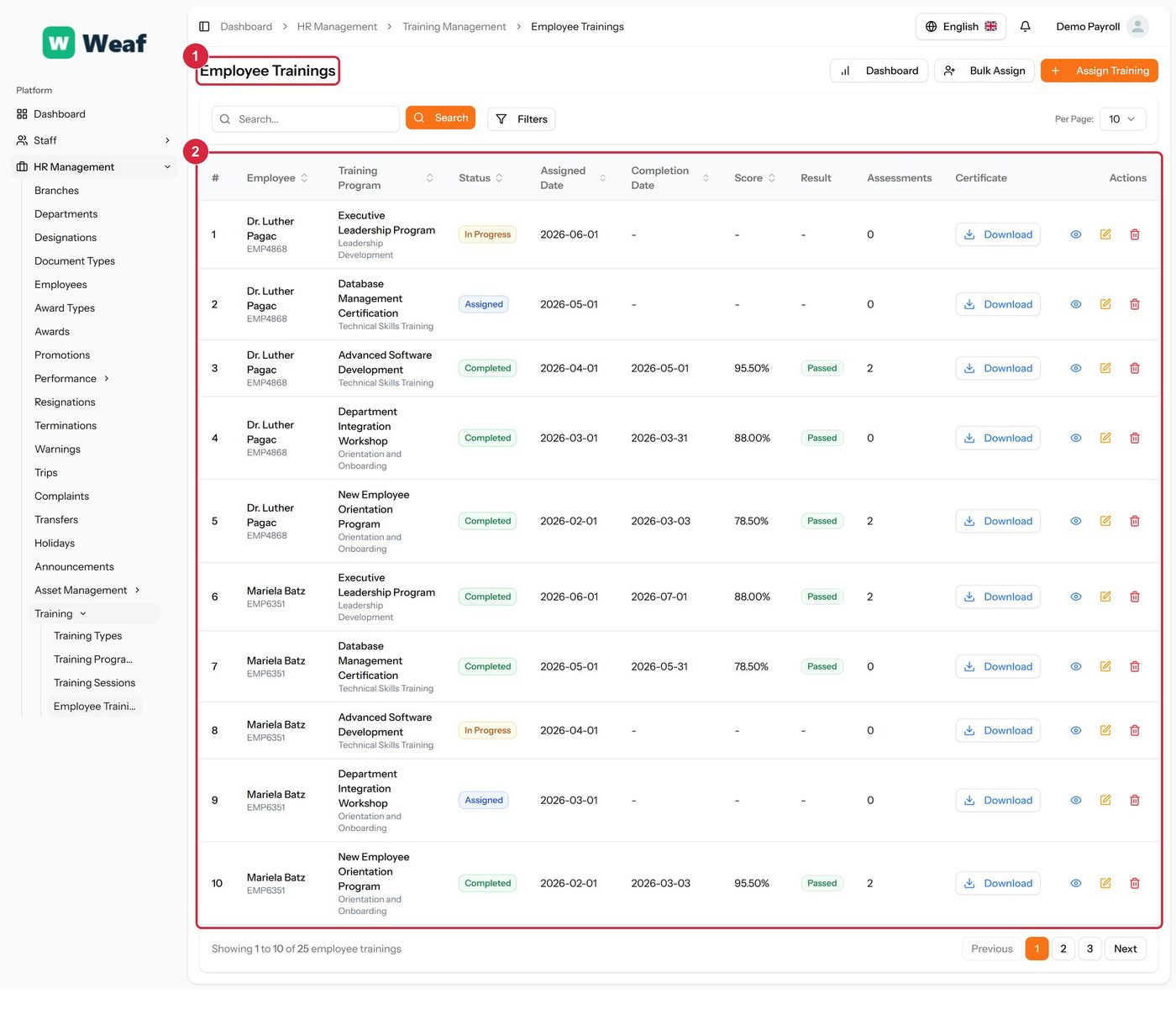
The Employee Trainings page
  • 1 page title
  • 2 records table
Columns
  • #
  • Employee
  • Training Program
  • Status
  • Assigned Date
  • Completion Date
  • Score
  • Result
  • Assessments
  • Certificate
  • Actions
Actions on this page
  • Dashboard
  • Bulk Assign
  • Assign Training
  • Download

Common questions about training

How do I add a training type in Weaf HR?

A reference list. Entries created here become the options offered when you create a training programme. Setting these up once, before the records that use them, saves correcting the same choice repeatedly later.

  1. Choose Add Training Type at the top right. The form opens in a panel.
  2. Complete the required fields: Name.
  3. Fill in anything else that applies: Description.
  4. Make the selections the form asks for: Branch.
  5. Choose Save. The new record appears in the list.
How do I add a training program in Weaf HR?

A course that can be delivered more than once, with its duration, cost and capacity.

  1. Choose Add Training Program at the top right. The form opens in a panel.
  2. Complete the required fields: Name.
  3. Fill in anything else that applies: Description, Duration (hours), Cost, Capacity, Select materials file..., Prerequisites, Mandatory Training, Allow Self-Enrollment.
  4. Make the selections the form asks for: Training Type, Status.
  5. Choose Save. The new record appears in the list.
How do I add a training session in Weaf HR?

A specific delivery of a programme: when, where, by whom, and who attended.

  1. Choose Add Session at the top right. The form opens in a panel.
  2. Complete the required fields: Start Date, End Date.
  3. Fill in anything else that applies: Session Name, Location, Meeting Link, Notes, Select Trainers, Recurring Session, Number of Occurrences.
  4. Make the selections the form asks for: Training Program, Location Type, Status, Recurrence Pattern.
  5. Choose Save. The new record appears in the list.

See all questions →