Meetings and Calendar
Meetings are scheduled, attended, minuted and — the part that matters afterwards — turned into action items with owners and due dates.
Meetings are scheduled, attended, minuted and — the part that matters afterwards — turned into action items with owners and due dates.
Meeting Types
A reference list. Entries created here become the options offered when you create a meeting. Setting these up once, before the records that use them, saves correcting the same choice repeatedly later.
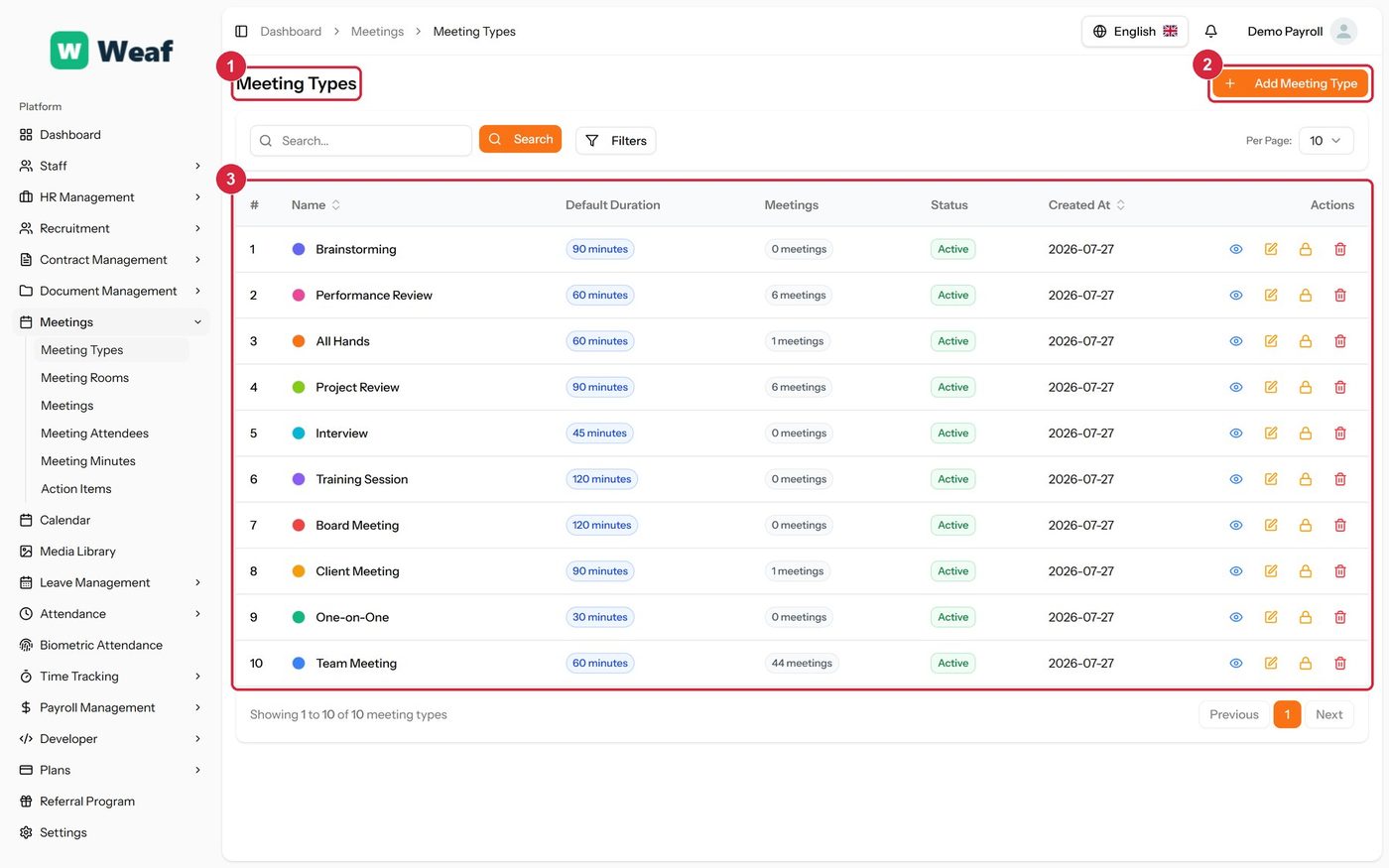
- 1 page title
- 2 primary action
- 3 records table
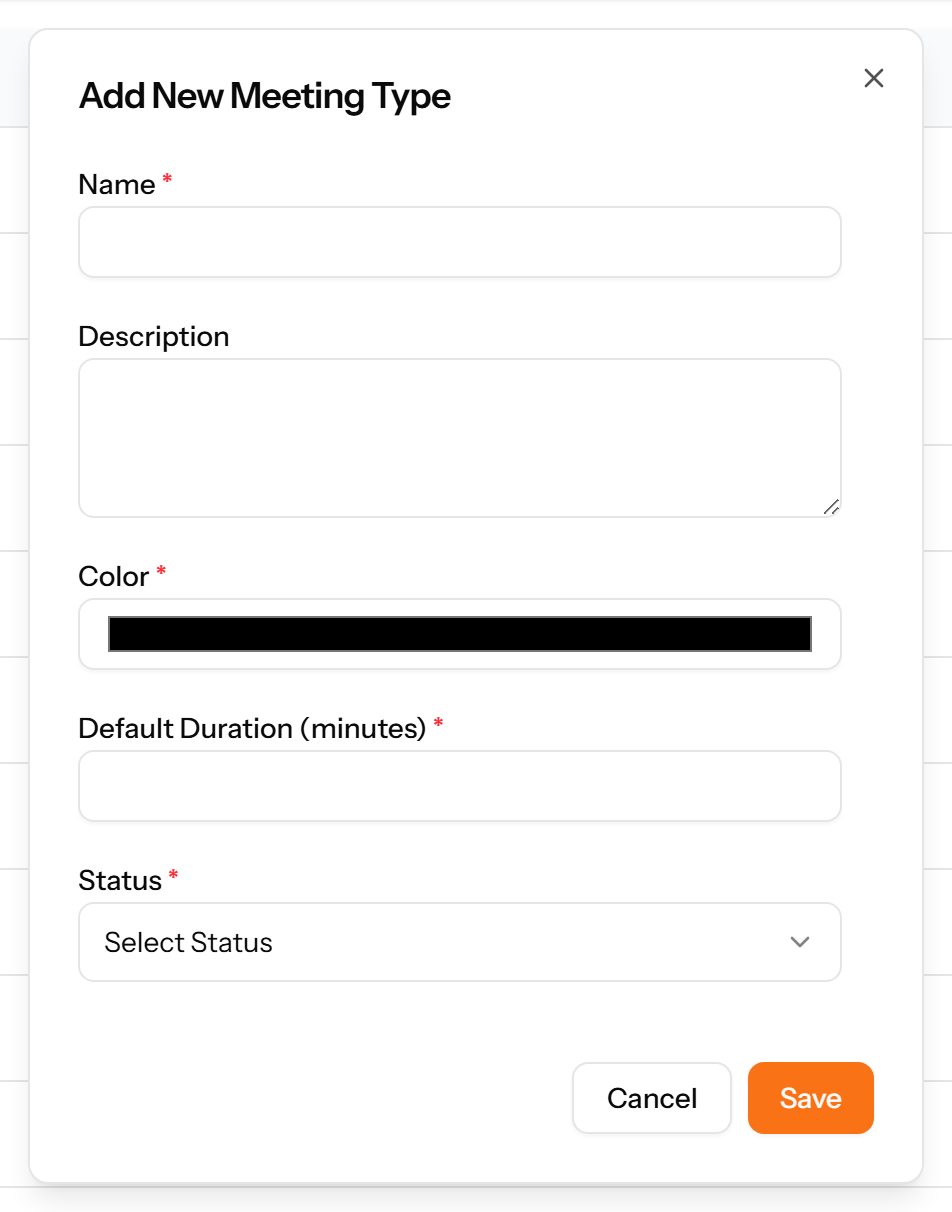
- Choose Add Meeting Type at the top right. The form opens in a panel.
- Complete the required fields: Name, Color, Default Duration (minutes).
- Fill in anything else that applies: Description.
- Make the selections the form asks for: Status.
- Choose Save. The new record appears in the list.
Meeting Rooms
Bookable spaces, with their location, capacity and equipment.
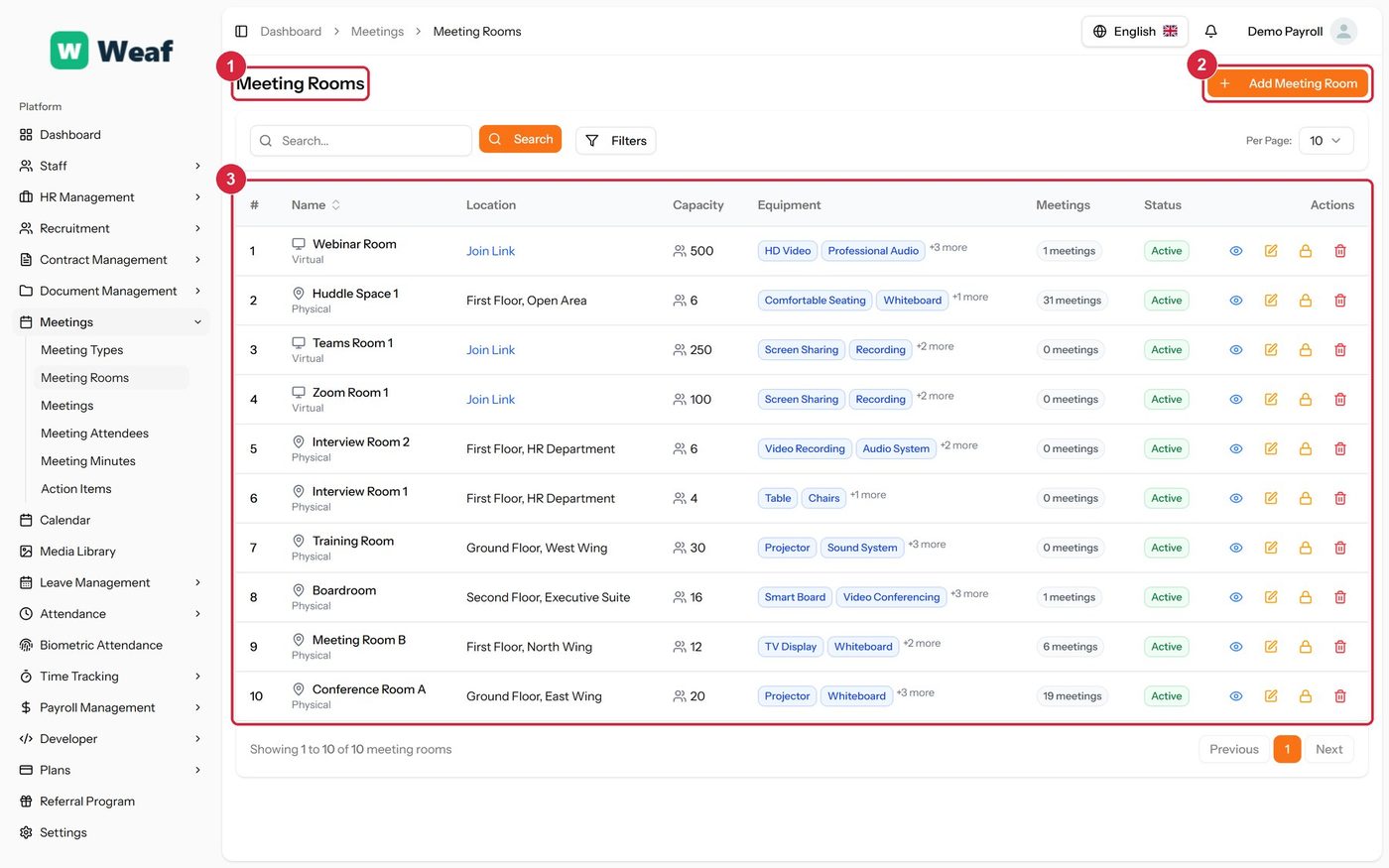
- 1 page title
- 2 primary action
- 3 records table
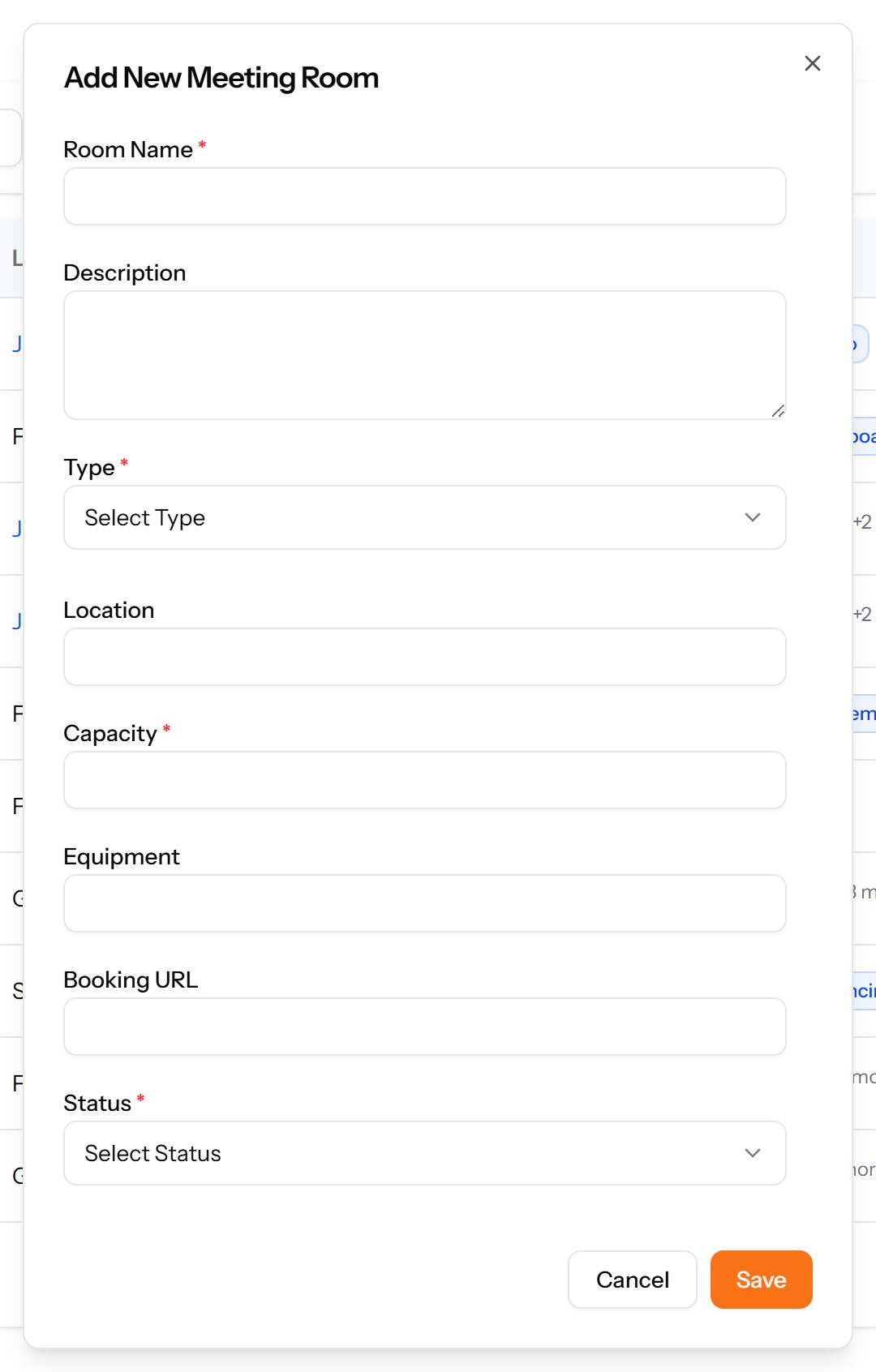
- Choose Add Meeting Room at the top right. The form opens in a panel.
- Complete the required fields: Room Name, Capacity.
- Fill in anything else that applies: Description, Location, Equipment, Booking URL.
- Make the selections the form asks for: Type, Status.
- Choose Save. The new record appears in the list.
Meetings
The meetings themselves: when, who organised them, which room, and whether they repeat.
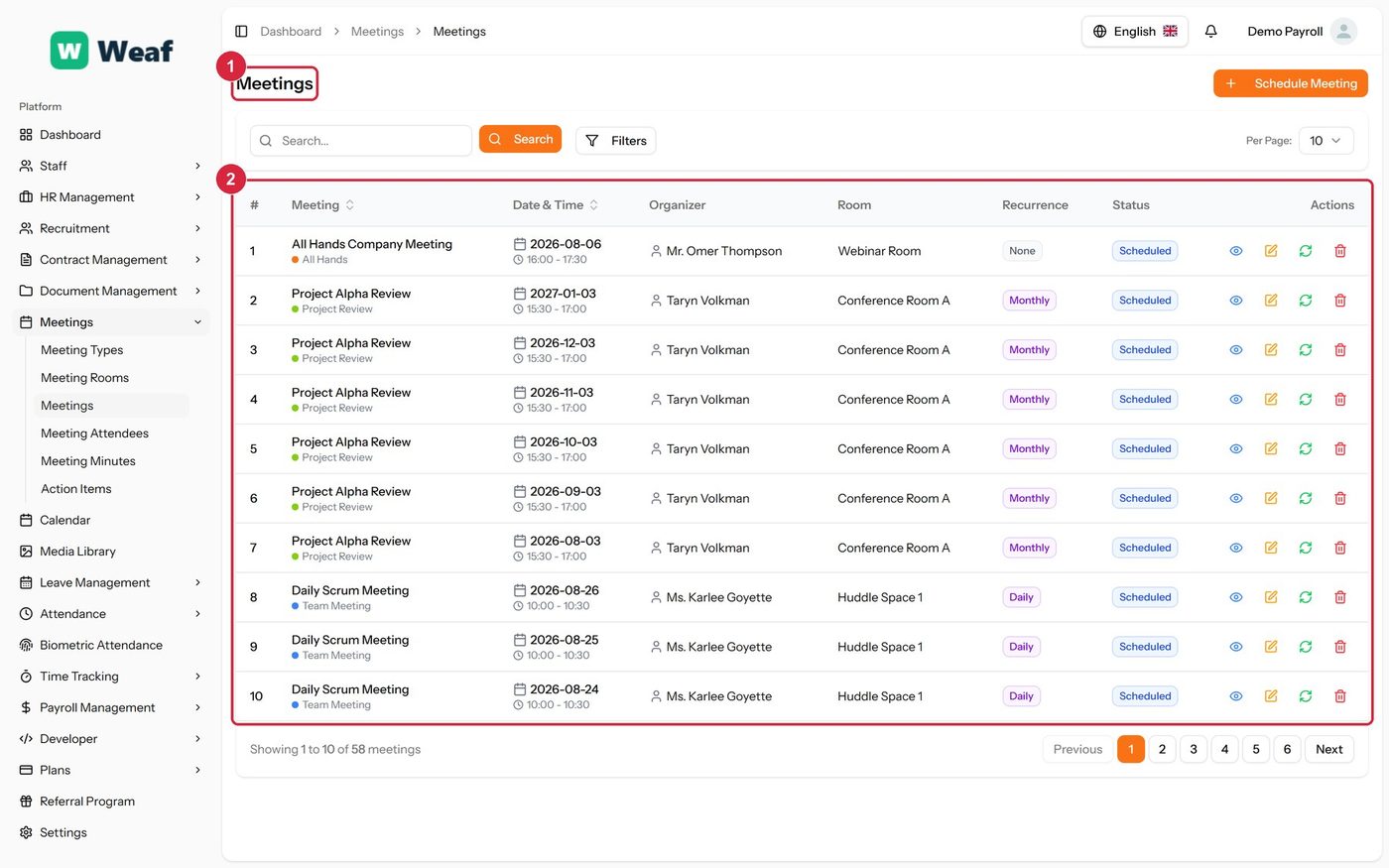
- 1 page title
- 2 records table
Meeting Attendees
Who was invited to each meeting, what they replied and whether they actually attended.
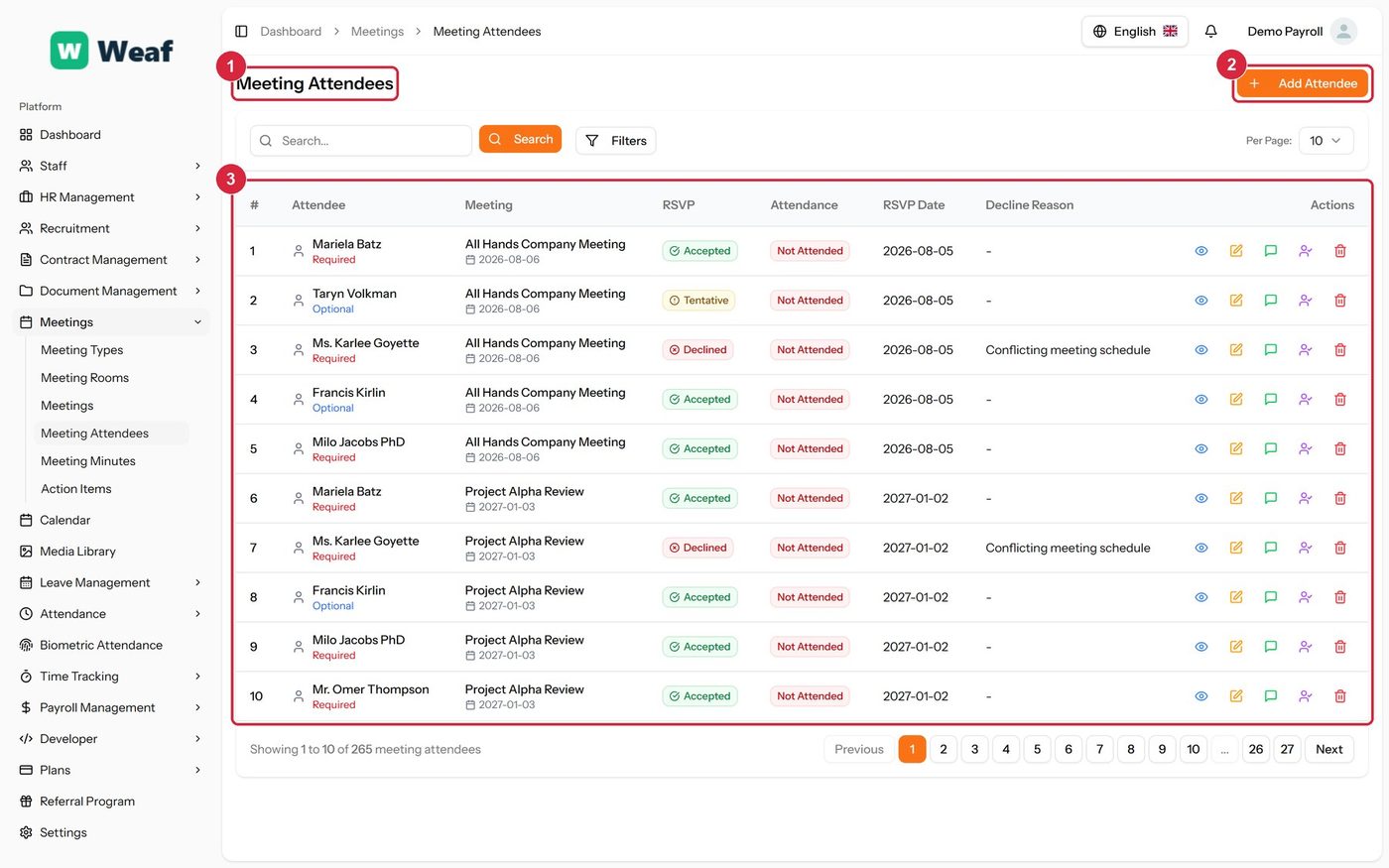
- 1 page title
- 2 primary action
- 3 records table
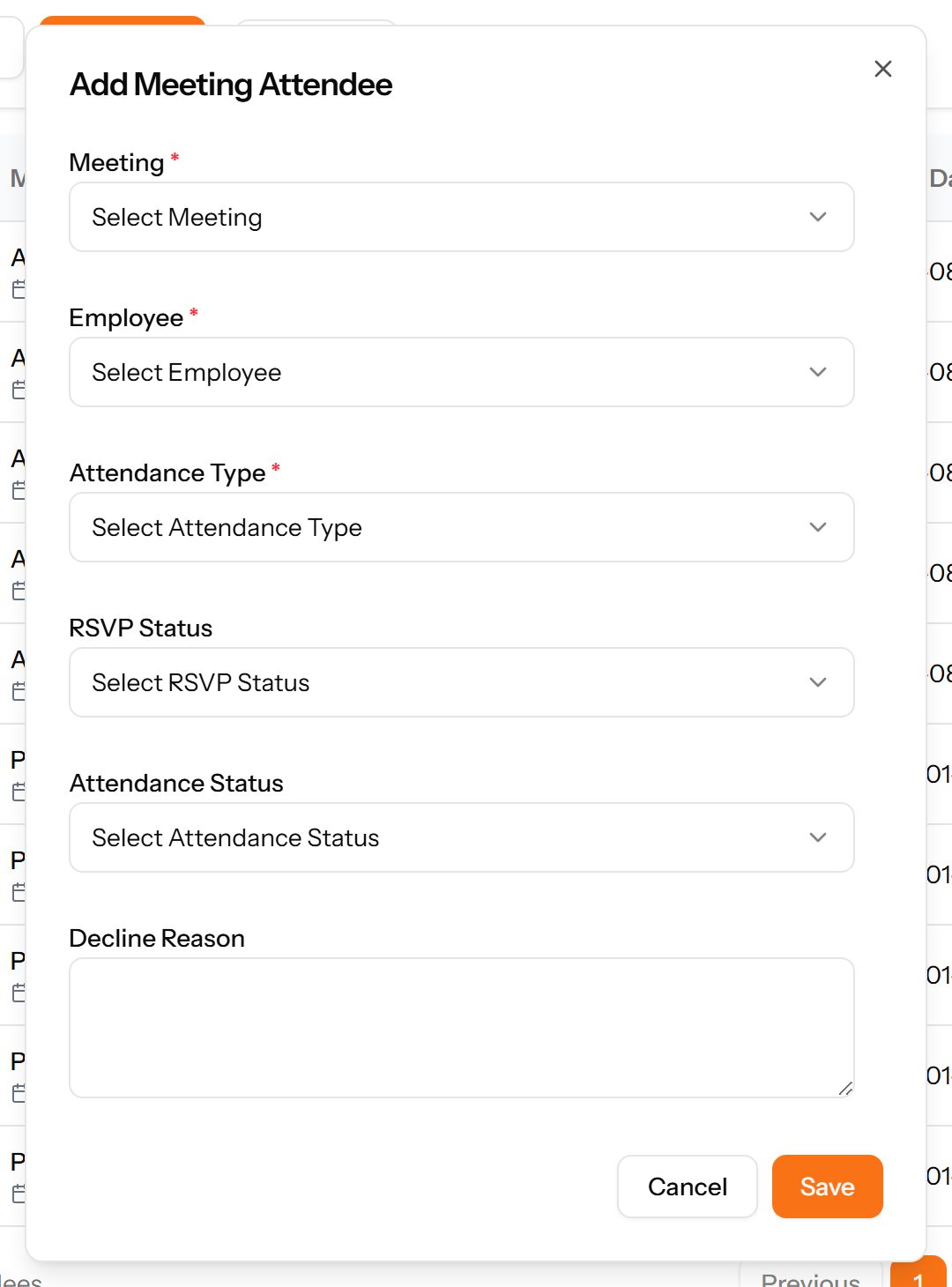
- Choose Add Attendee at the top right. The form opens in a panel.
- Fill in anything else that applies: Decline Reason.
- Make the selections the form asks for: Meeting, Employee, Attendance Type, RSVP Status, Attendance Status.
- Choose Save. The new record appears in the list.
Meeting Minutes
What was recorded against a meeting, by whom and when.
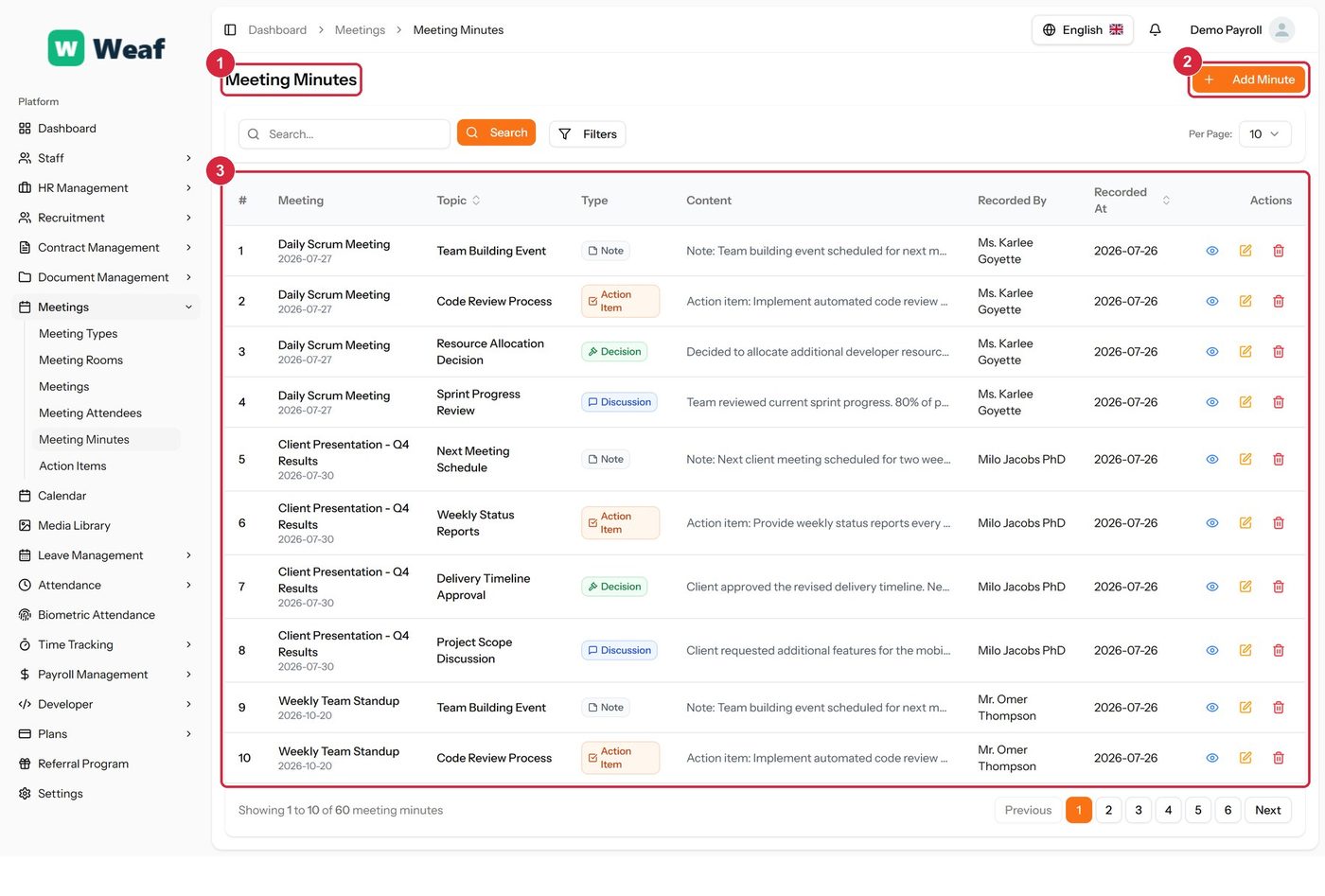
- 1 page title
- 2 primary action
- 3 records table
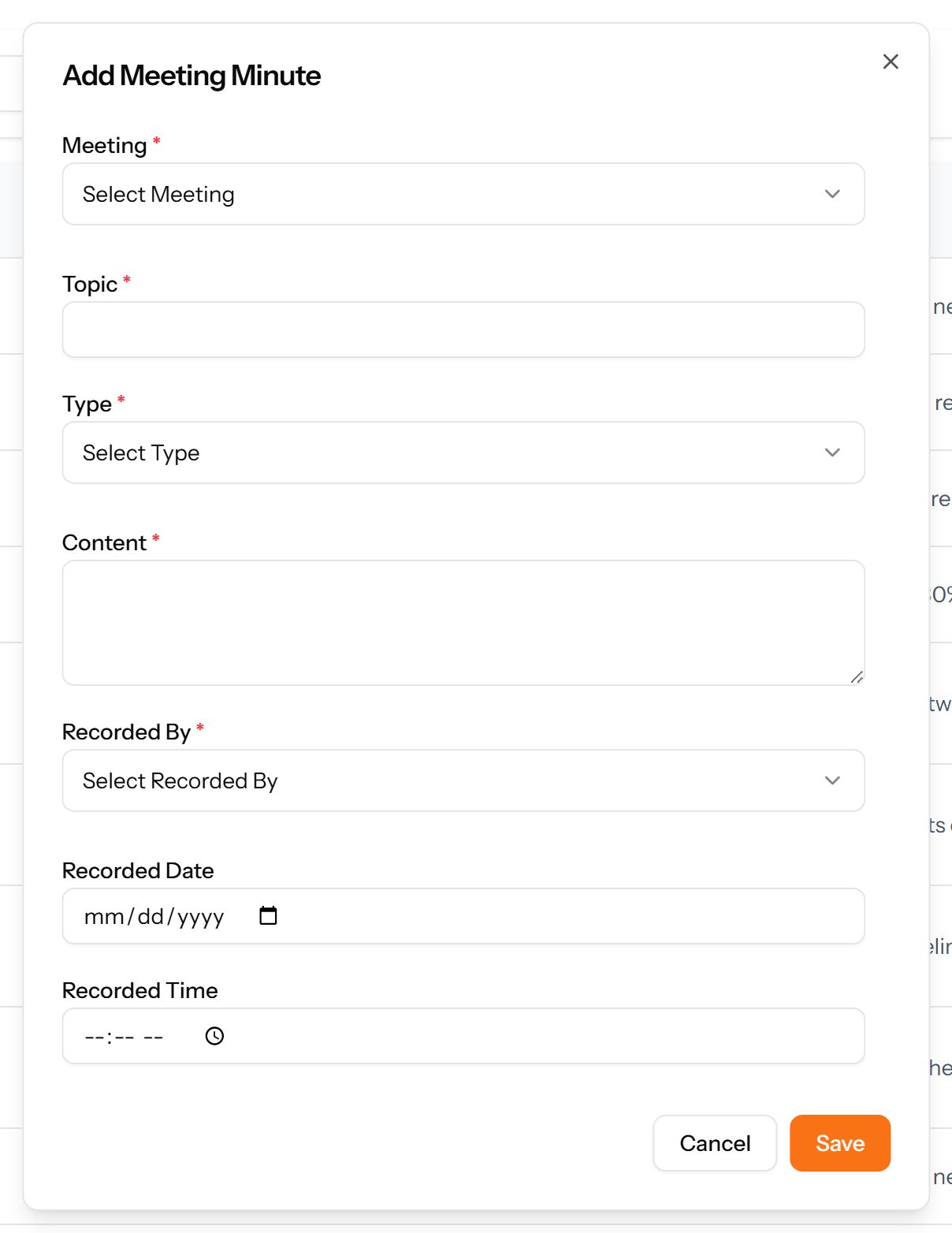
- Choose Add Minute at the top right. The form opens in a panel.
- Complete the required fields: Topic, Content.
- Fill in anything else that applies: Recorded Date, Recorded Time.
- Make the selections the form asks for: Meeting, Type, Recorded By.
- Choose Save. The new record appears in the list.
Action Items
Tasks arising from meetings, each with an owner, a due date, a priority and a progress figure — the part of a meeting that outlives it.
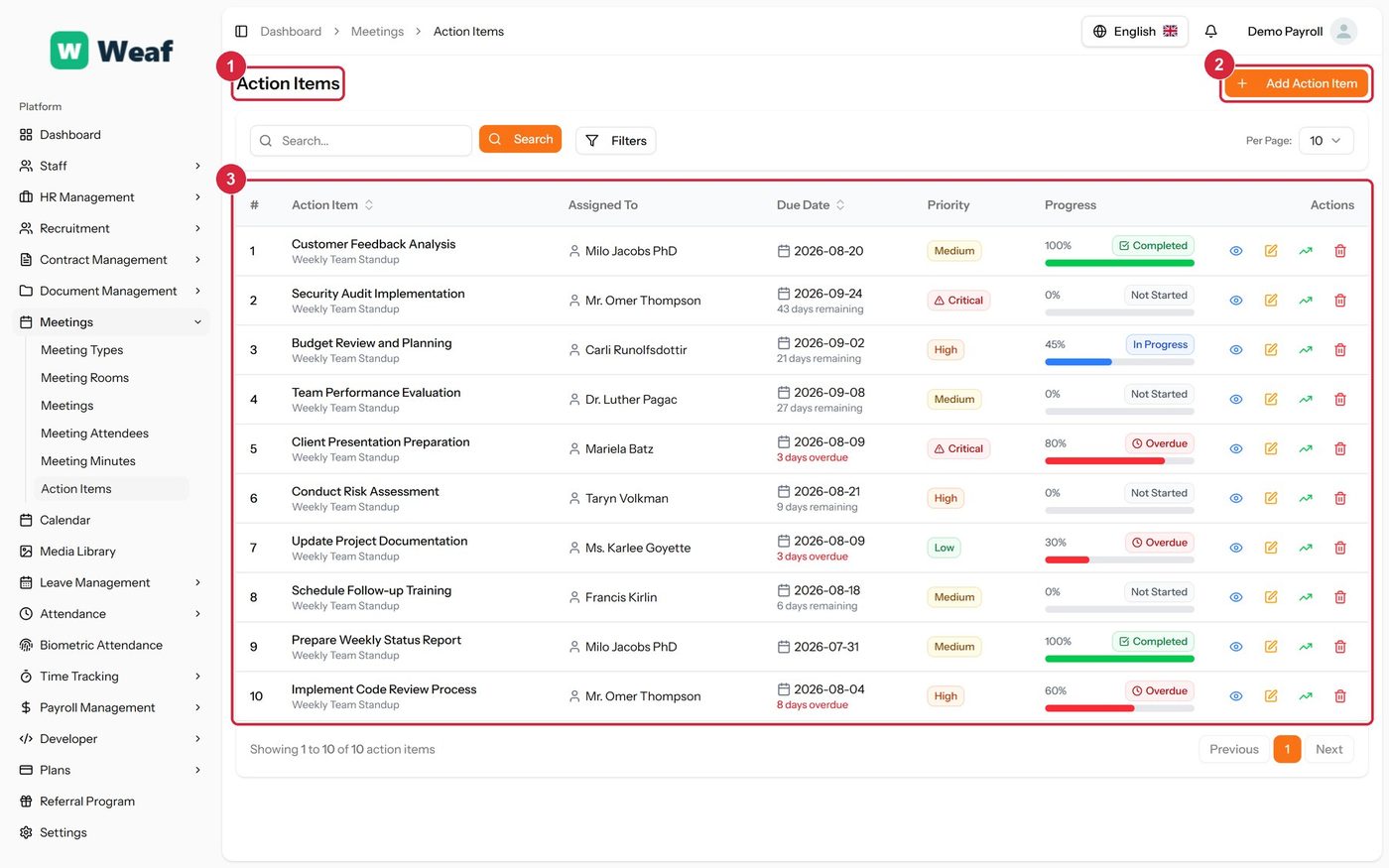
- 1 page title
- 2 primary action
- 3 records table
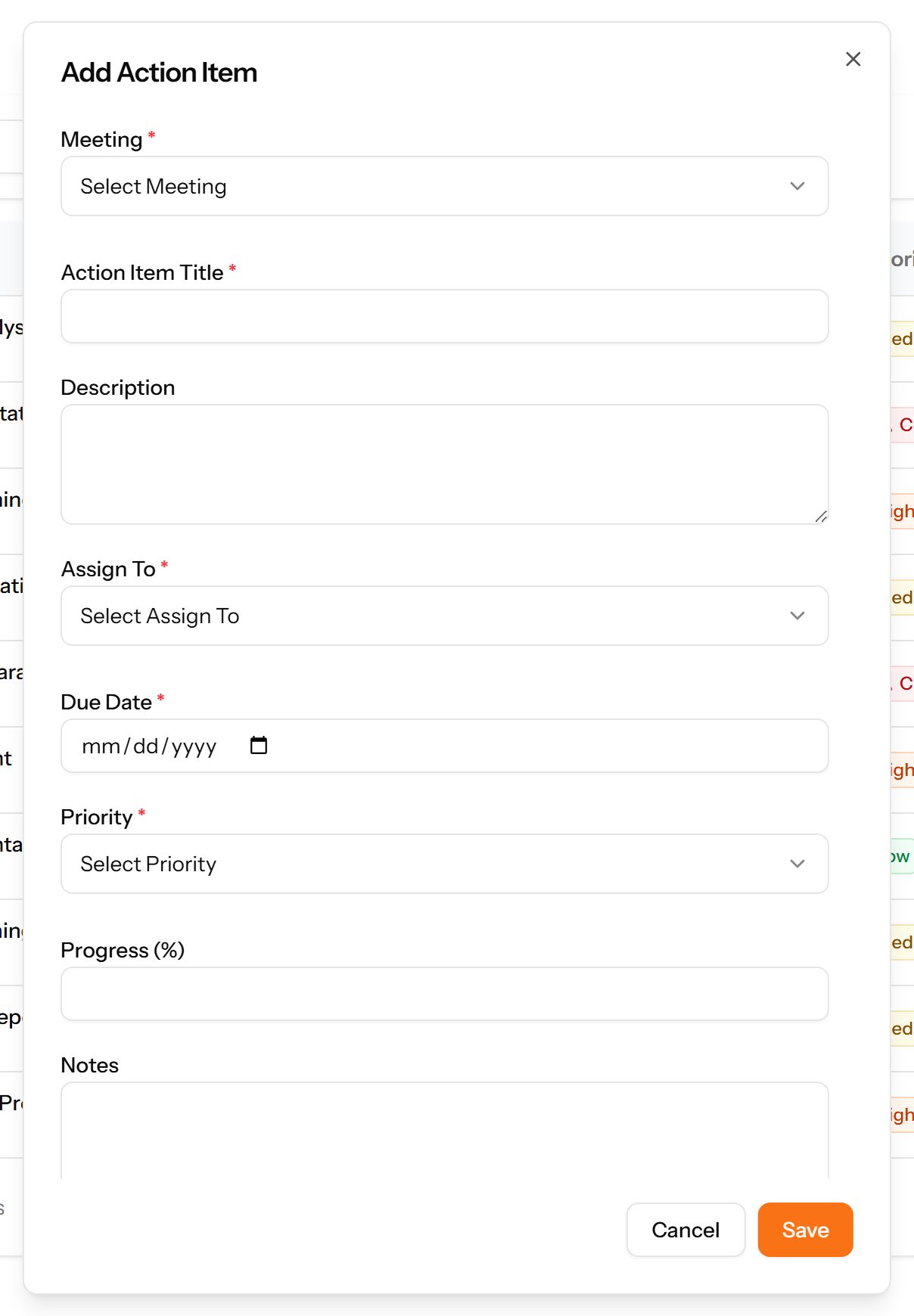
- Choose Add Action Item at the top right. The form opens in a panel.
- Complete the required fields: Action Item Title, Due Date.
- Fill in anything else that applies: Description, Progress (%), Notes.
- Make the selections the form asks for: Meeting, Assign To, Priority.
- Choose Save. The new record appears in the list.
Calendar
One month view of everything dated in the system: holidays, leave, meetings, interviews and training sessions. Use it to see what is happening before scheduling anything new.
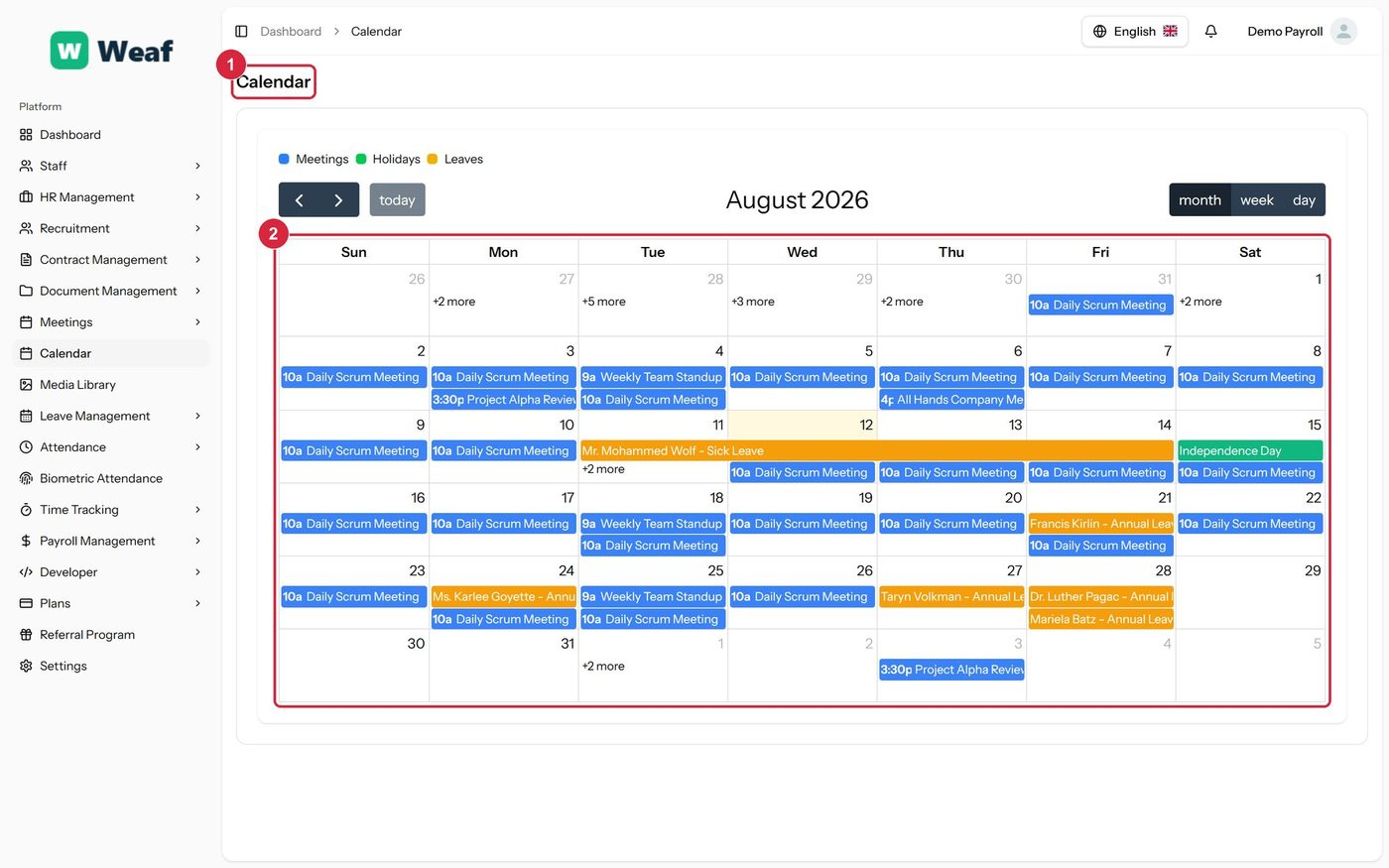
- 1 page title
- 2 records table
Media Library
Every file uploaded anywhere in the system, in one place. Useful for finding a document when you remember the file but not the record it was attached to.
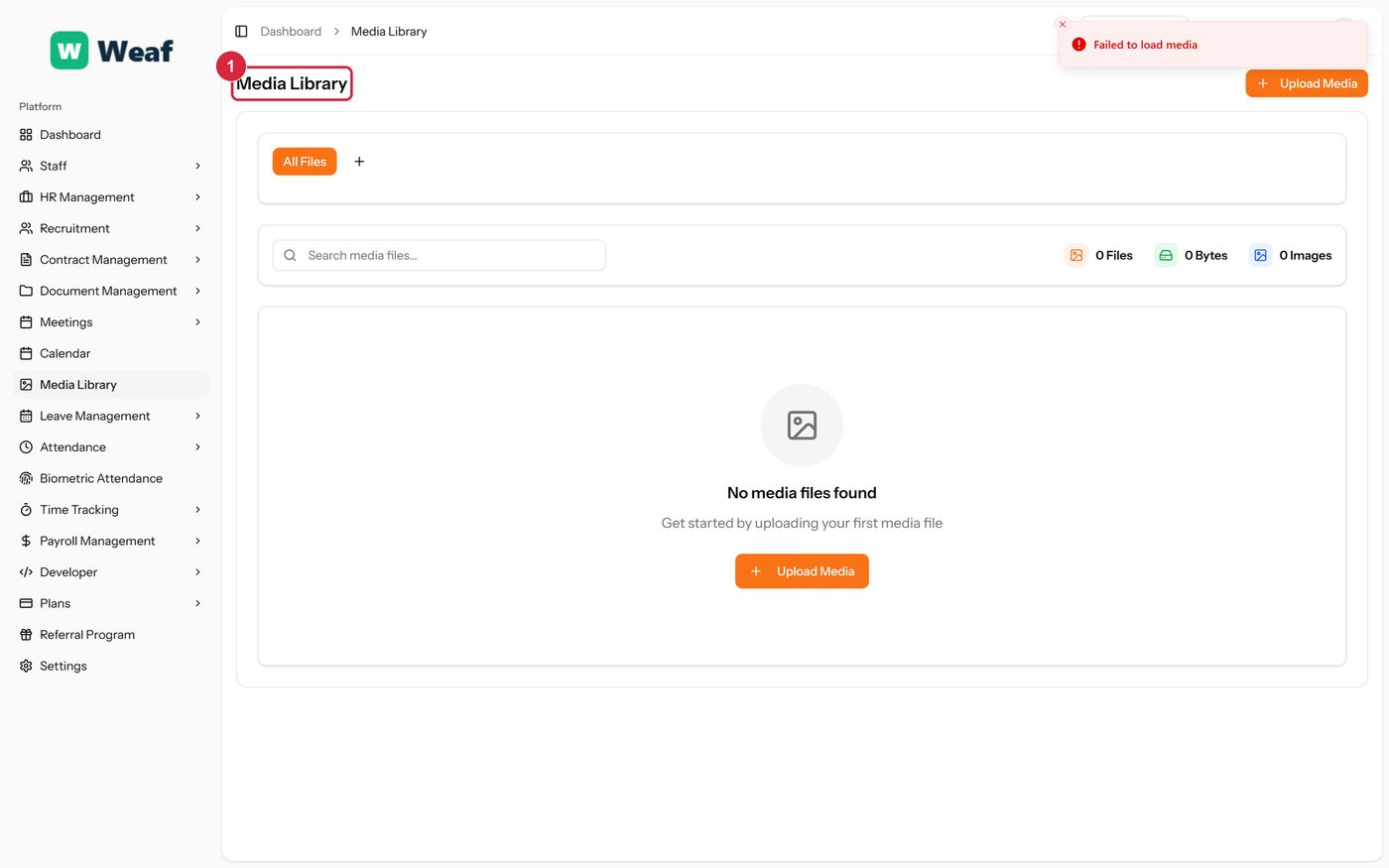
1 page title