Contracts
Contract types describe the kinds of agreement you offer, templates hold the wording, and employee contracts are the agreements actually in force.
Contract types describe the kinds of agreement you offer, templates hold the wording, and employee contracts are the agreements actually in force.
On this page
Contract Types
The shapes of employment you offer — permanent, fixed term, probationary — each with its duration, probation, notice period and whether it can be renewed.
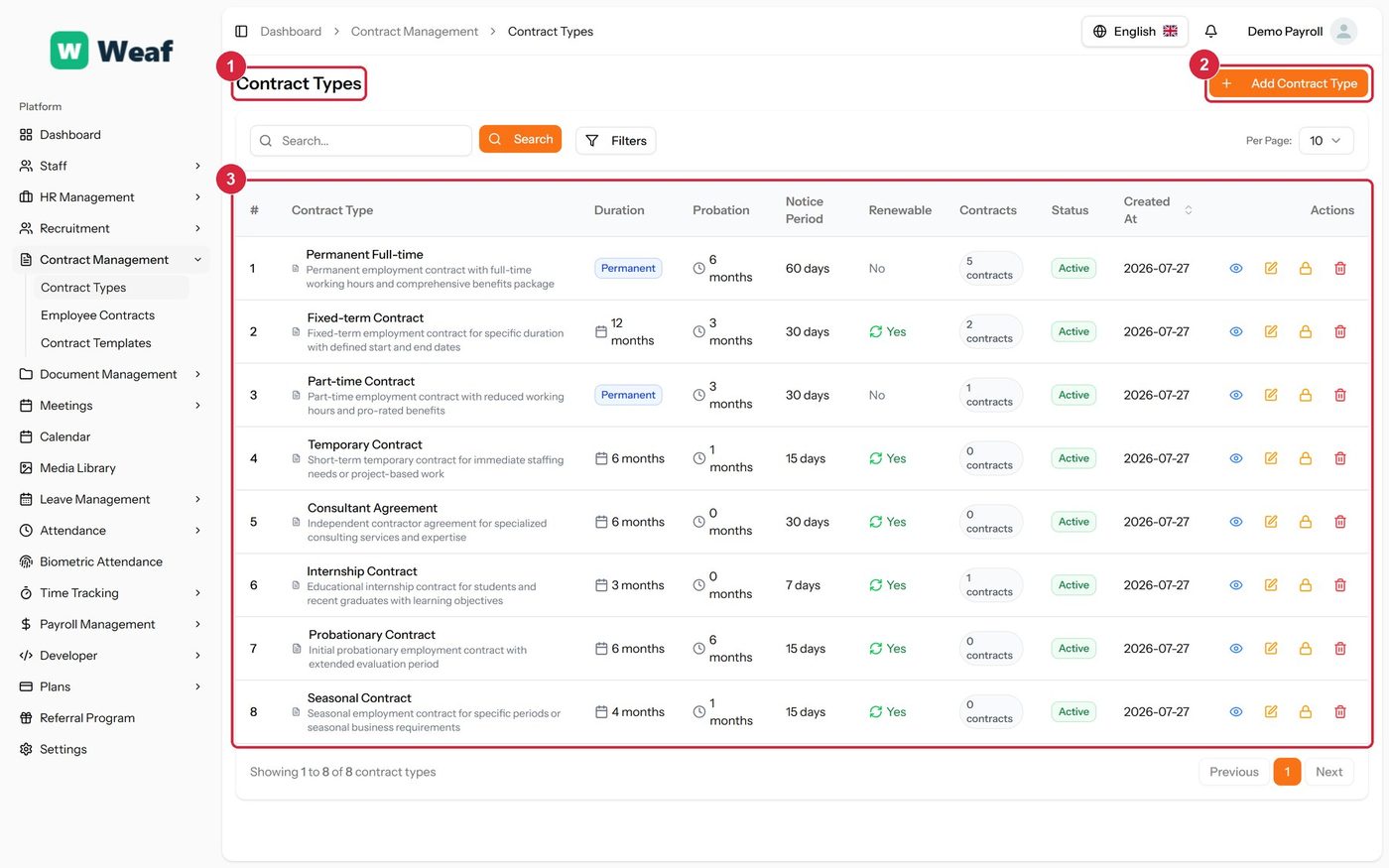
- 1 page title
- 2 primary action
- 3 records table
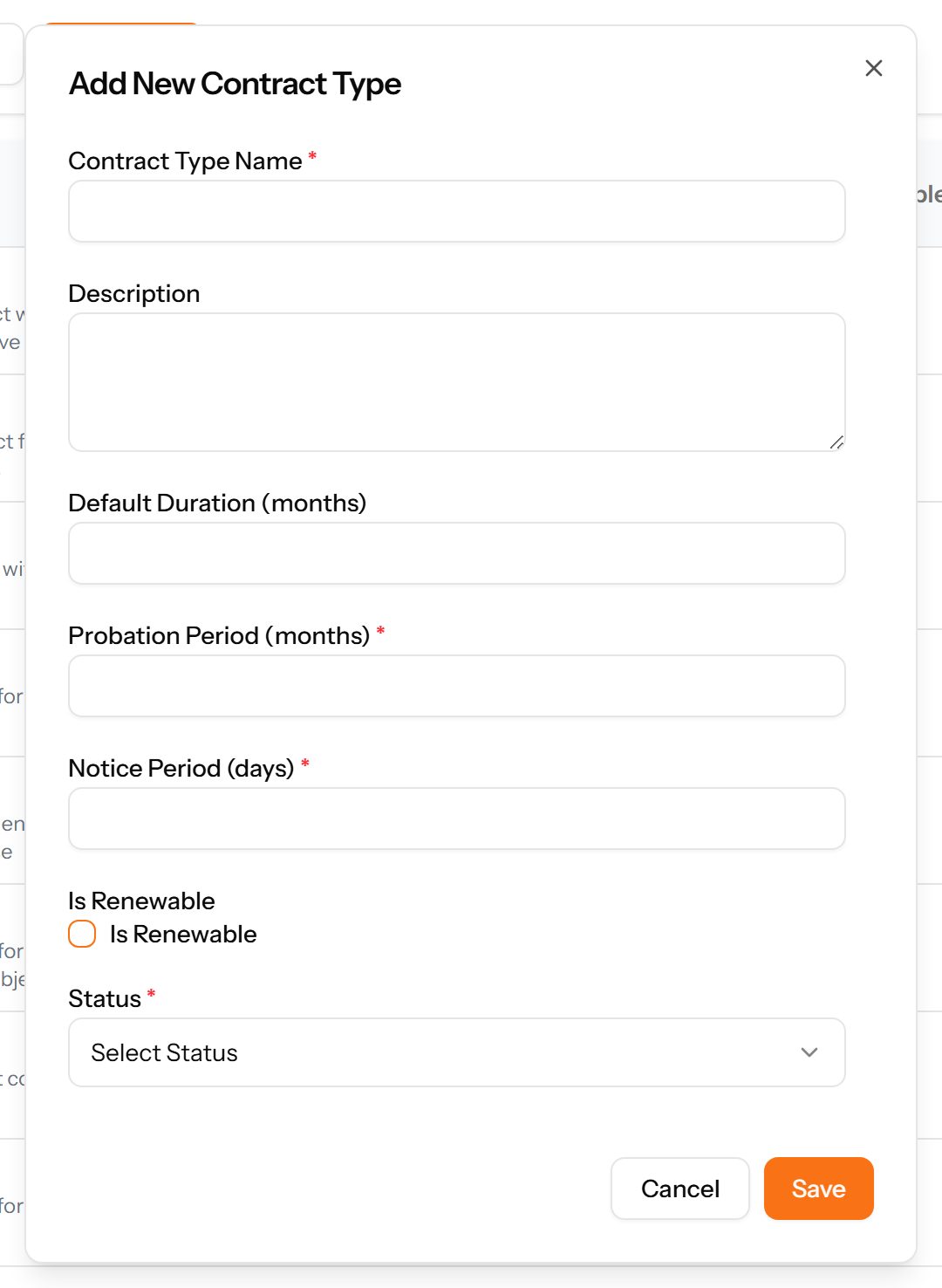
- Choose Add Contract Type at the top right. The form opens in a panel.
- Complete the required fields: Contract Type Name, Probation Period (months), Notice Period (days).
- Fill in anything else that applies: Description, Default Duration (months), Is Renewable.
- Make the selections the form asks for: Status.
- Choose Save. The new record appears in the list.
Employee Contracts
The actual agreements: which employee, for what period, on what compensation, and whether it has been approved.
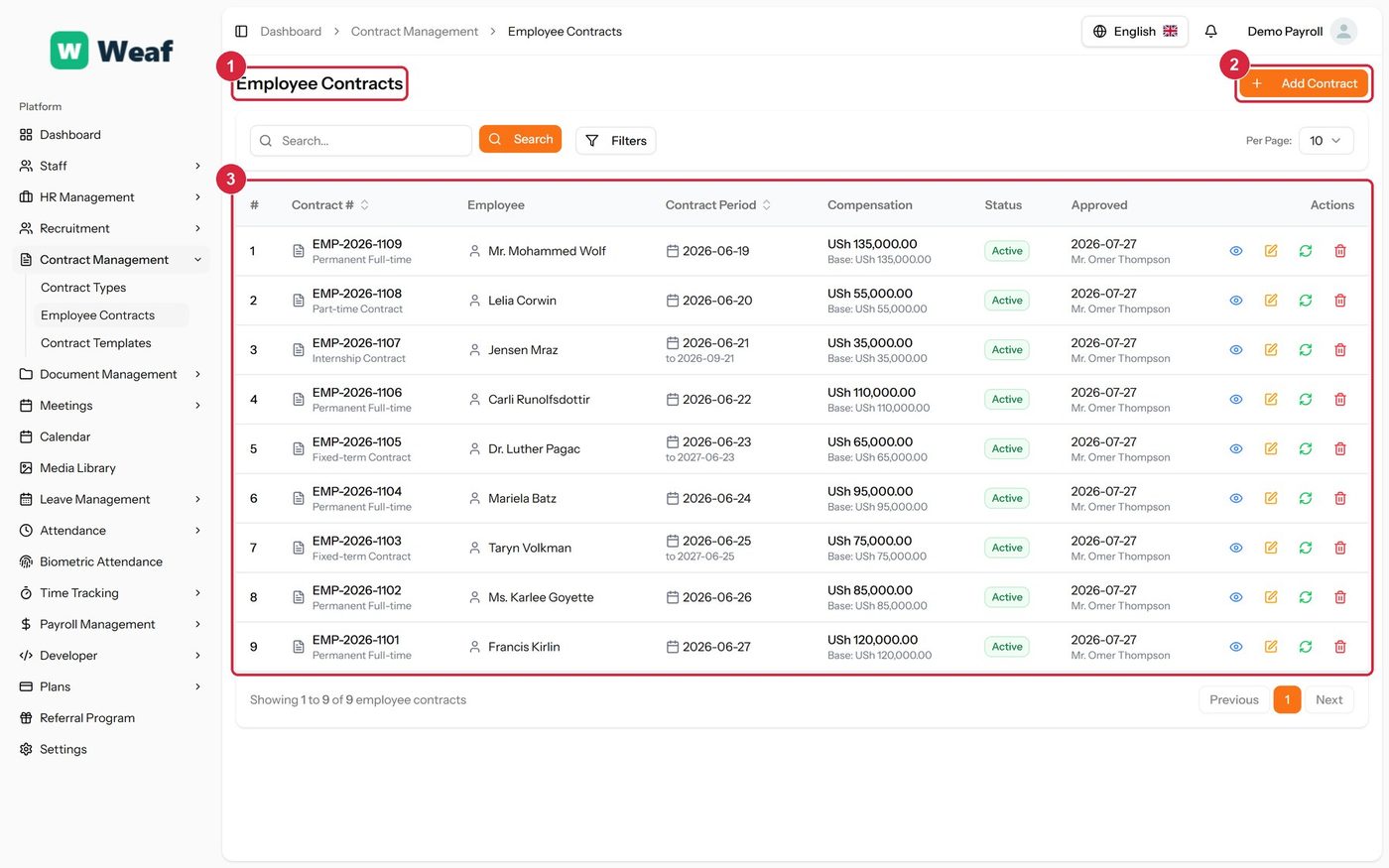
- 1 page title
- 2 primary action
- 3 records table
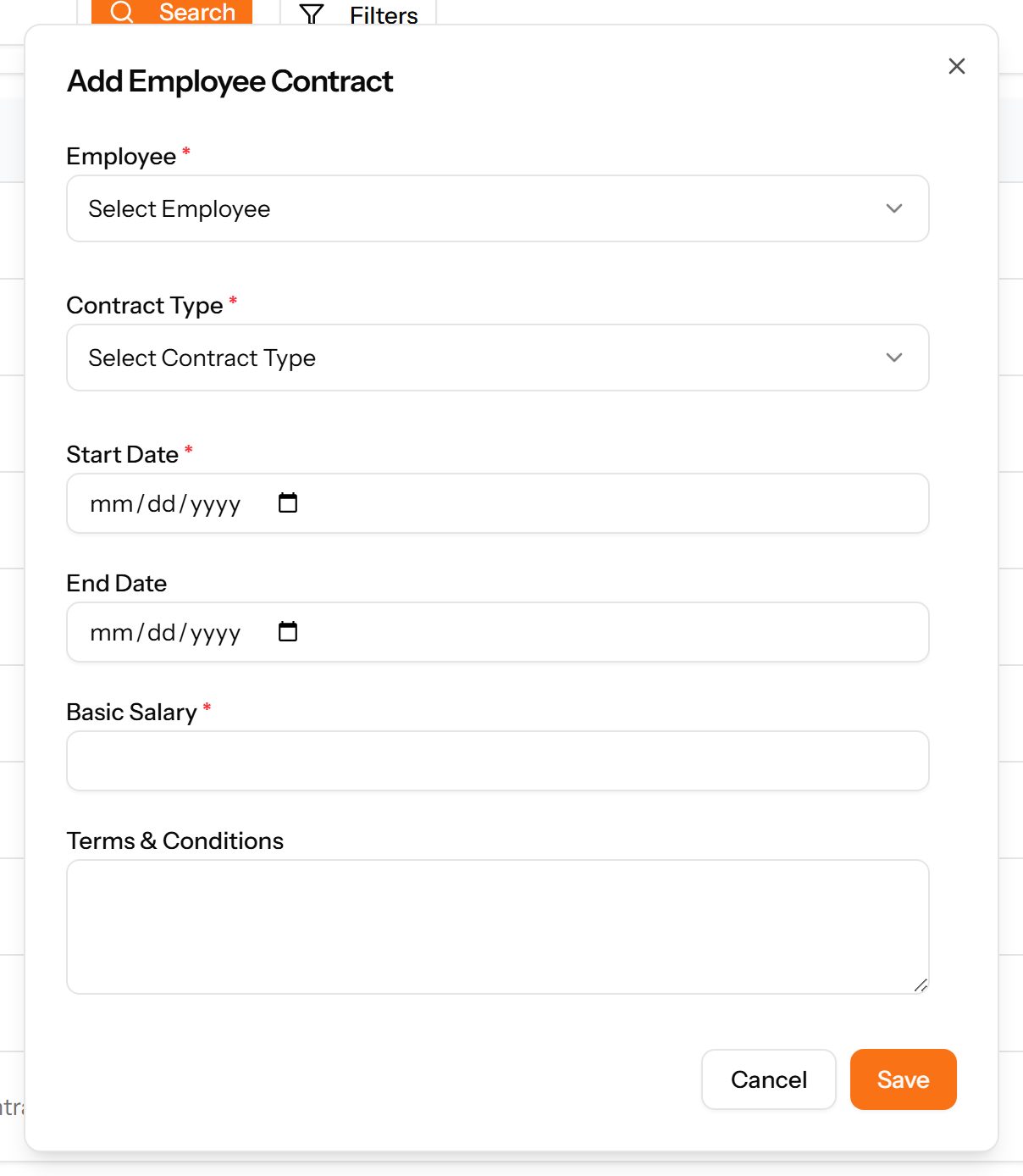
- Choose Add Contract at the top right. The form opens in a panel.
- Complete the required fields: Start Date, Basic Salary.
- Fill in anything else that applies: End Date, Terms & Conditions.
- Make the selections the form asks for: Employee, Contract Type.
- Choose Save. The new record appears in the list.
Contract Templates
Standard contract wording with variables and clauses, so issuing a contract does not mean drafting one.
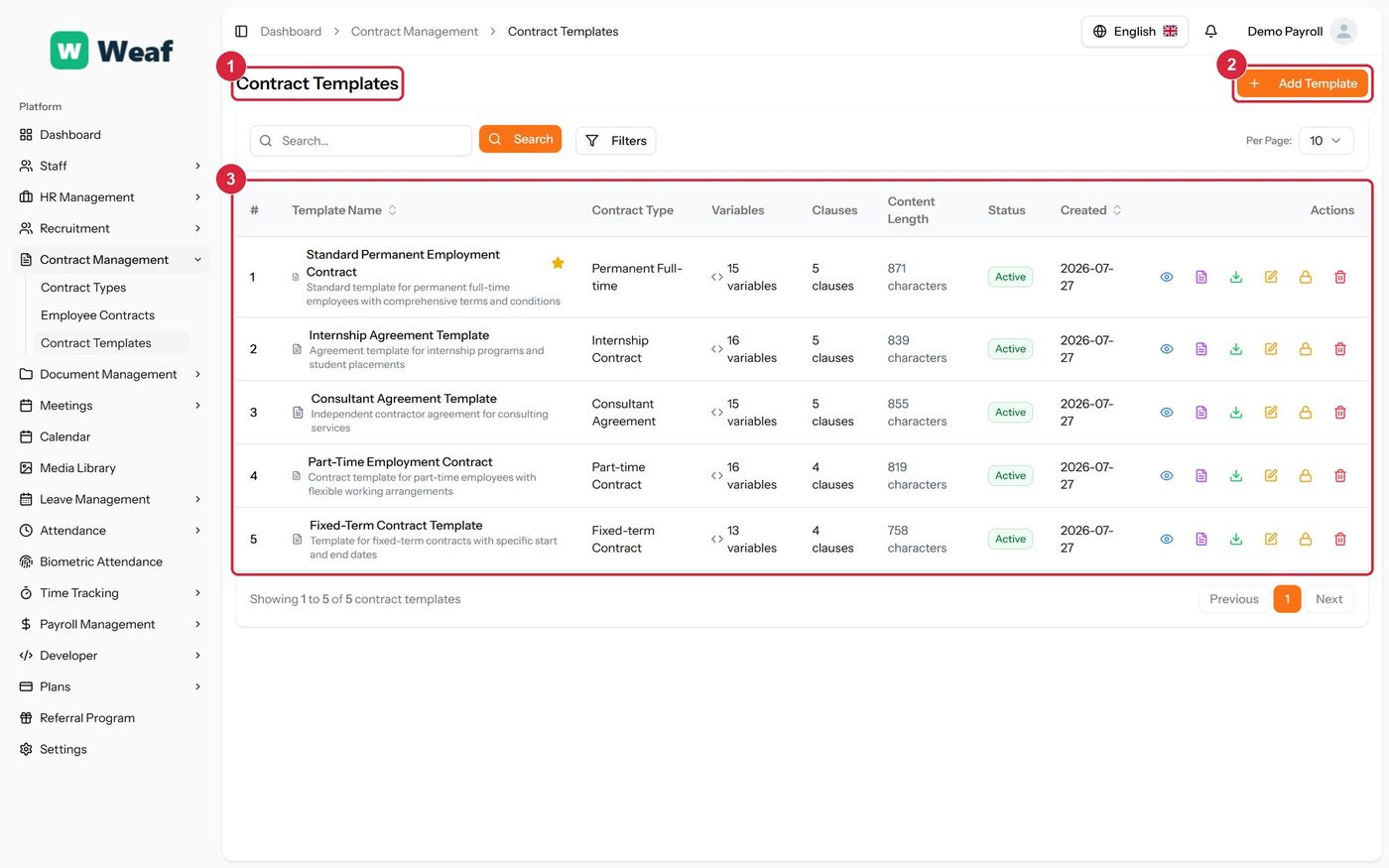
- 1 page title
- 2 primary action
- 3 records table
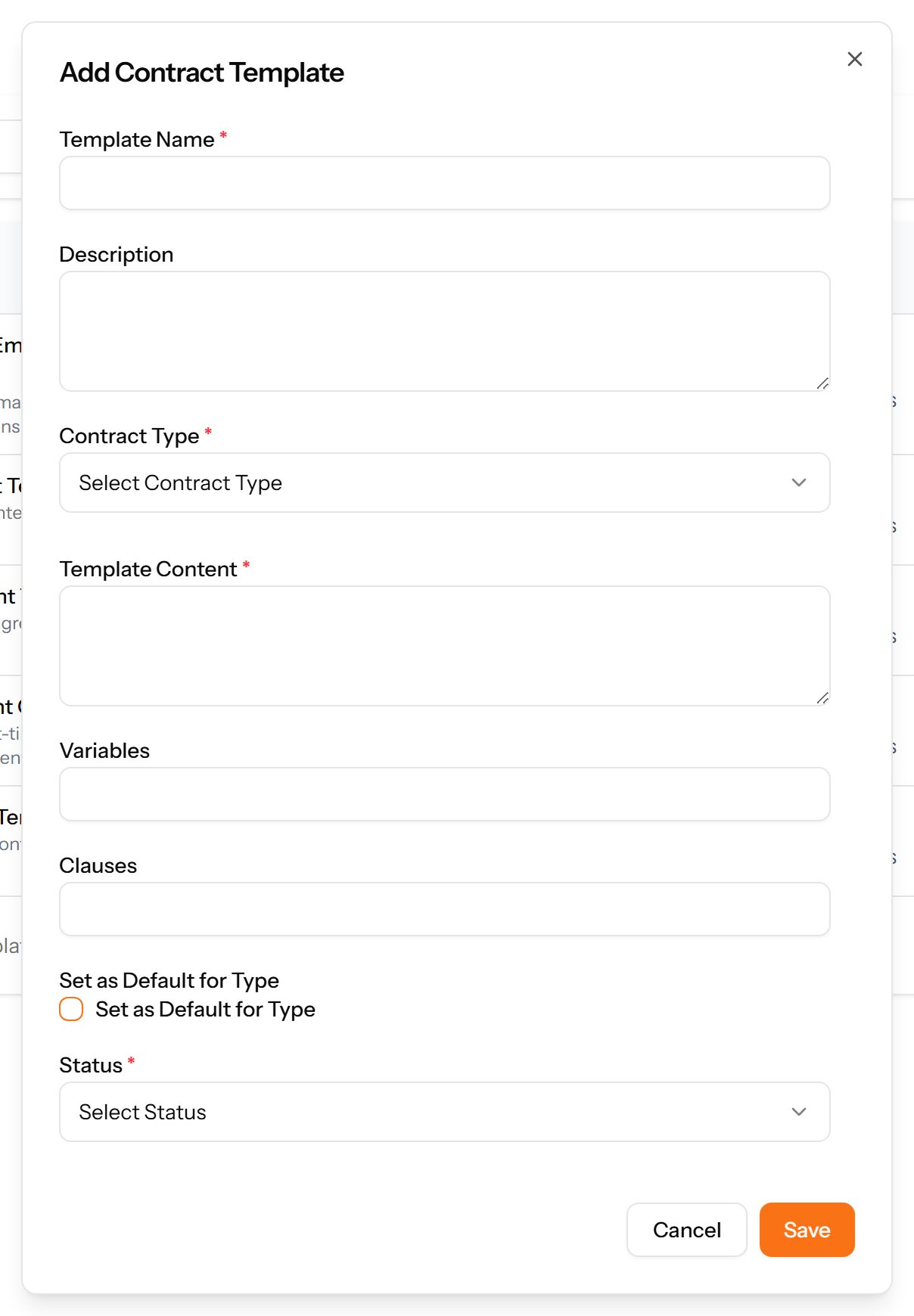
- Choose Add Template at the top right. The form opens in a panel.
- Complete the required fields: Template Name, Template Content.
- Fill in anything else that applies: Description, Variables, Clauses, Set as Default for Type.
- Make the selections the form asks for: Contract Type, Status.
- Choose Save. The new record appears in the list.