The Employee Record Over Time
An employment is not static.
An employment is not static. This chapter covers everything that happens to a record between joining and leaving: recognition, advancement, movement, discipline and departure.
Each of these is a dated record rather than an edit to the employee, so the history survives. That is what makes it possible to answer, a year later, why someone's designation changed.
Award Types
A reference list. Entries created here become the options offered when you create an award. Setting these up once, before the records that use them, saves correcting the same choice repeatedly later.
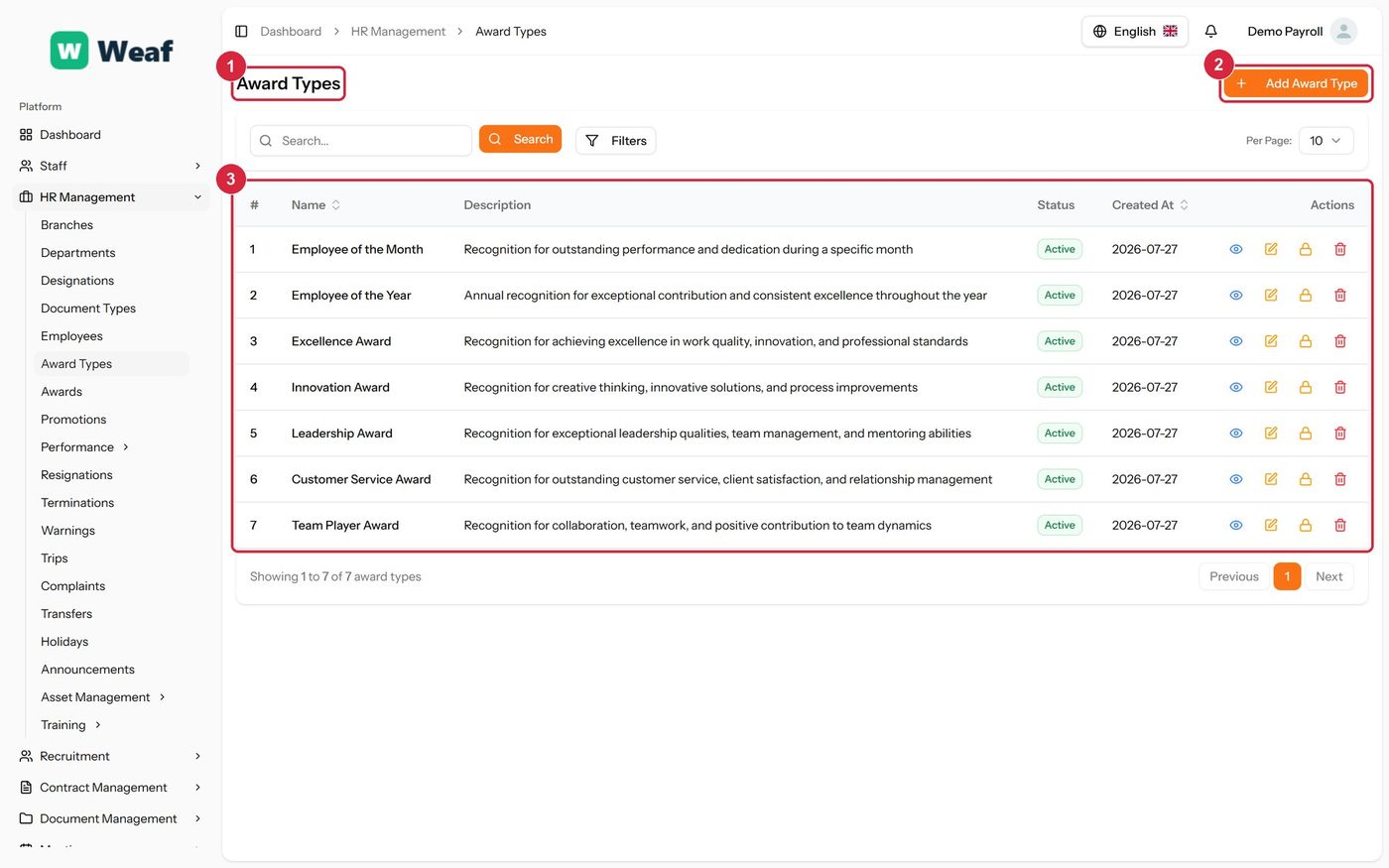
- 1 page title
- 2 primary action
- 3 records table
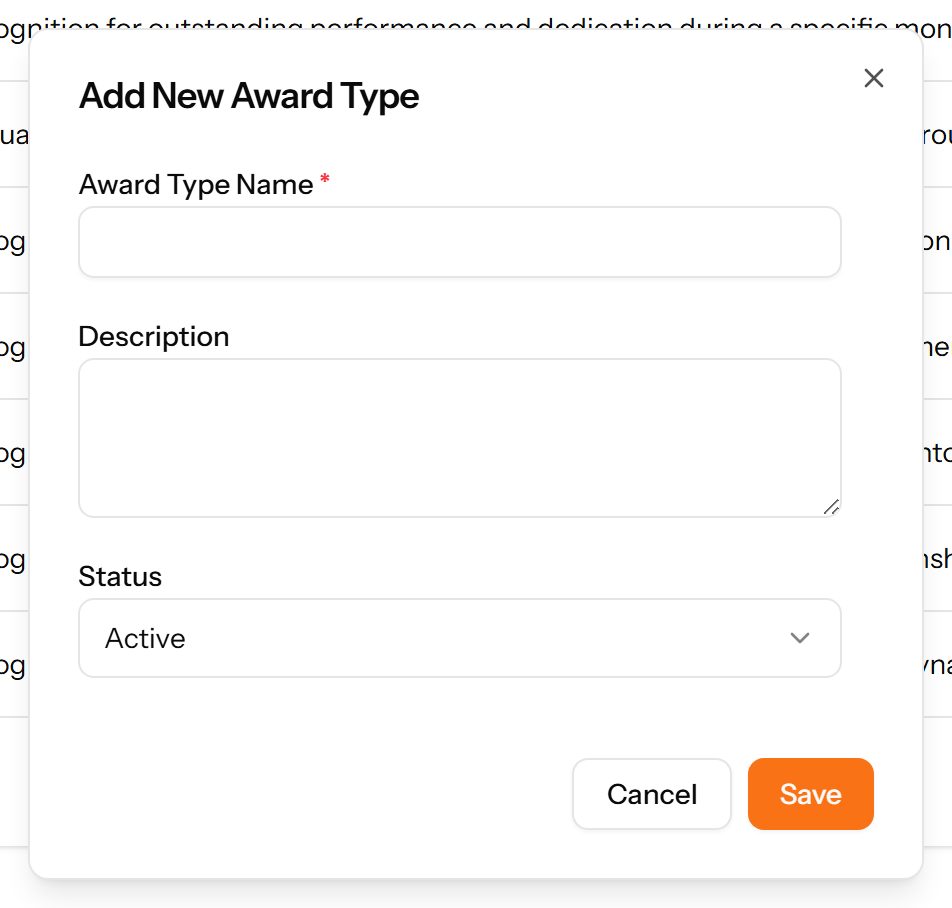
- Choose Add Award Type at the top right. The form opens in a panel.
- Complete the required fields: Award Type Name.
- Fill in anything else that applies: Description.
- Choose Save. The new record appears in the list.
Awards
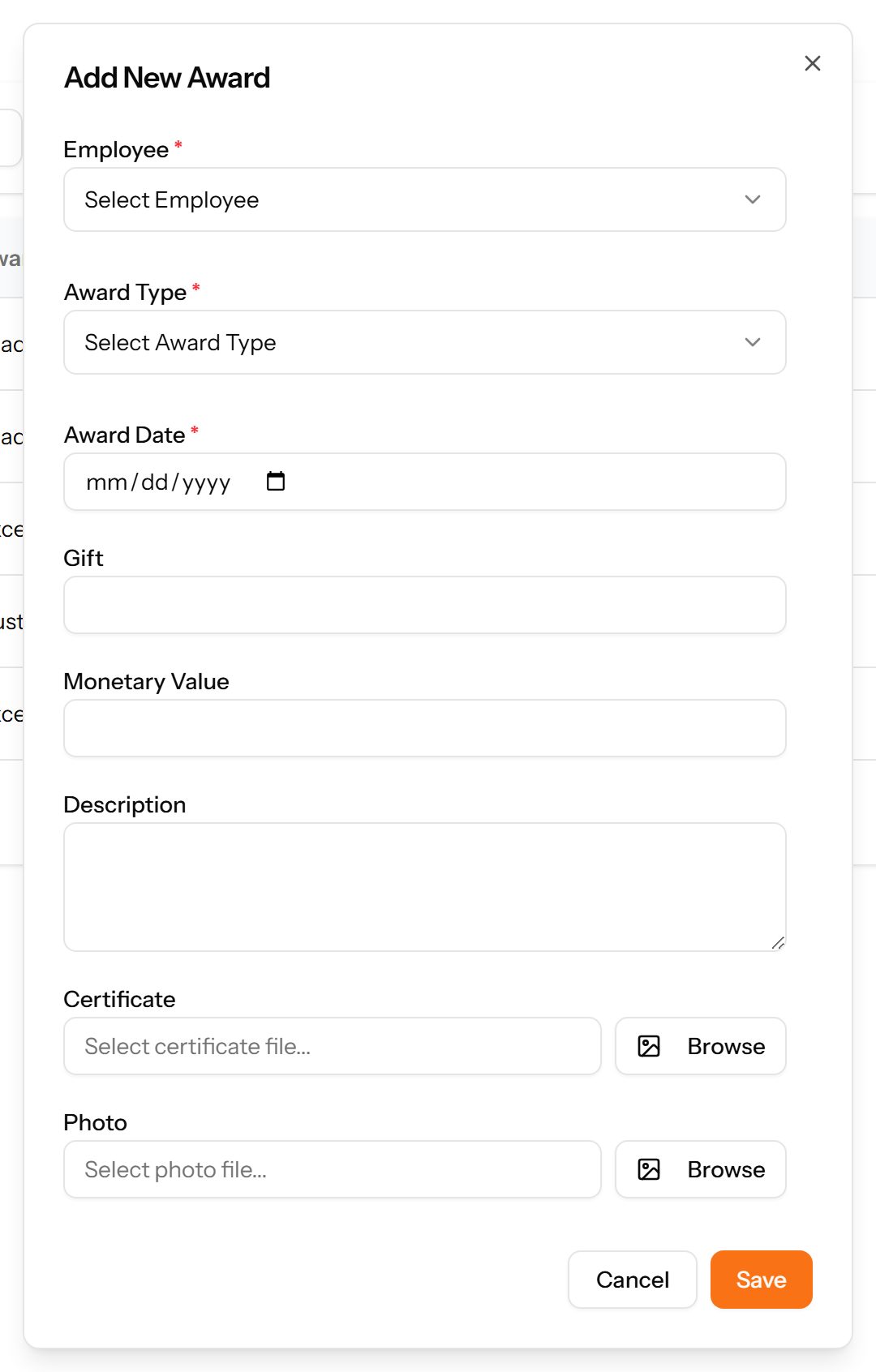
Recognition given to an employee — the award, the date, any gift and its value. Supporting files can be attached.
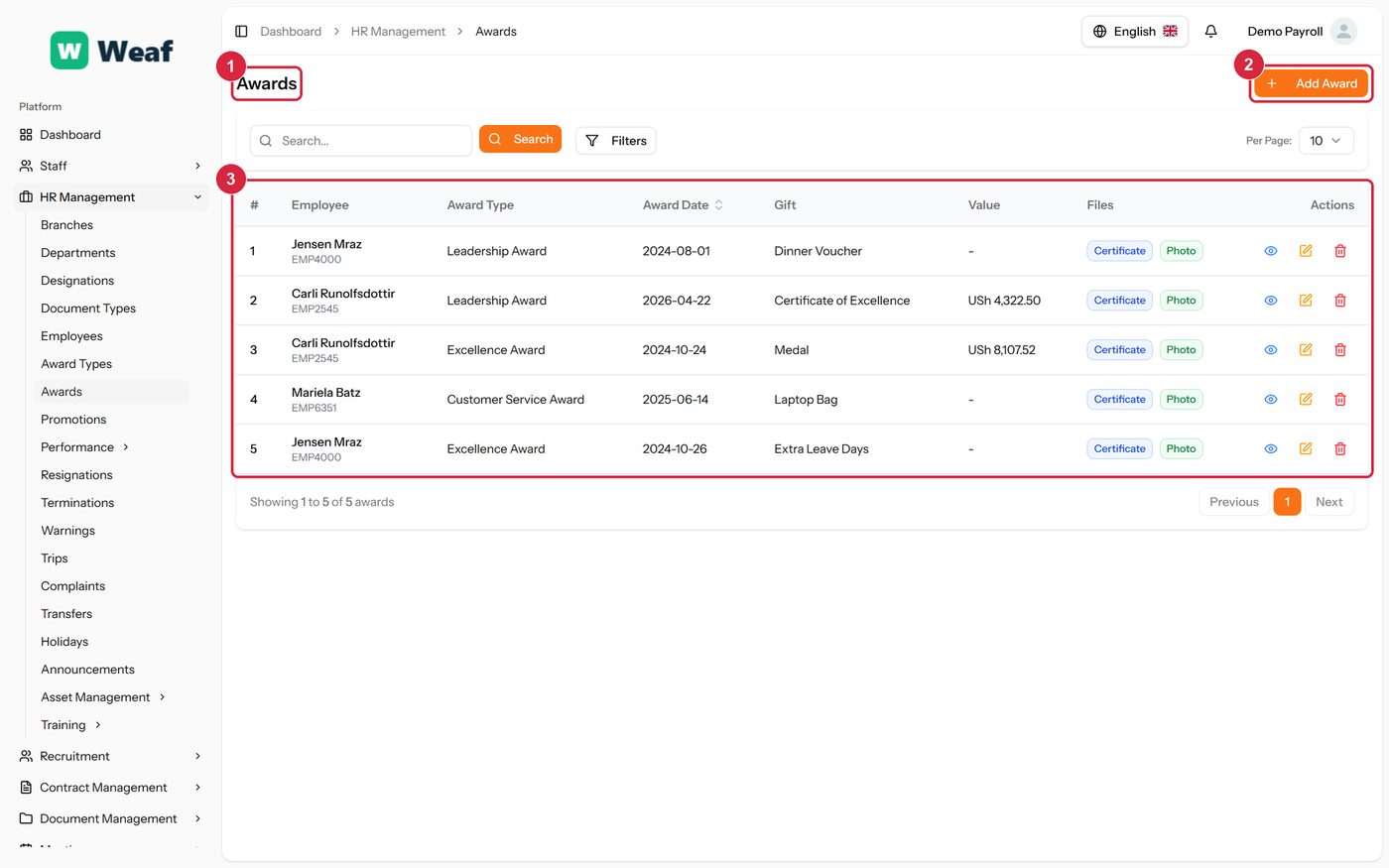
- 1 page title
- 2 primary action
- 3 records table
- Choose Add Award at the top right. The form opens in a panel.
- Complete the required fields: Award Date.
- Fill in anything else that applies: Gift, Monetary Value, Description, Select certificate file..., Select photo file....
- Make the selections the form asks for: Employee, Award Type.
- Choose Save. The new record appears in the list.
Promotions
A record of an employee moving from one designation to another, with the date it was decided and the date it takes effect.
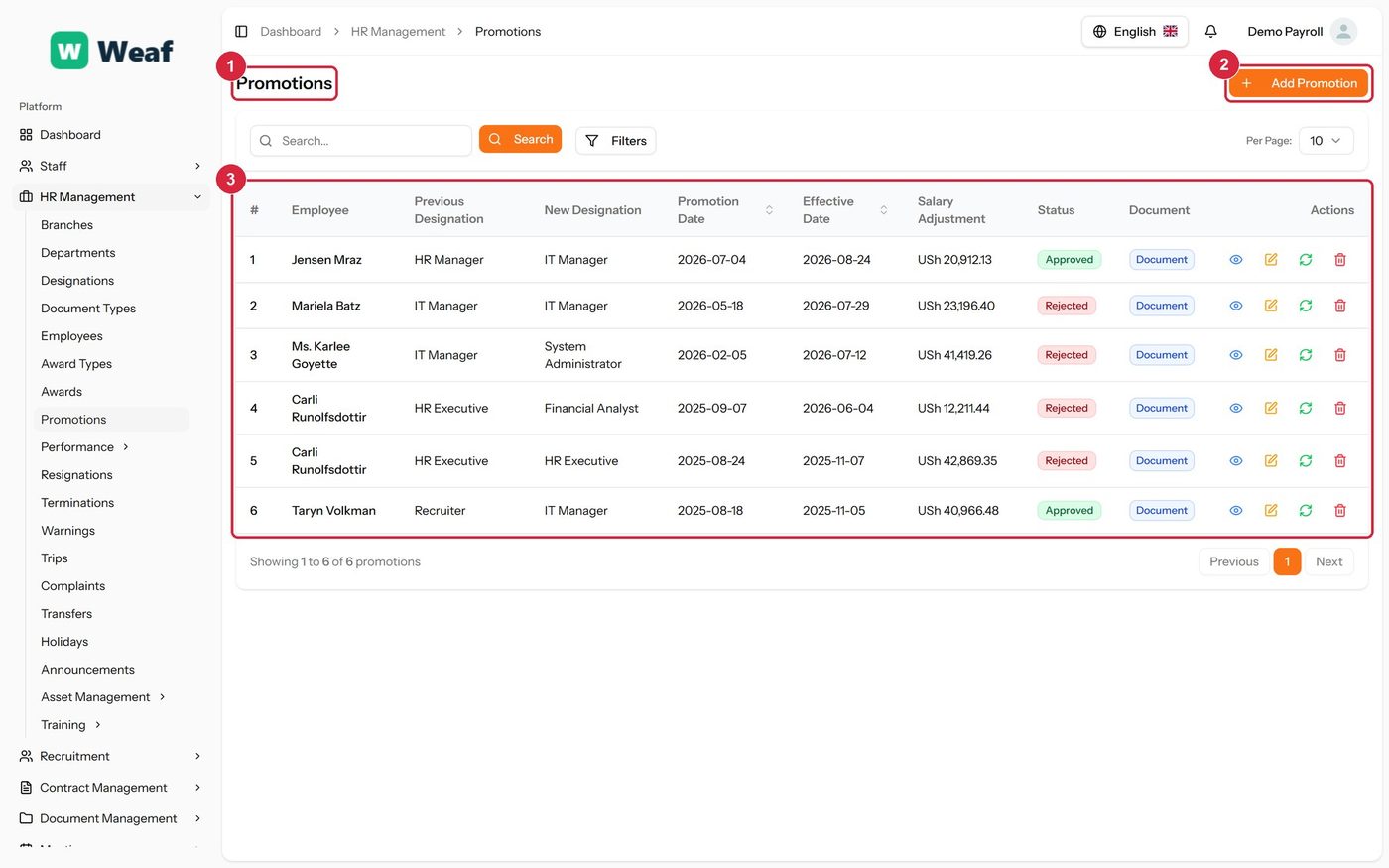
- 1 page title
- 2 primary action
- 3 records table
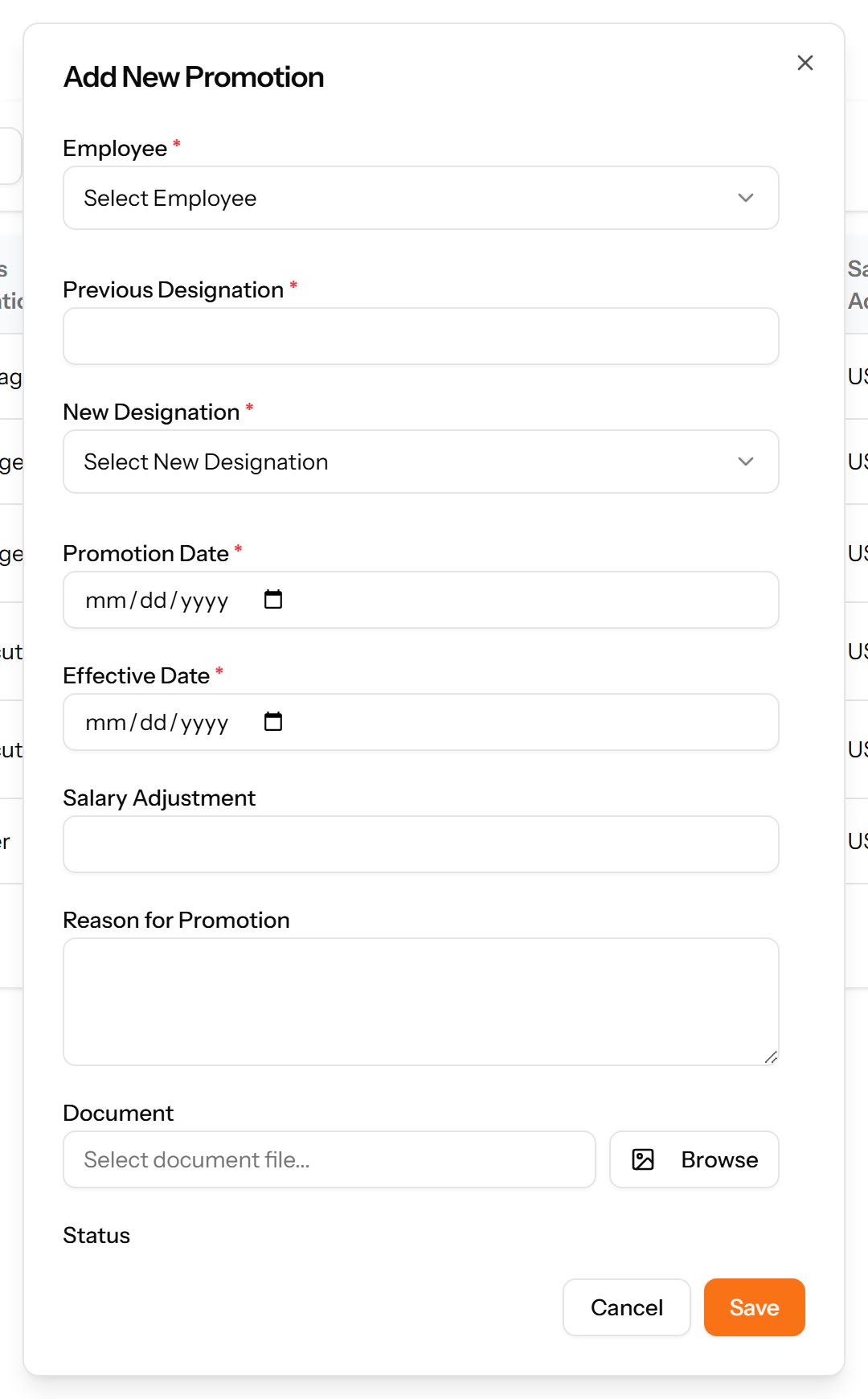
- Choose Add Promotion at the top right. The form opens in a panel.
- Complete the required fields: Previous Designation, Promotion Date, Effective Date.
- Fill in anything else that applies: Salary Adjustment, Reason for Promotion, Select document file....
- Make the selections the form asks for: Employee, New Designation.
- Choose Save. The new record appears in the list.
Transfers
Movements between branches or departments, showing where the employee came from, where they went, and when it takes effect.
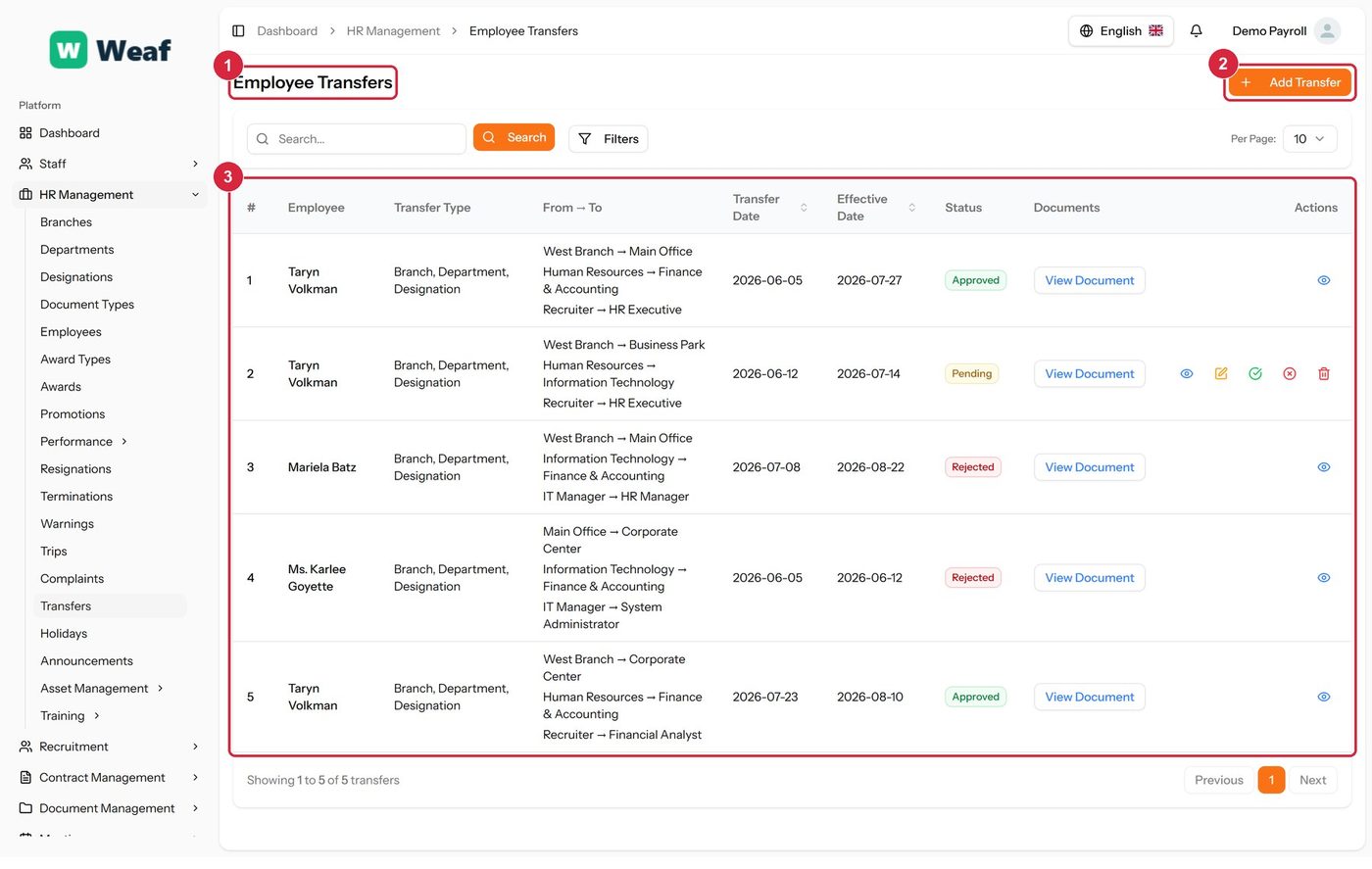
- 1 page title
- 2 primary action
- 3 records table
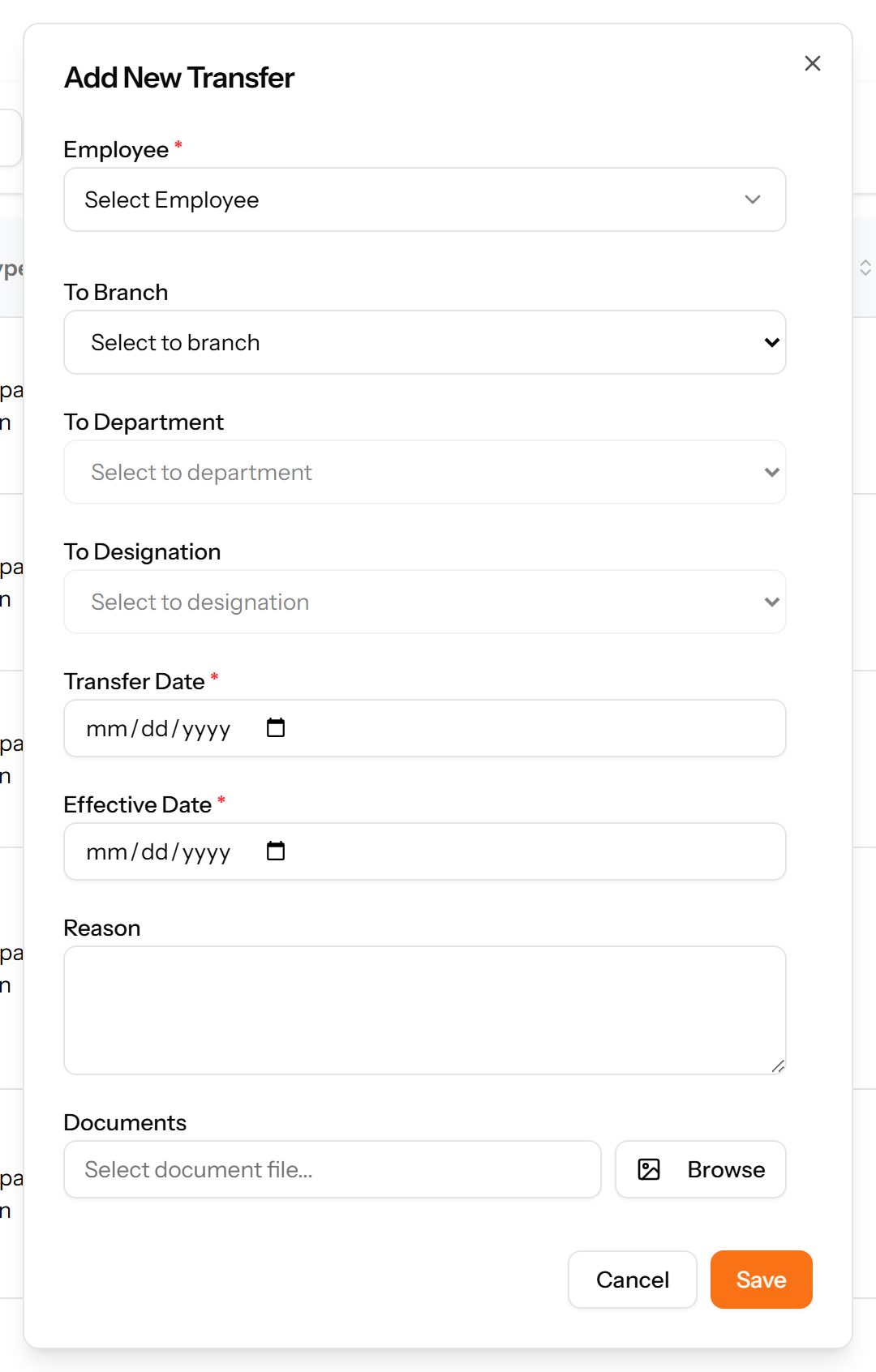
- Choose Add Transfer at the top right. The form opens in a panel.
- Complete the required fields: Transfer Date, Effective Date.
- Fill in anything else that applies: To Branch, To Department, To Designation, Reason, Select document file....
- Make the selections the form asks for: Employee.
- Choose Save. The new record appears in the list.
Trips
Business travel: who travelled, why, where, and between which dates.
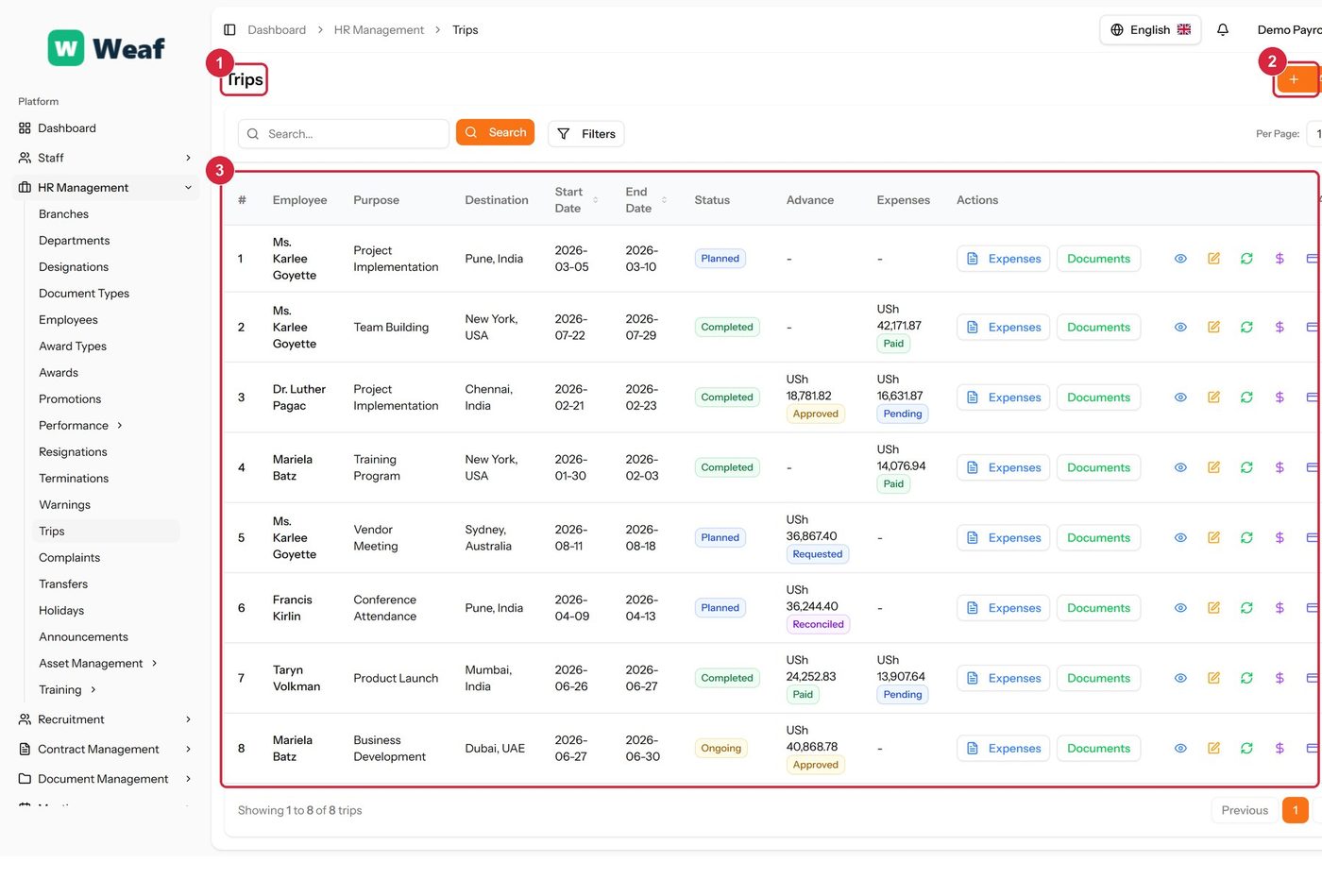
- 1 page title
- 2 primary action
- 3 records table
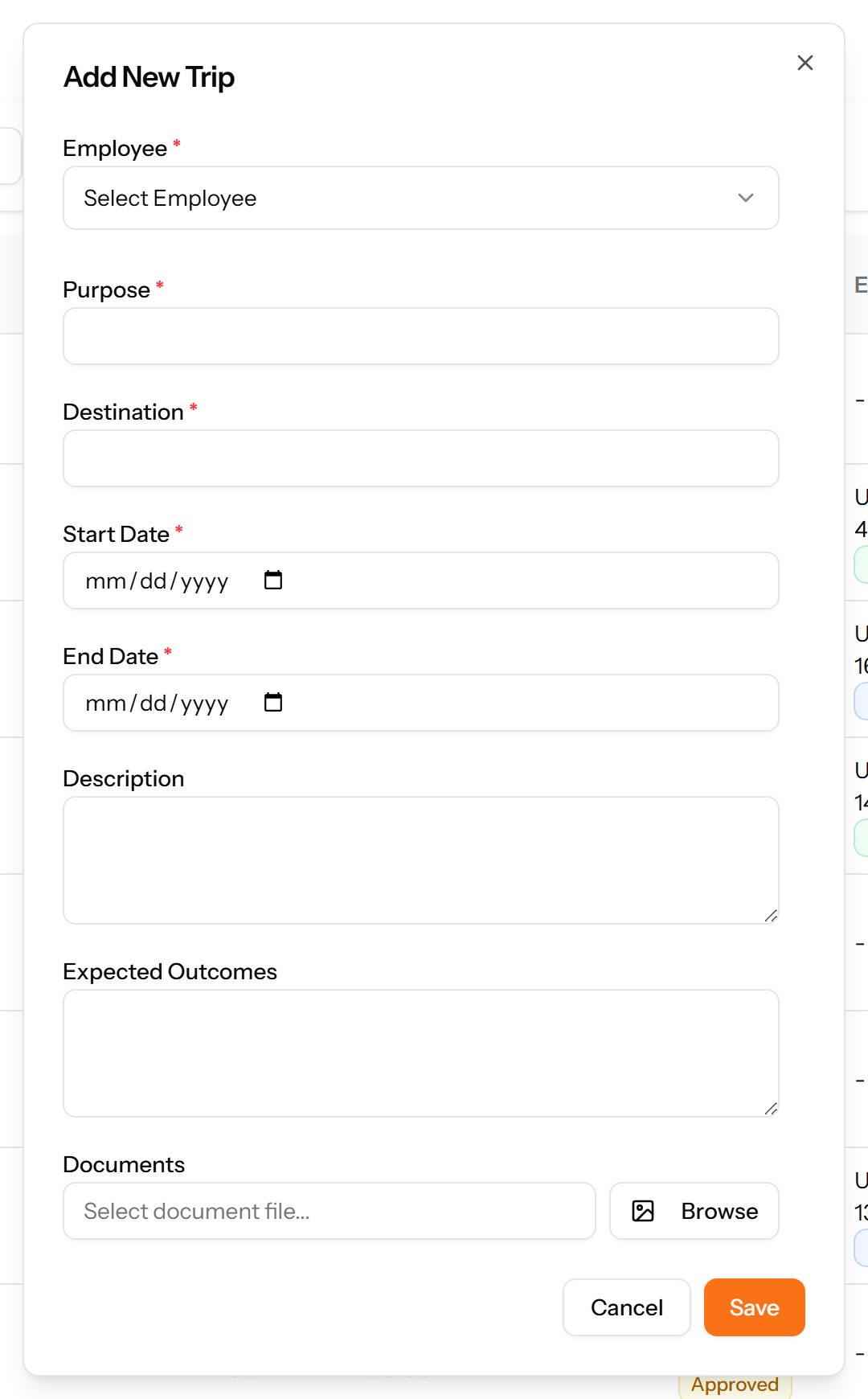
- Choose Add Trip at the top right. The form opens in a panel.
- Complete the required fields: Purpose, Destination, Start Date, End Date.
- Fill in anything else that applies: Description, Expected Outcomes, Select document file..., Advance Amount.
- Make the selections the form asks for: Employee.
- Choose Save. The new record appears in the list.
Warnings
Formal disciplinary warnings, with a type, a severity and a status, so a documented history exists before any termination decision.
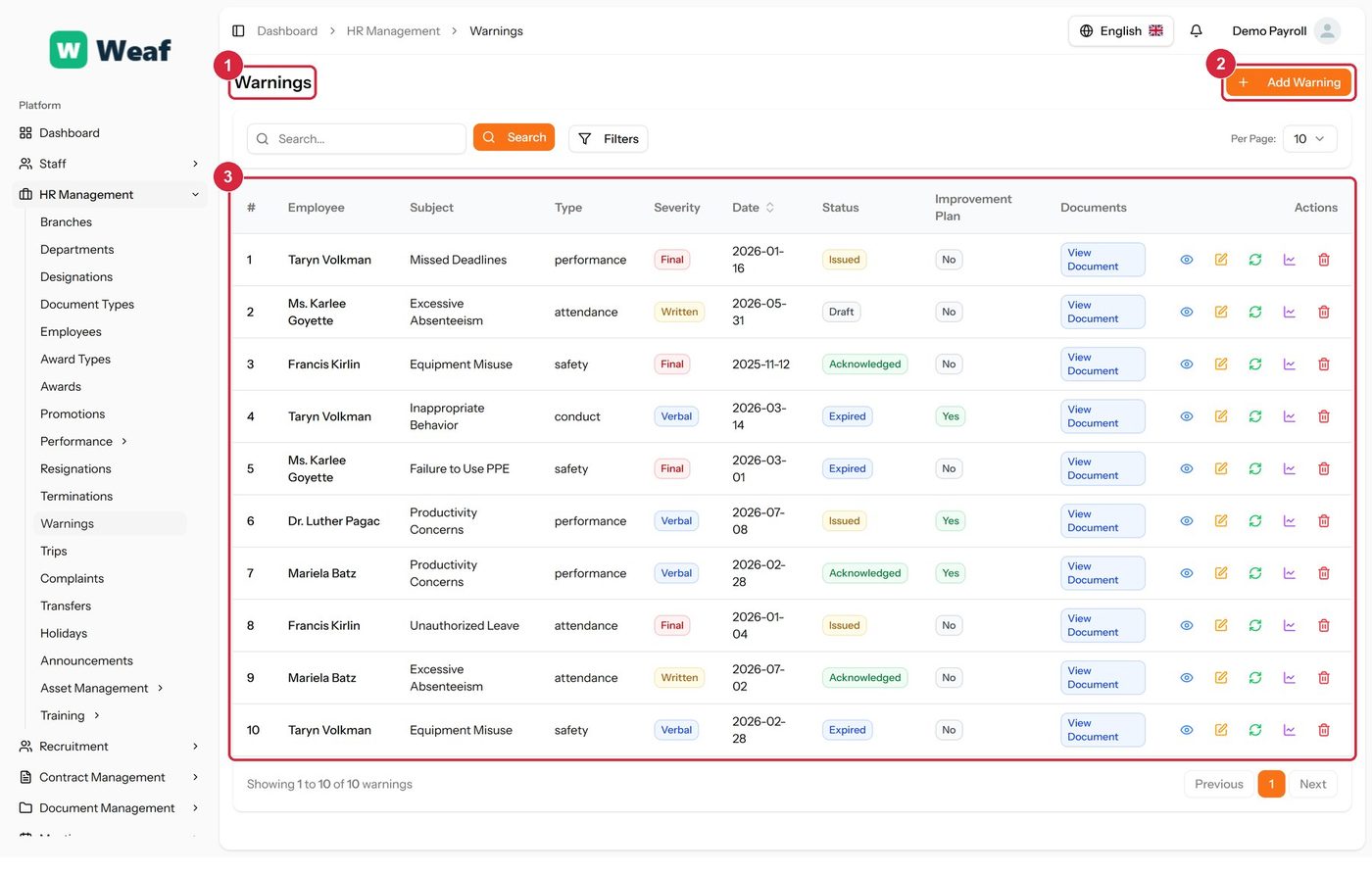
- 1 page title
- 2 primary action
- 3 records table
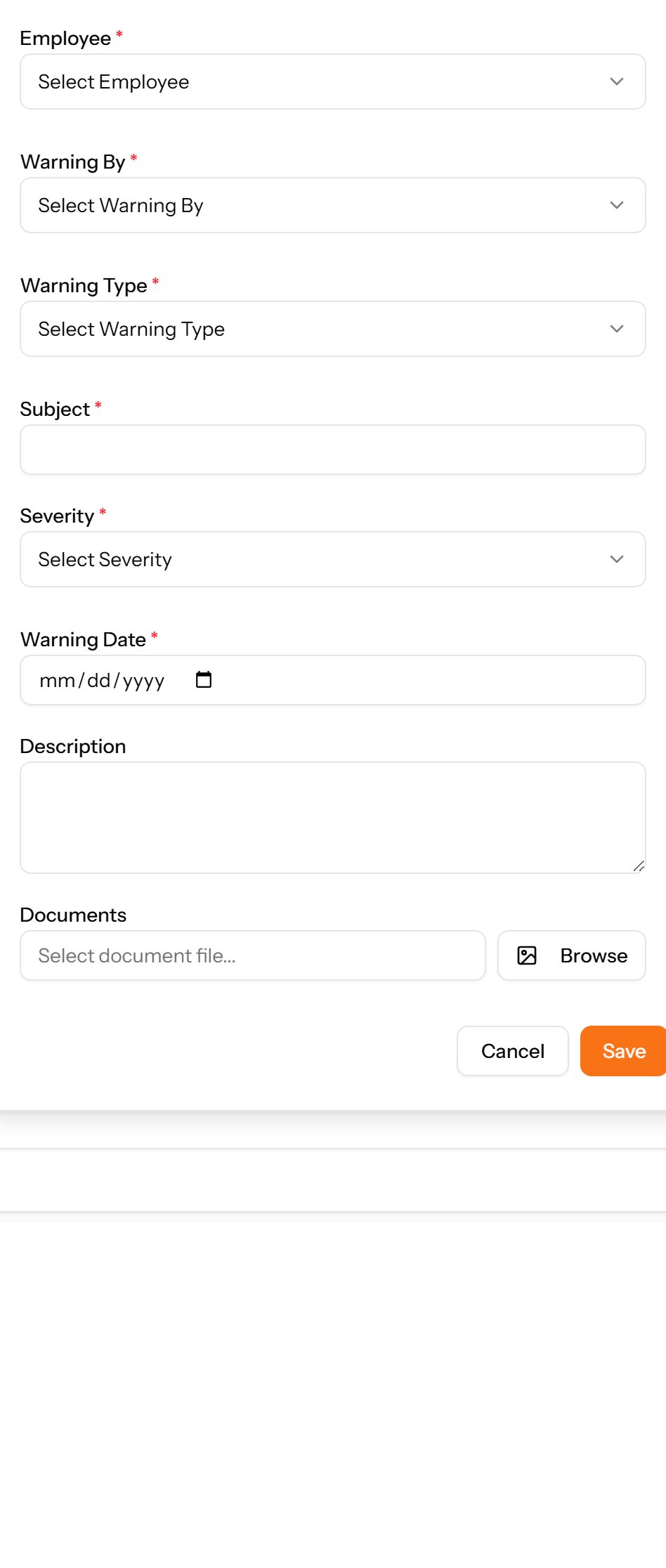
- Choose Add Warning at the top right. The form opens in a panel.
- Complete the required fields: Subject, Warning Date.
- Fill in anything else that applies: Description, Select document file..., Expiry Date, Has Improvement Plan, Improvement Plan Goals, Improvement Plan Start Date, Improvement Plan End Date.
- Make the selections the form asks for: Employee, Warning By, Warning Type, Severity.
- Choose Save. The new record appears in the list.
Complaints
Grievances raised by one person about another, with the type, subject and current status. The complainant and the person complained about are both recorded.
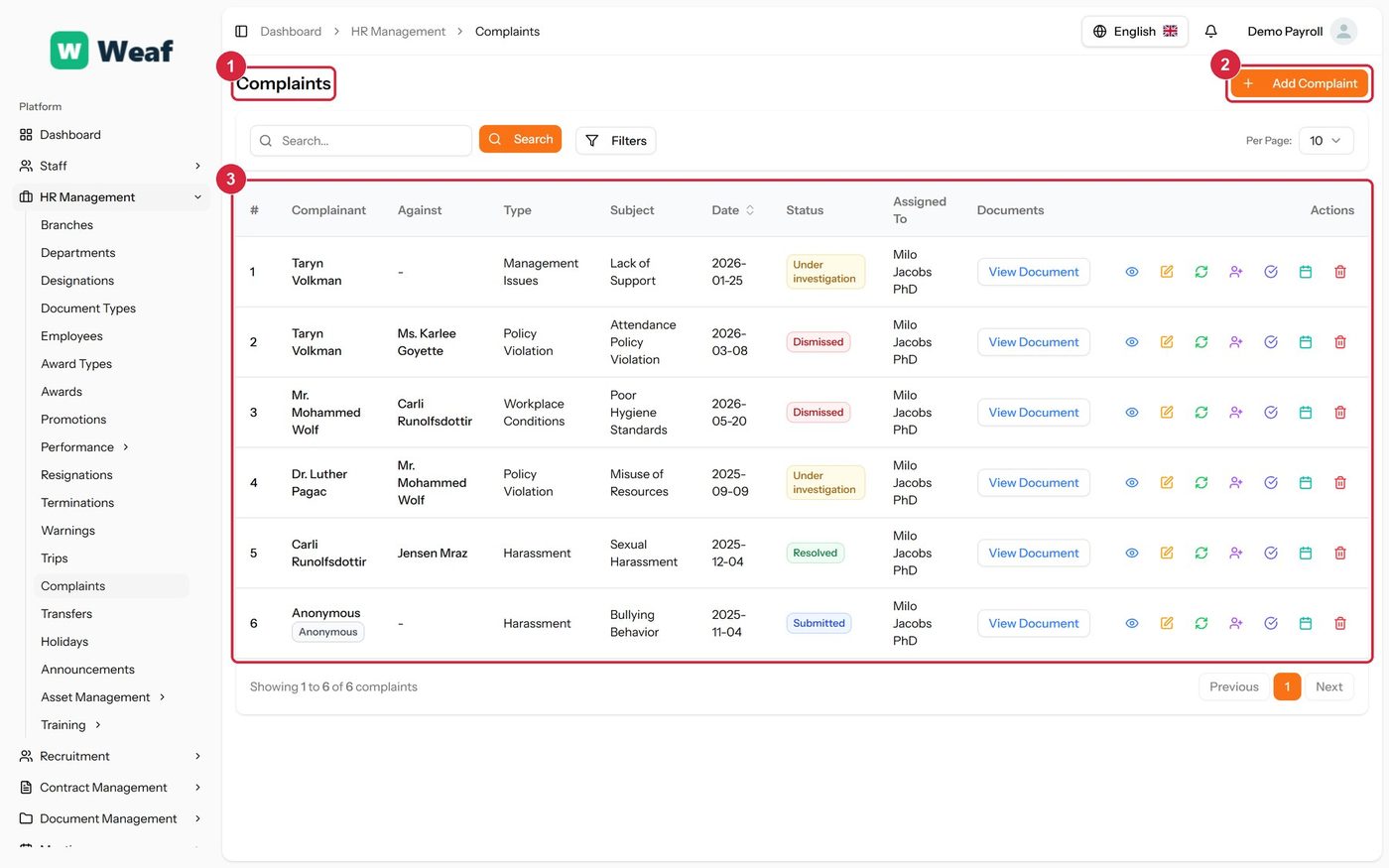
- 1 page title
- 2 primary action
- 3 records table
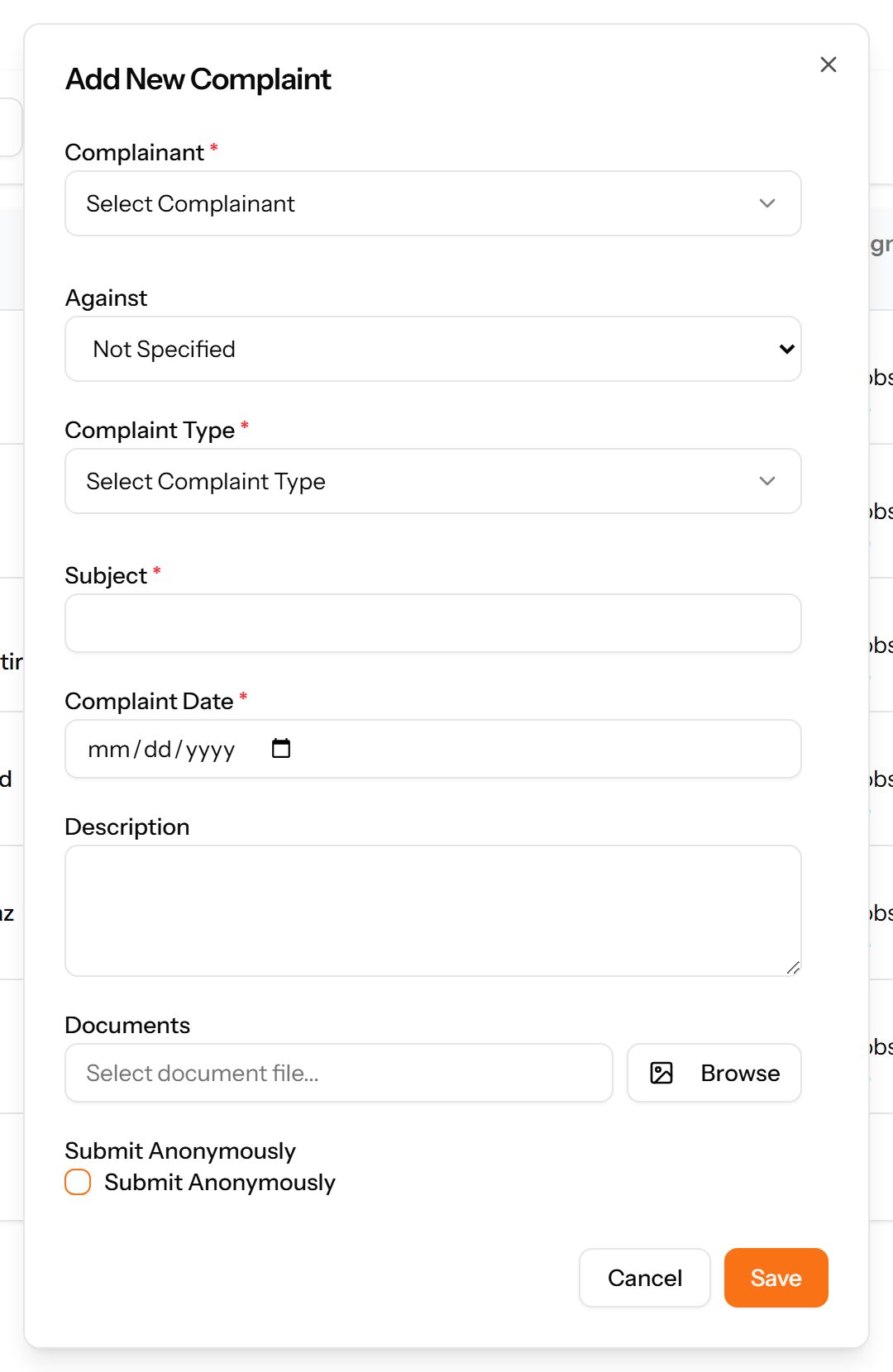
- Choose Add Complaint at the top right. The form opens in a panel.
- Complete the required fields: Subject, Complaint Date.
- Fill in anything else that applies: Against, Description, Select document file..., Submit Anonymously.
- Make the selections the form asks for: Complainant, Complaint Type.
- Choose Save. The new record appears in the list.
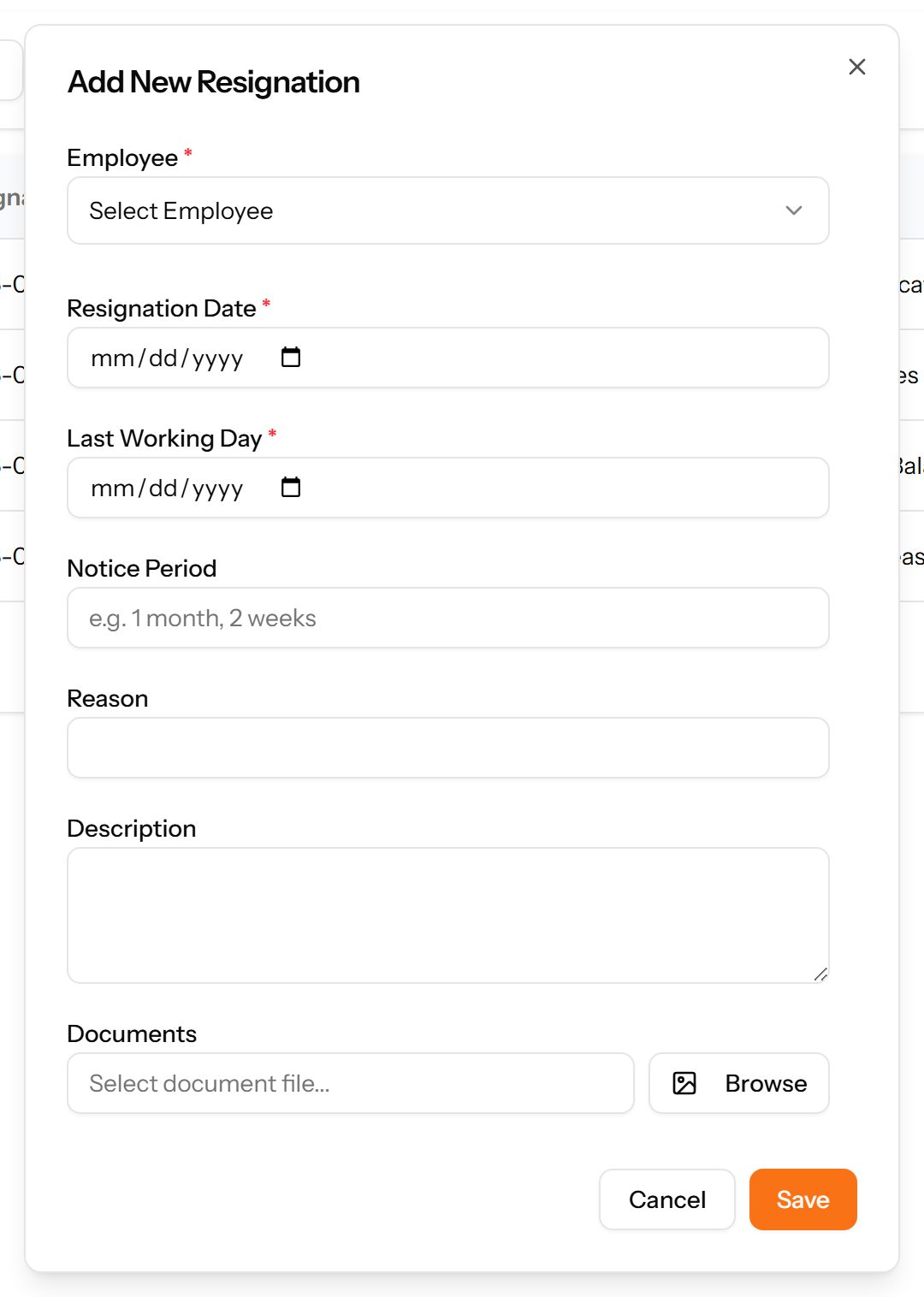
Resignations
Employee-initiated departures: when notice was given, the last working day, the notice period served and the stated reason.
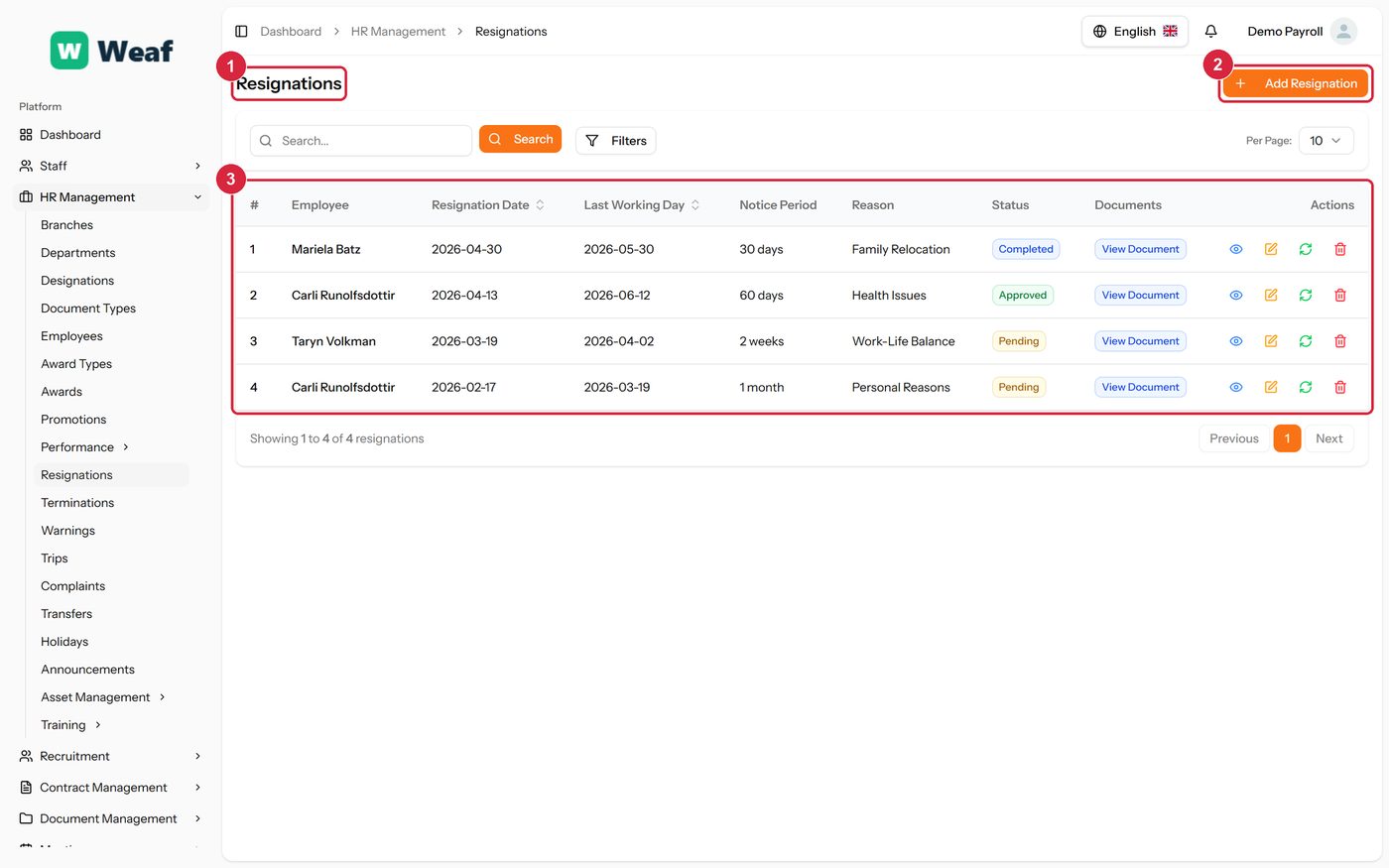
- 1 page title
- 2 primary action
- 3 records table
- Choose Add Resignation at the top right. The form opens in a panel.
- Complete the required fields: Resignation Date, Last Working Day.
- Fill in anything else that applies: Notice Period, Reason, Description, Select document file....
- Make the selections the form asks for: Employee.
- Choose Save. The new record appears in the list.
Terminations
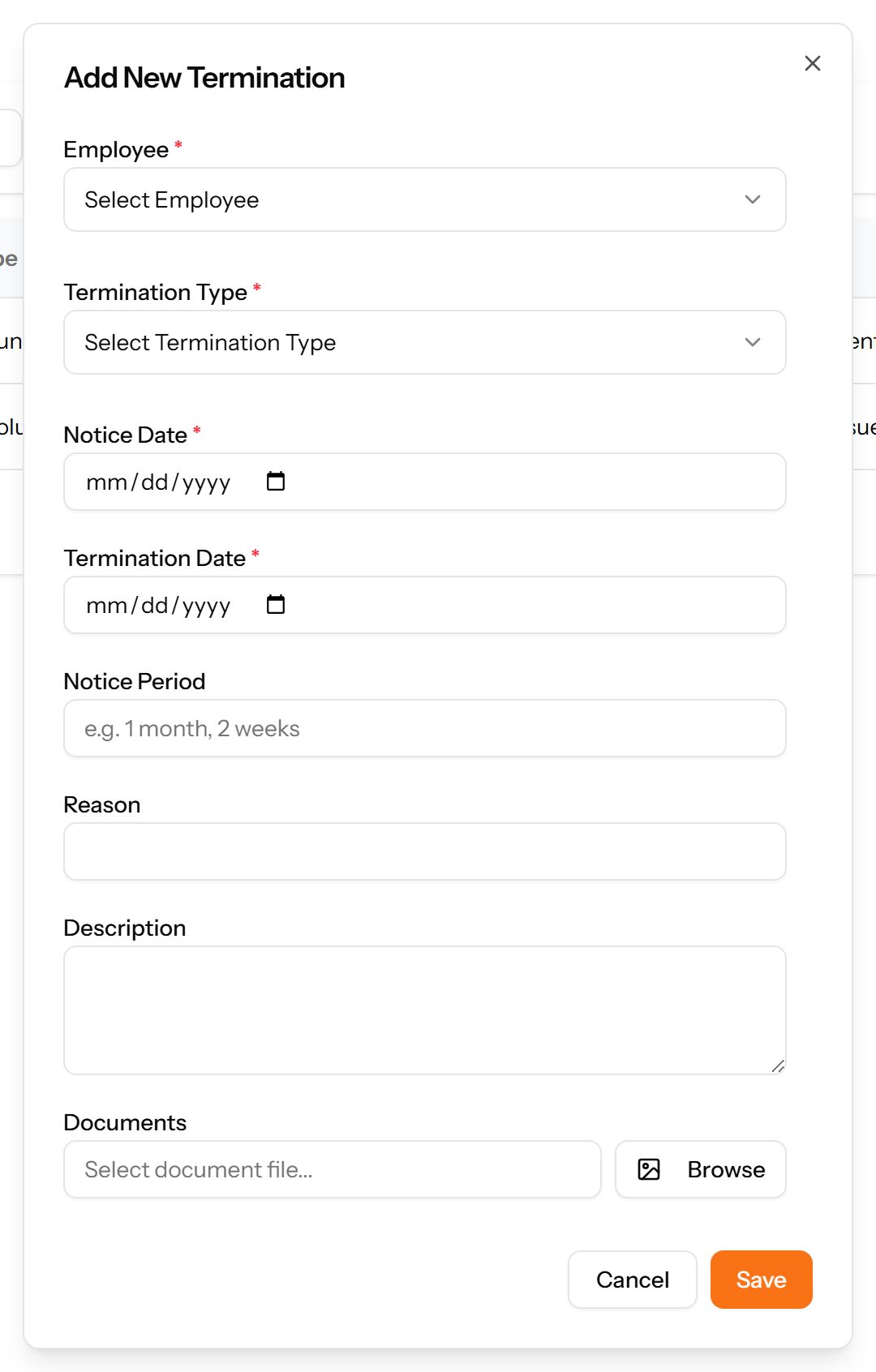
Company-initiated departures, recorded with their type, dates and reason. Kept separate from resignations because the two need different handling and reporting.
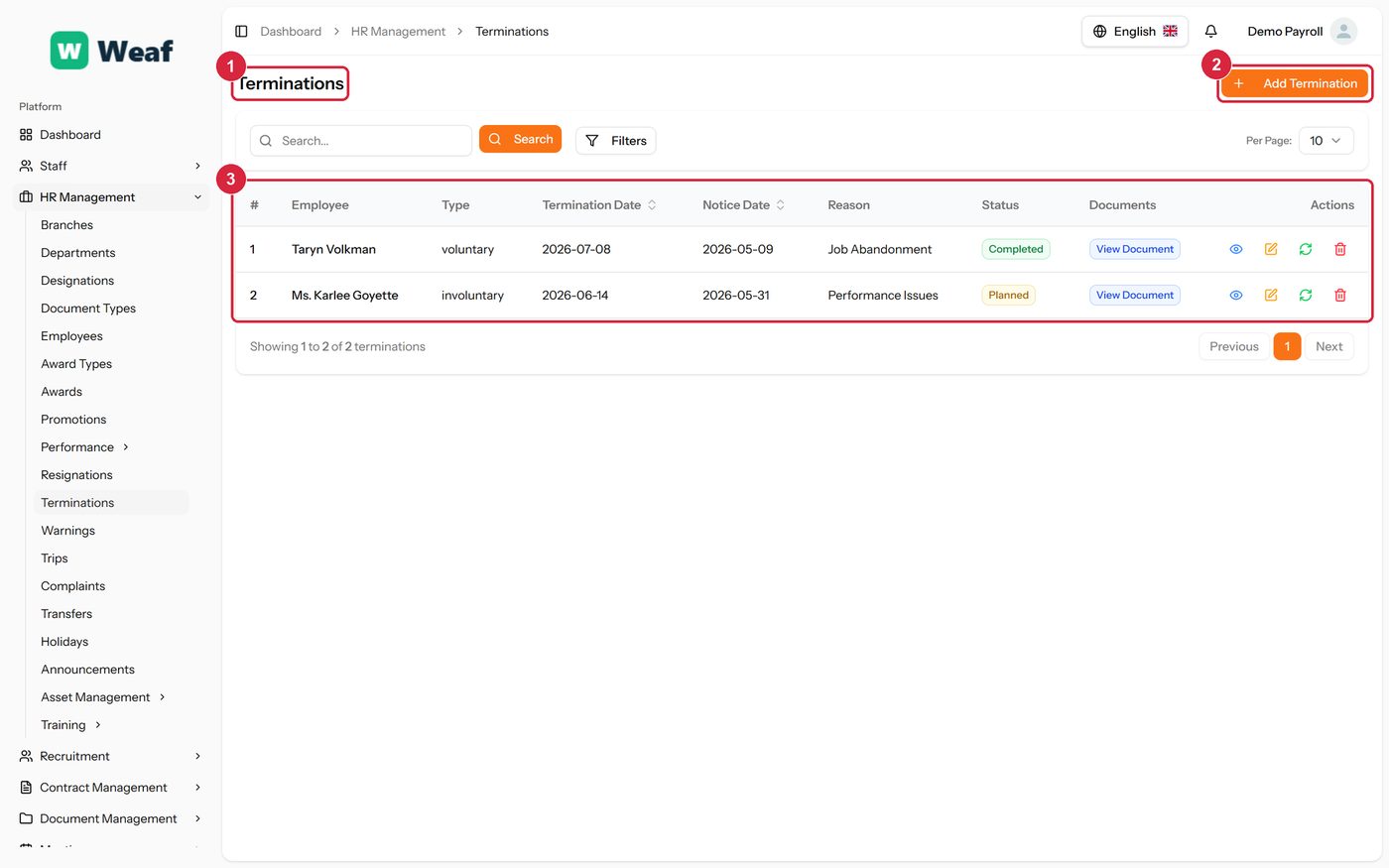
- 1 page title
- 2 primary action
- 3 records table
- Choose Add Termination at the top right. The form opens in a panel.
- Complete the required fields: Notice Date, Termination Date.
- Fill in anything else that applies: Notice Period, Reason, Description, Select document file....
- Make the selections the form asks for: Employee, Termination Type.
- Choose Save. The new record appears in the list.
Holidays
Company holidays. Because a holiday can be declared for particular branches, the same calendar serves a company operating in more than one place.
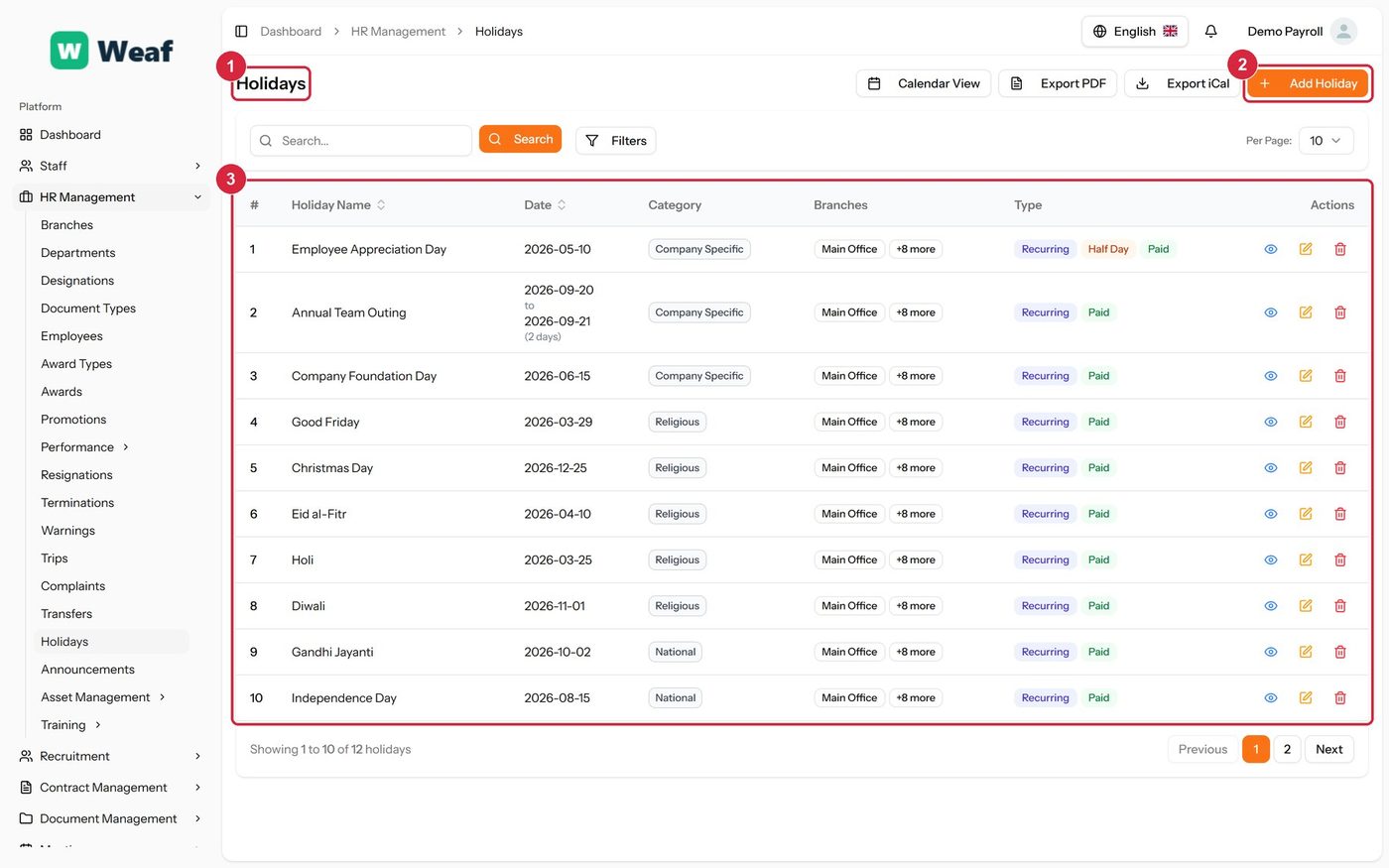
- 1 page title
- 2 primary action
- 3 records table
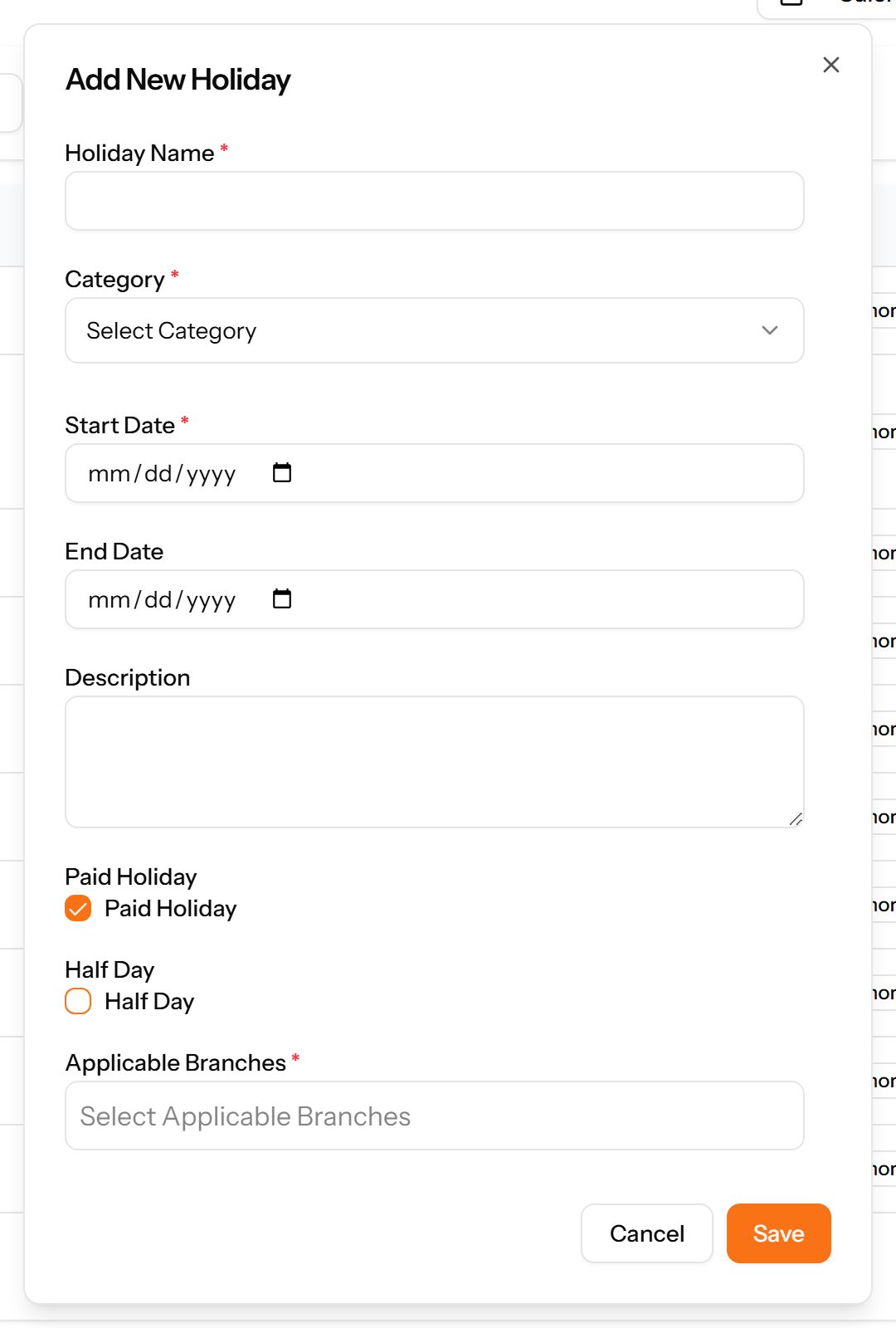
- Choose Add Holiday at the top right. The form opens in a panel.
- Complete the required fields: Holiday Name, Start Date.
- Fill in anything else that applies: End Date, Description, Paid Holiday, Half Day, Select Applicable Branches.
- Make the selections the form asks for: Category.
- Choose Save. The new record appears in the list.
Announcements
Notices published to a chosen audience for a date range, with optional attachments.
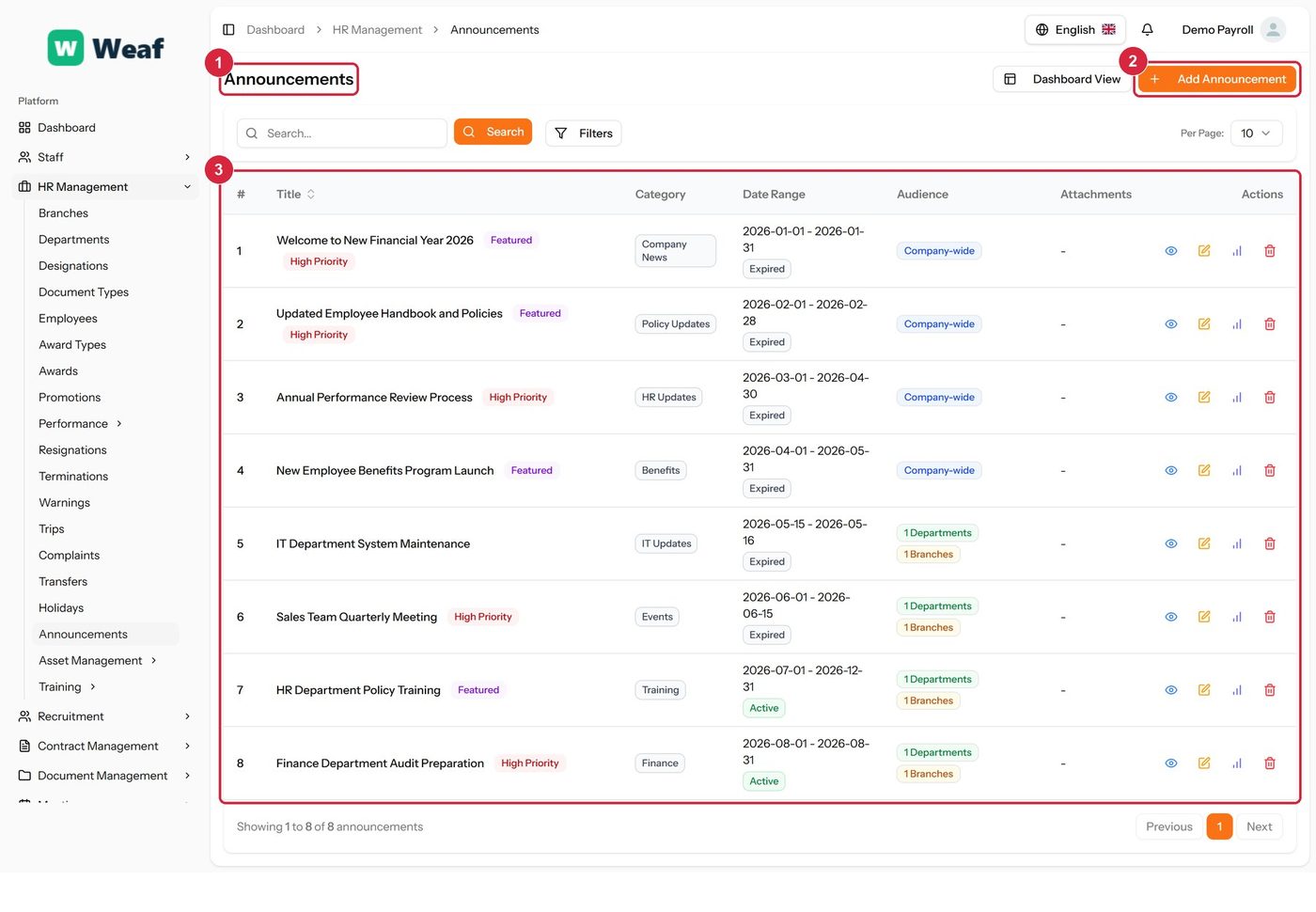
- 1 page title
- 2 primary action
- 3 records table
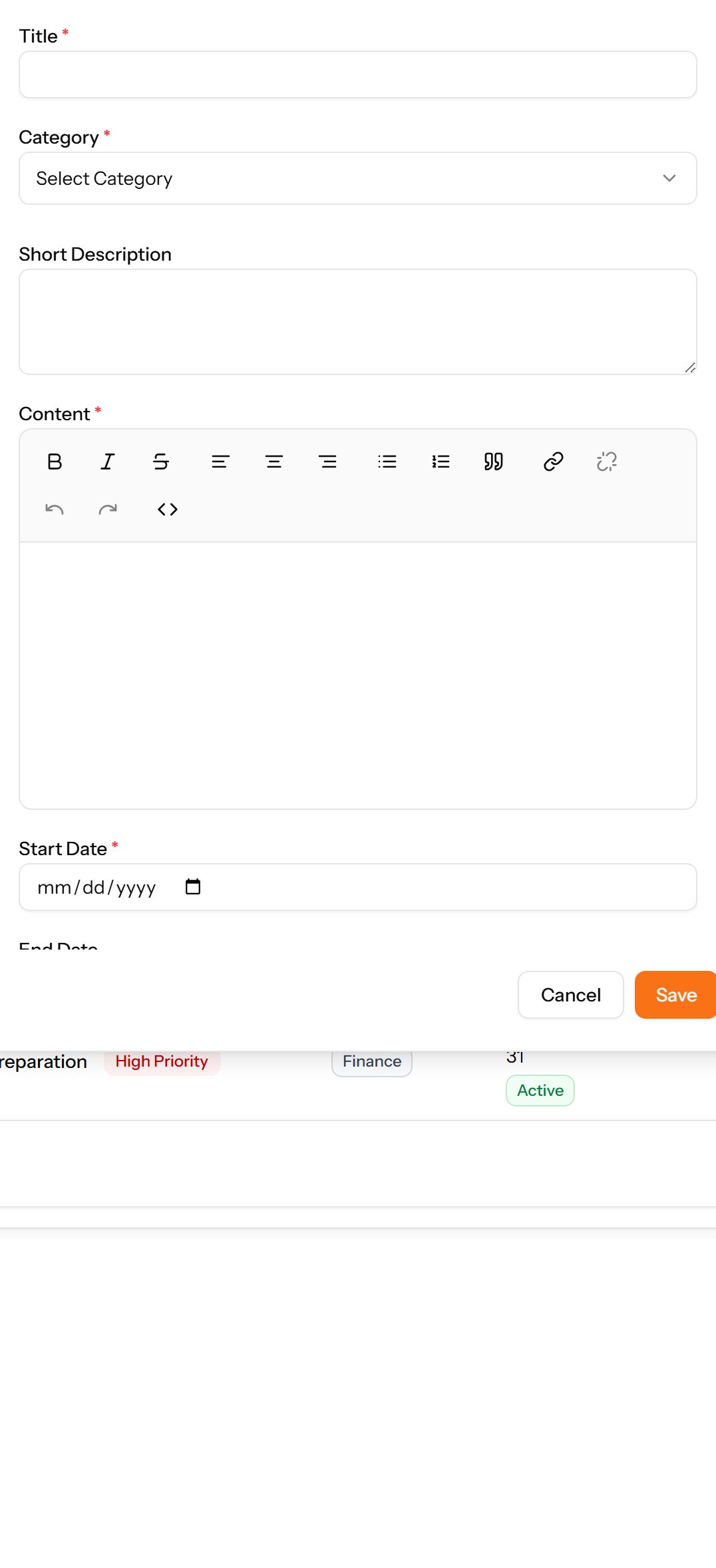
- Choose Add Announcement at the top right. The form opens in a panel.
- Complete the required fields: Title, Start Date.
- Fill in anything else that applies: Short Description, End Date, Select attachment file..., Featured Announcement, High Priority, Company-wide Announcement, Target Branches, Target Departments.
- Make the selections the form asks for: Category.
- Choose Save. The new record appears in the list.