Weaf HR

Company Structure

Everything else in the system hangs off the structure set up here, so it is worth getting right before employees are added.

Everything else in the system hangs off the structure set up here, so it is worth getting right before employees are added.

The order matters. A department belongs to a branch, and a designation belongs to a department, so they are created in that order: branches, then departments, then designations. An employee record then places a person into all three at once.

Pages in this chapter
  • Branches
  • Departments
  • Designations
  • Document Types

Branches

The physical or legal locations your company operates from. Branches come first because departments, employees, holidays and attendance rules all hang off them.
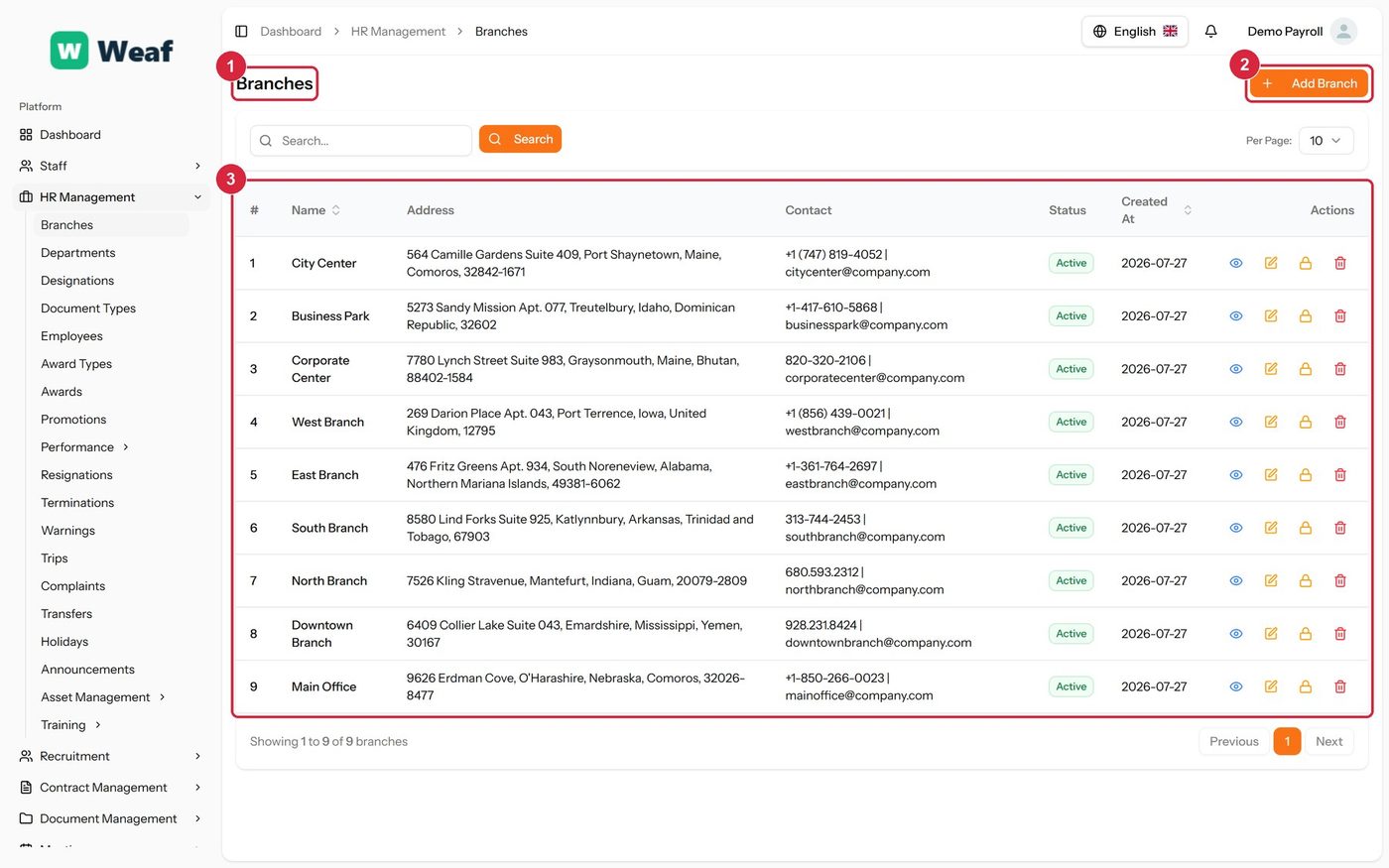
The Branches page
The Branches page
  • 1 page title
  • 2 primary action
  • 3 records table
Columns
  • #
  • Name
  • Address
  • Contact
  • Status
  • Created At
  • Actions
Actions on this page
  • Add Branch
  1. Choose Add Branch at the top right. The form opens in a panel.
  2. Complete the required fields: Branch Name.
  3. Fill in anything else that applies: Address, City, State/Province, Country, ZIP/Postal Code, Phone, Email.
  4. Choose Save. The new record appears in the list.
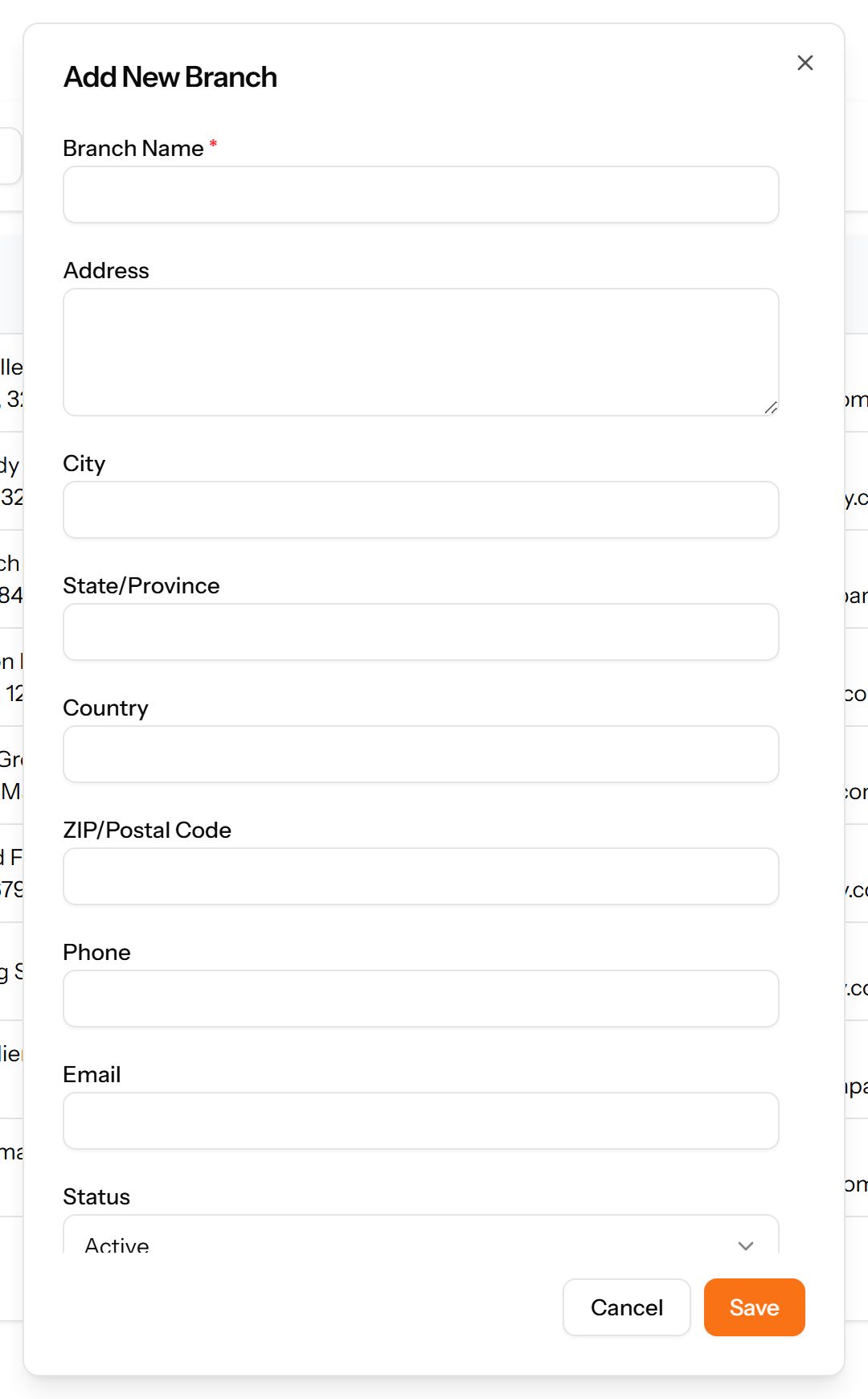
The Add Branch form
The Add Branch form
Note: Create branches before departments, and departments before designations. Each depends on the one before it.

Departments

Divisions within a branch — Finance, Human Resources, Information Technology. Each department belongs to a branch, which is why branches are set up first.
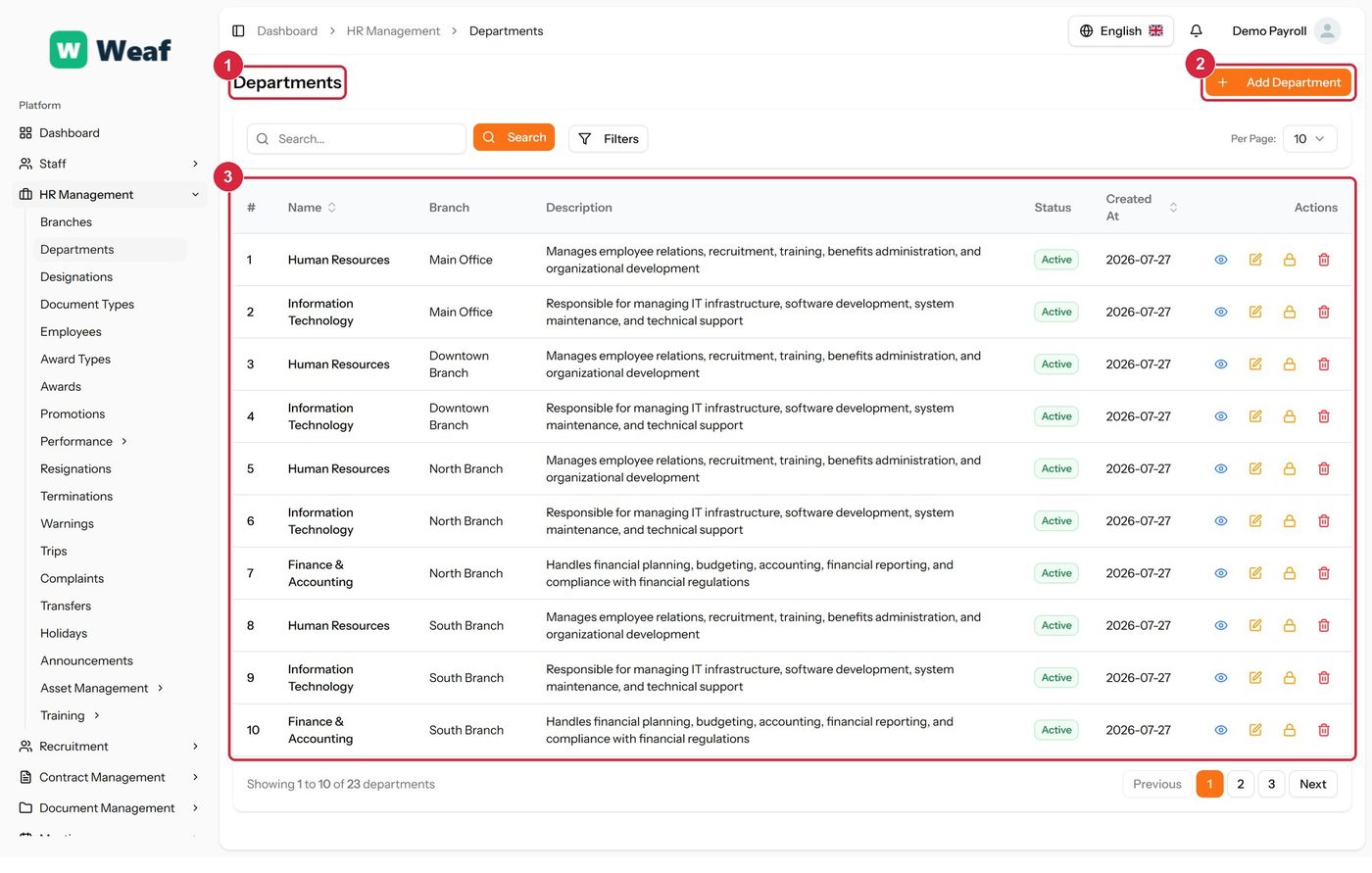
The Departments page
  • 1 page title
  • 2 primary action
  • 3 records table
Columns
  • #
  • Name
  • Branch
  • Description
  • Status
  • Created At
  • Actions
Actions on this page
  • Add Department
  1. Choose Add Department at the top right. The form opens in a panel.
  2. Complete the required fields: Department Name.
  3. Fill in anything else that applies: Description.
  4. Make the selections the form asks for: Branch.
  5. Choose Save. The new record appears in the list.
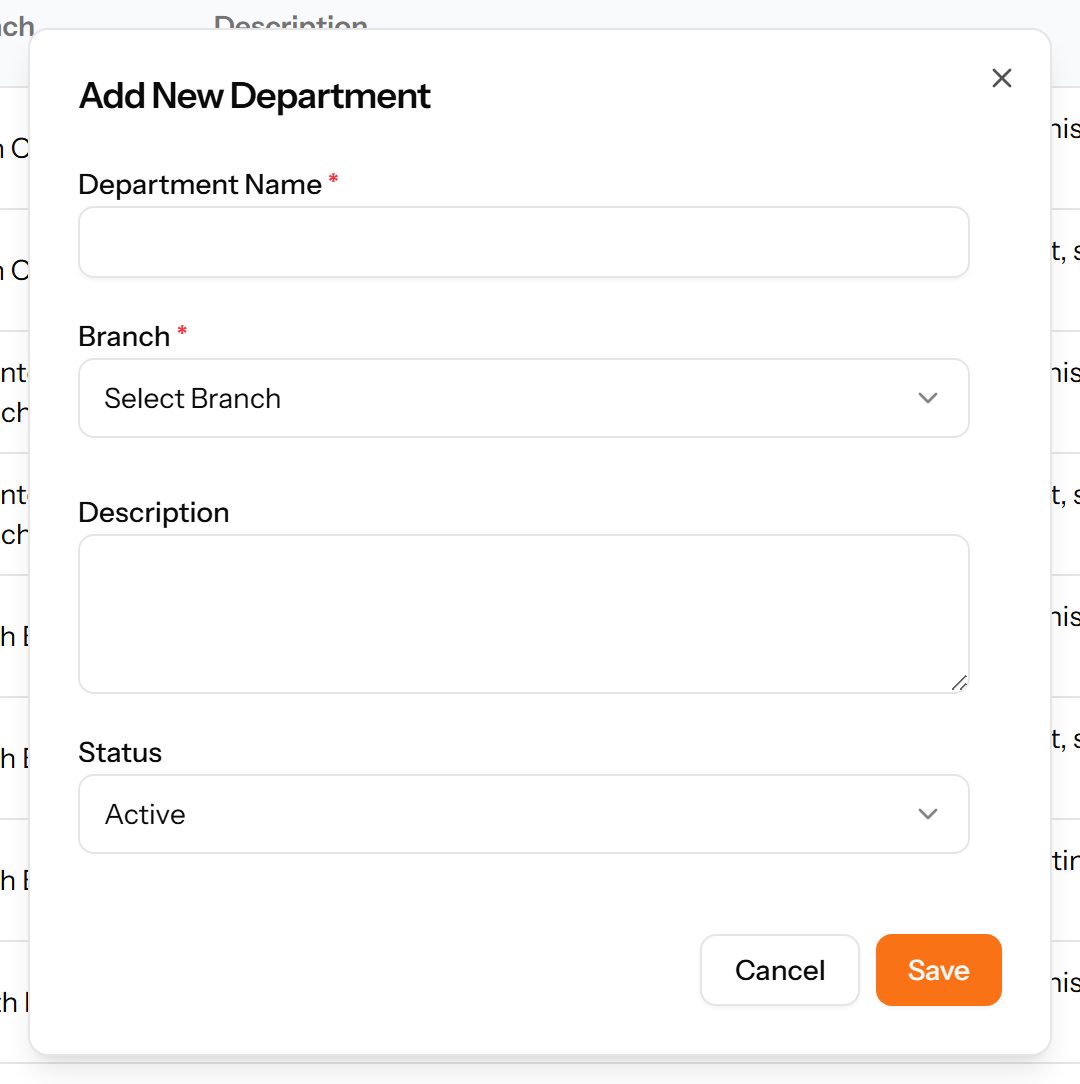
The Add Department form

Designations

Job titles within a department: HR Manager, IT Manager, Recruiter. A designation is the title an employee holds, distinct from the department they sit in.
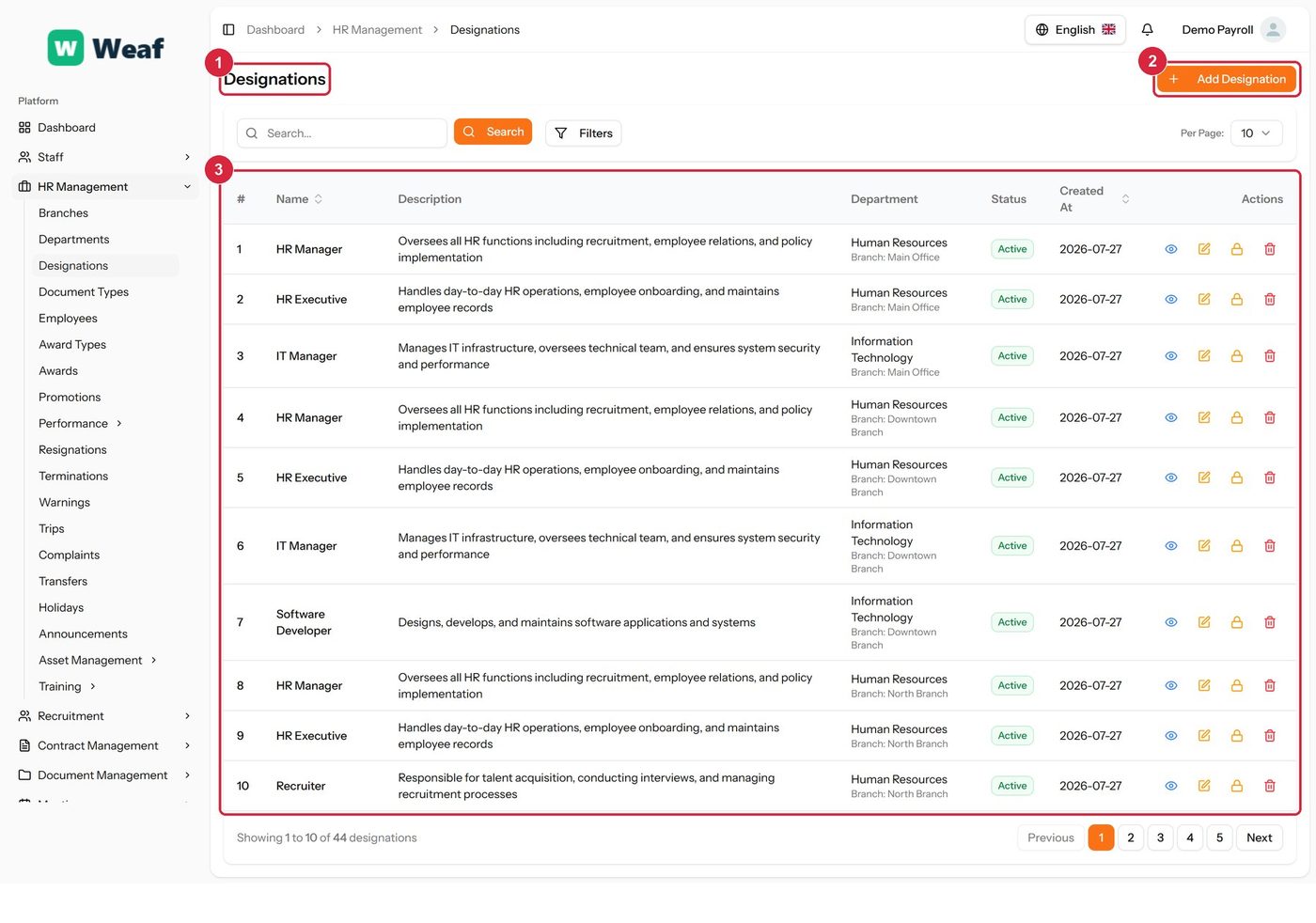
The Designations page
  • 1 page title
  • 2 primary action
  • 3 records table
Columns
  • #
  • Name
  • Description
  • Department
  • Status
  • Created At
  • Actions
Actions on this page
  • Add Designation
  1. Choose Add Designation at the top right. The form opens in a panel.
  2. Complete the required fields: Designation Name.
  3. Fill in anything else that applies: Description.
  4. Make the selections the form asks for: Department.
  5. Choose Save. The new record appears in the list.
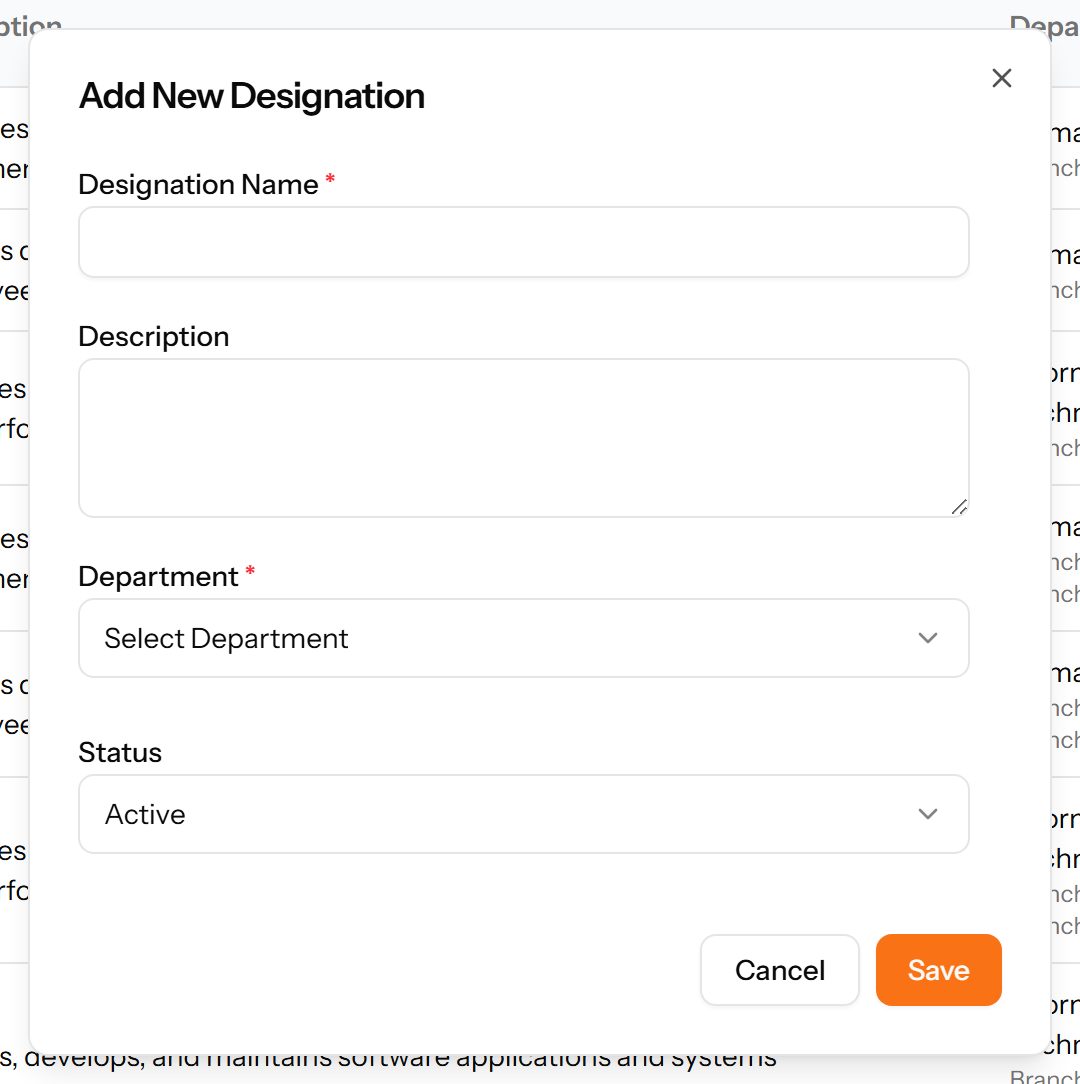
The Add Designation form

Document Types

The kinds of document an employee is expected to provide — contract, national ID, qualification. Marking a type as required makes its absence visible on the employee record.
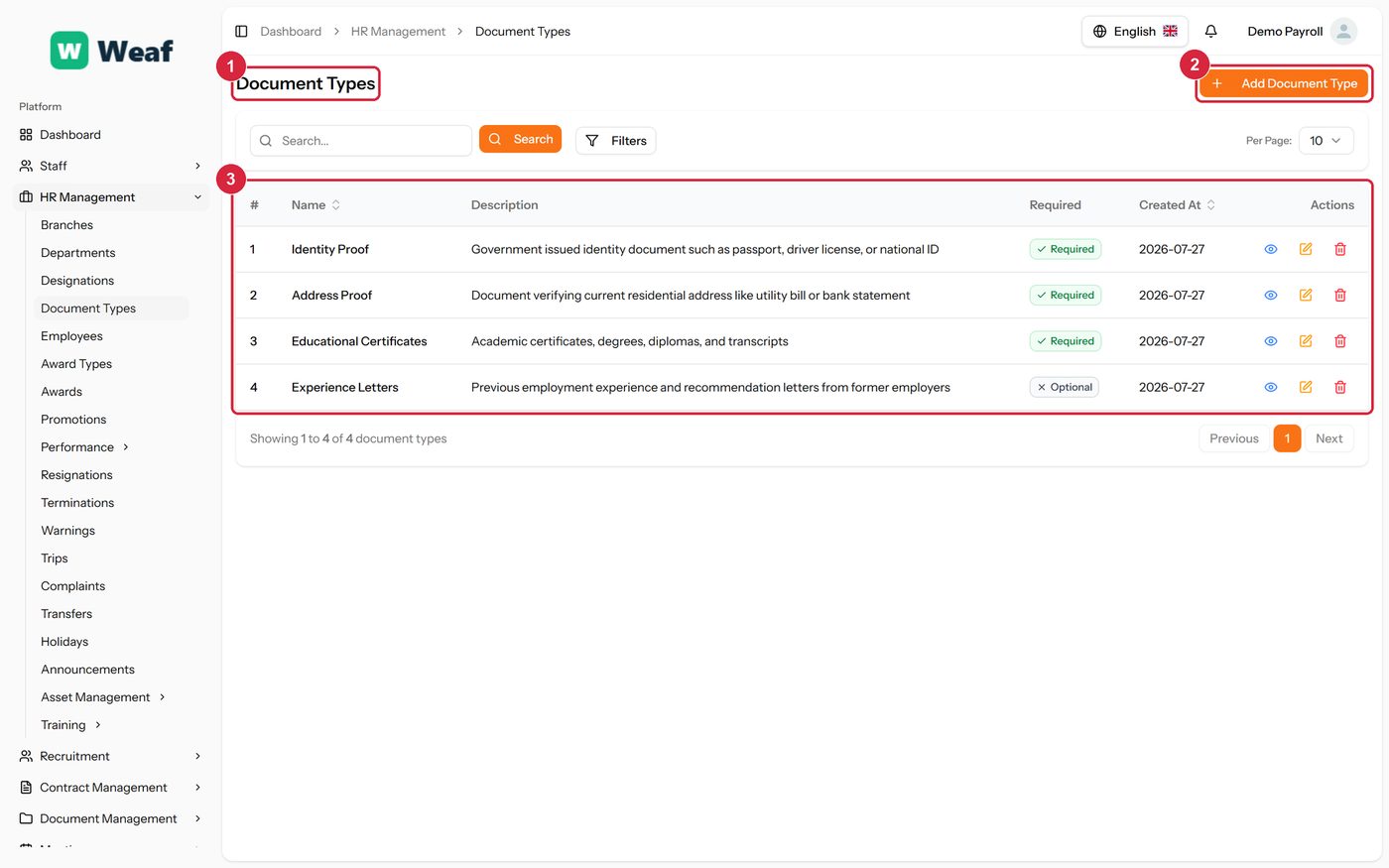
The Document Types page
  • 1 page title
  • 2 primary action
  • 3 records table
Columns
  • #
  • Name
  • Description
  • Required
  • Created At
  • Actions
Actions on this page
  • Add Document Type
  1. Choose Add Document Type at the top right. The form opens in a panel.
  2. Complete the required fields: Document Type Name.
  3. Fill in anything else that applies: Description, Required.
  4. Choose Save. The new record appears in the list.
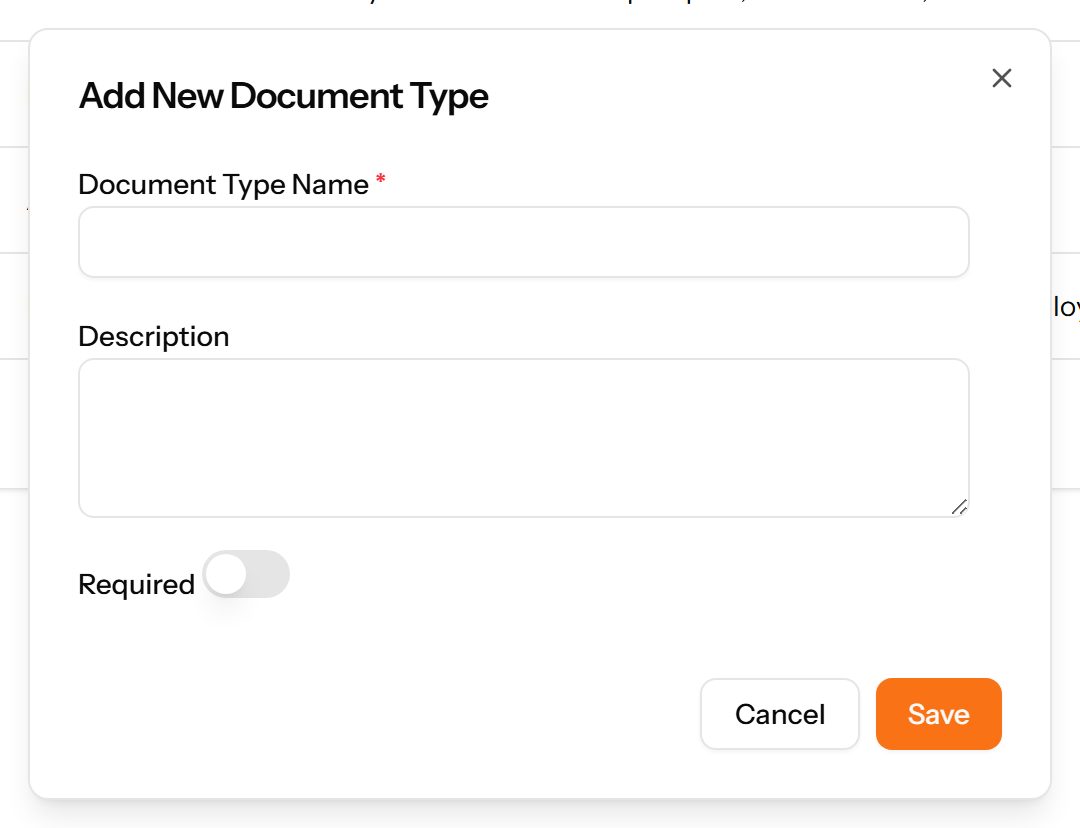
The Add Document Type form

Common questions about company structure

How do I add a branch in Weaf HR?

The physical or legal locations your company operates from. Branches come first because departments, employees, holidays and attendance rules all hang off them.

  1. Choose Add Branch at the top right. The form opens in a panel.
  2. Complete the required fields: Branch Name.
  3. Fill in anything else that applies: Address, City, State/Province, Country, ZIP/Postal Code, Phone, Email.
  4. Choose Save. The new record appears in the list.
How do I add a department in Weaf HR?

Divisions within a branch — Finance, Human Resources, Information Technology. Each department belongs to a branch, which is why branches are set up first.

  1. Choose Add Department at the top right. The form opens in a panel.
  2. Complete the required fields: Department Name.
  3. Fill in anything else that applies: Description.
  4. Make the selections the form asks for: Branch.
  5. Choose Save. The new record appears in the list.
How do I add a designation in Weaf HR?

Job titles within a department: HR Manager, IT Manager, Recruiter. A designation is the title an employee holds, distinct from the department they sit in.

  1. Choose Add Designation at the top right. The form opens in a panel.
  2. Complete the required fields: Designation Name.
  3. Fill in anything else that applies: Description.
  4. Make the selections the form asks for: Department.
  5. Choose Save. The new record appears in the list.
How do I add a document type in Weaf HR?

The kinds of document an employee is expected to provide — contract, national ID, qualification. Marking a type as required makes its absence visible on the employee record.

  1. Choose Add Document Type at the top right. The form opens in a panel.
  2. Complete the required fields: Document Type Name.
  3. Fill in anything else that applies: Description, Required.
  4. Choose Save. The new record appears in the list.

See all questions →